
youarereckless - Minecraft Skins & Skin History
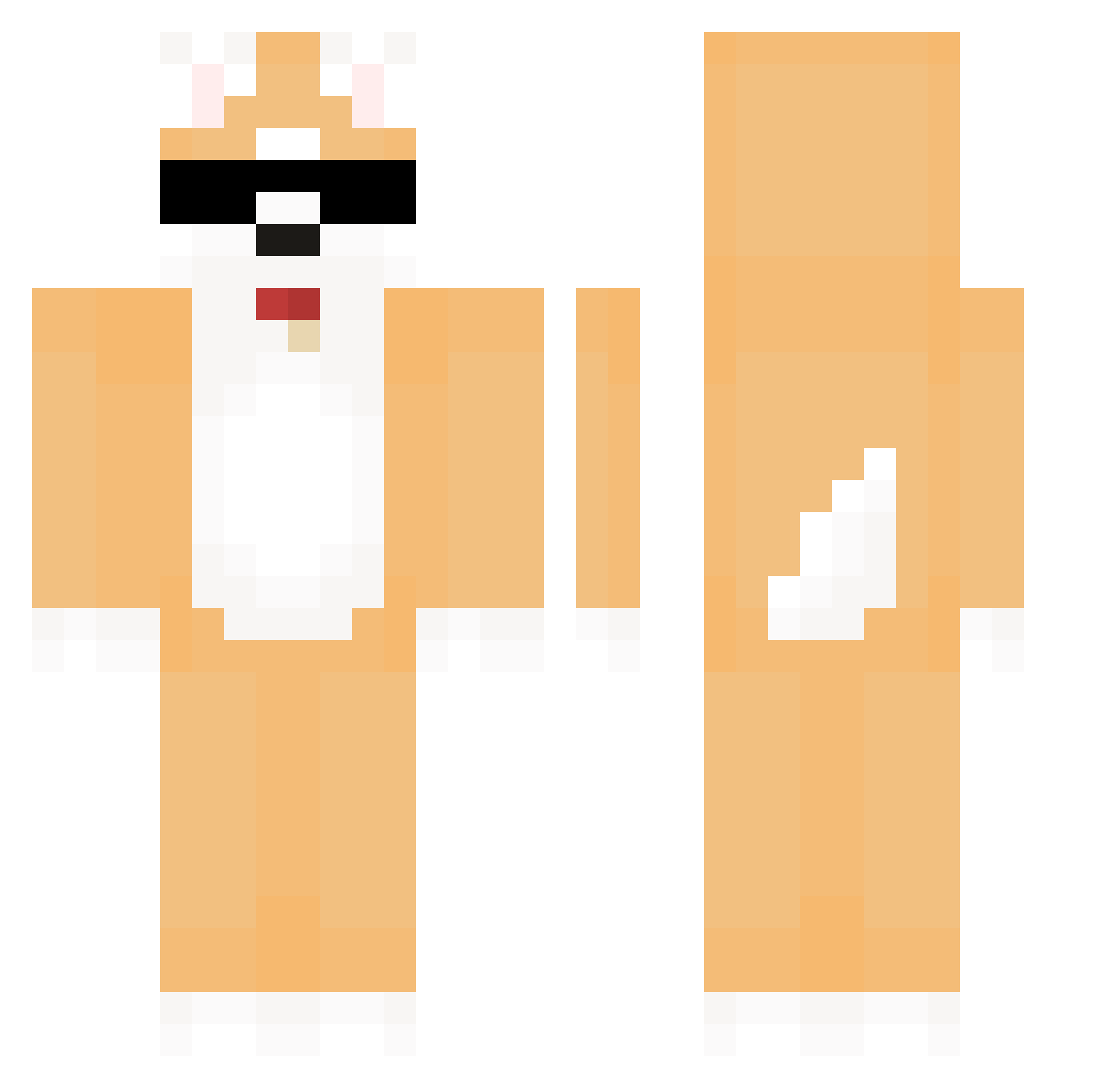
Current Minecraft skin of the player youarereckless, loaded from the official Mojang API. Rotate the 3D model with your mouse or finger, then download the skin as a PNG file and use it in Minecraft: Bedrock Edition or Java Edition for free. When youarereckless changes their skin, this page updates automatically and the old skin stays in the history below.
Other players with this skin (580)
youarereckless was the 544th player we have seen with this skin, first spotted on 24.10.2026. The same skin was seen on these players. Open a nickname to see their current skin and skin history.
 __MINGYU__ helldo JUNJA12 FIFAONLINE yamyam03143 Wasenss seonyeol dhxotlr _Maniac_xx chaliax loqzo Dadada_ espr3sso0416 OwnerB_00 nar12 sirsharky777 aeeegi snazzy_roo132 Hamaa1 kokodoa Suh4519 KingJeungrae77 pigcarrot _xiaolizi SE2K ksunick3 Leean2 dmynb Noobsavar Kinjoe003 chanu111 titanford UniformMoon9370 Hu_dang AspectKyle42 YAM_0704 senloveling CHPark_ kimnoha1234 HIPO0328 Sundubujoa Ztae galim_0721 OwO11111 doyouknow24 mrdogeplays Kimseong358 paBrodt Celybi07 sseungyeon__ VapeXD MynameisSom xClair Smiechus TimeMagician Venisaff lukiwall snavsk JWLSH Chaeni01
More Shiba Inu Minecraft skins
How to install the youarereckless skin
- Press the Download button above to save the skin as a PNG file.
- Minecraft: Bedrock Edition (PE): open the Dressing Room from the main menu (or tap your character → Edit Character), go to Classic Skins → Owned, press the + (new skin) button, choose the downloaded PNG and pick the Classic (Steve) model. Works on PC and mobile; consoles cannot import custom skins.
- Minecraft: Java Edition: open the Minecraft Launcher, go to the Skins tab, click New Skin, load the PNG, pick the Classic (Steve) model and press Save & Use. You can also upload it at minecraft.net → Profile → Change Skin.
The skin does not show up after import - what should I do?
Restart Minecraft and open the Dressing Room again - imported skins sometimes appear only after a restart. Also make sure you selected the imported skin and picked the Classic (Steve) model.
Which model should I choose, Classic or Slim?
This skin is designed for the Classic (Steve) model. If you pick the wrong model, the arms of the skin will look stretched or squeezed.
Is the skin of youarereckless free to download?
Yes. Press Download, save the PNG file and use it in Minecraft: Bedrock Edition or Java Edition - no payment or registration needed. The skin also works on multiplayer servers and Realms.
More skins
Looking for more? Go back to all Minecraft skins and check the top skins of the week, month and all time, or find any player's skin by nickname.