
yorktown56 - Minecraft Skins & Skin History
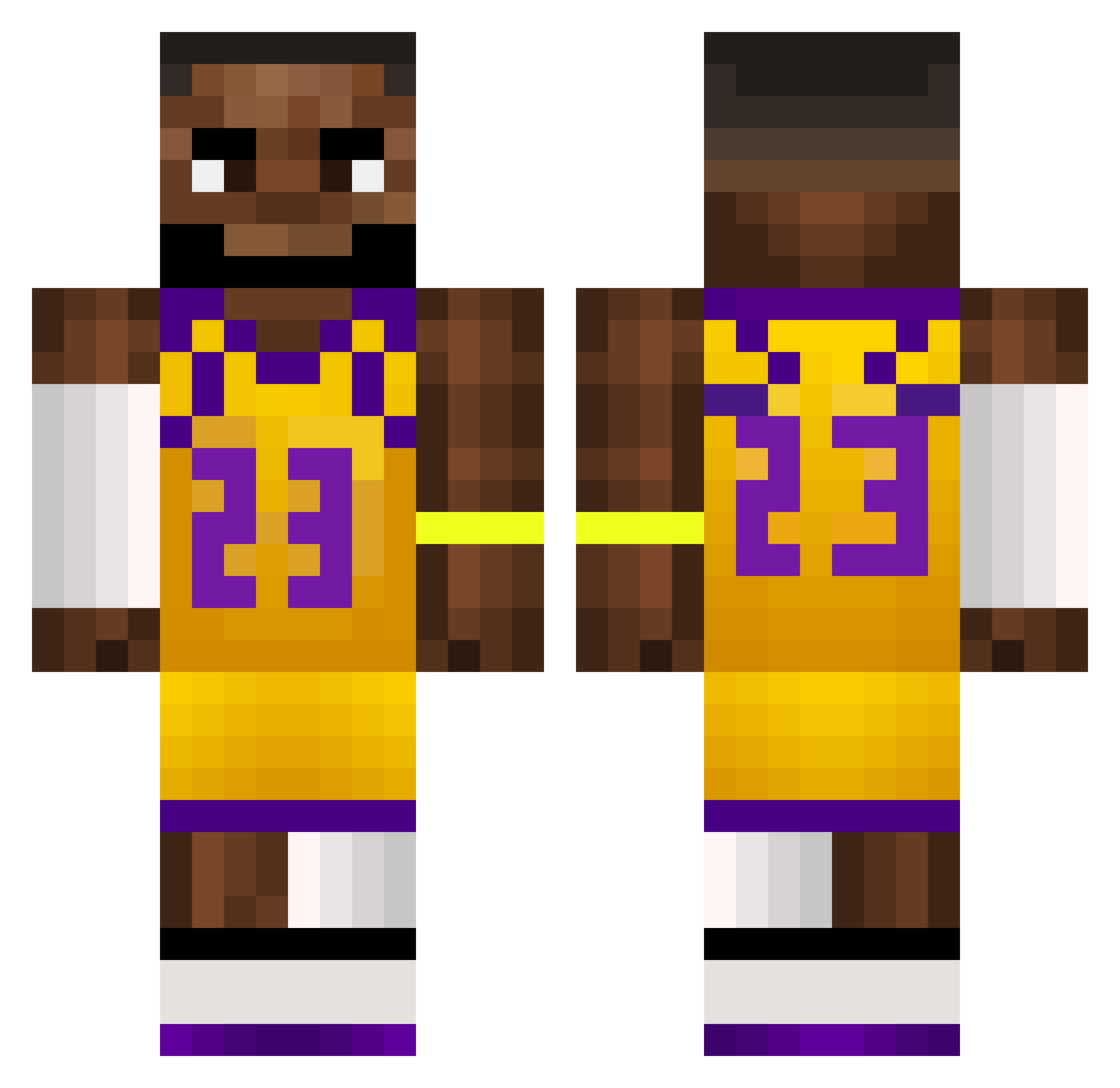
Current Minecraft skin of the player yorktown56, loaded from the official Mojang API. Rotate the 3D model with your mouse or finger, then download the skin as a PNG file and use it in Minecraft: Bedrock Edition or Java Edition for free. When yorktown56 changes their skin, this page updates automatically and the old skin stays in the history below.
Other players with this skin (511)
yorktown56 was the 163rd player we have seen with this skin, first spotted on 22.08.2026. The same skin was seen on these players. Open a nickname to see their current skin and skin history.
 WeakM3ntal Dark_Alvaro LebronGoonRizz DEADLazer1181 JustinBustin123 Obby_Dude tristangotaBWC __unfinished__
 ssmxk shrak196 Idle704 PaxxTheMan ImRezing blaxzy kacpereeeek_ Tqka BDNcon star2714 xcolyv
 WarnerBros11987 moritzzn BigB101 jccasalins sodeepop1234 AZER9527 chochetemojadete CRIS7IAN777 PapiDrip gregonixx Peppe2760 dzonas11 sup3rm0nkey risukunifurz Yank0s_ tweaking305 grif0 pkozzy24 mmbeans420 MrBlade5502 sukmadikbij Mancarrot BakkaaMC blobps Yung_Cam Ihaveskill111 bizatron TheGodOfWar_34 scoobyfroot End_Boy_306
 sickk1ck Shadow_Daddy123 MeAmChris Safalex Twizest S1ZAR8 Vojtik01 frigginpacket_yo BigJack2619 Morgoon_23 matevszekk
More Lakers Minecraft skins
How to install the yorktown56 skin
- Press the Download button above to save the skin as a PNG file.
- Minecraft: Bedrock Edition (PE): open the Dressing Room from the main menu (or tap your character → Edit Character), go to Classic Skins → Owned, press the + (new skin) button, choose the downloaded PNG and pick the Classic (Steve) model. Works on PC and mobile; consoles cannot import custom skins.
- Minecraft: Java Edition: open the Minecraft Launcher, go to the Skins tab, click New Skin, load the PNG, pick the Classic (Steve) model and press Save & Use. You can also upload it at minecraft.net → Profile → Change Skin.
The skin does not show up after import - what should I do?
Restart Minecraft and open the Dressing Room again - imported skins sometimes appear only after a restart. Also make sure you selected the imported skin and picked the Classic (Steve) model.
Which model should I choose, Classic or Slim?
This skin is designed for the Classic (Steve) model. If you pick the wrong model, the arms of the skin will look stretched or squeezed.
Is the skin of yorktown56 free to download?
Yes. Press Download, save the PNG file and use it in Minecraft: Bedrock Edition or Java Edition - no payment or registration needed. The skin also works on multiplayer servers and Realms.
More skins
Looking for more? Go back to all Minecraft skins and check the top skins of the week, month and all time, or find any player's skin by nickname.