
yettd - Minecraft Skins & Skin History
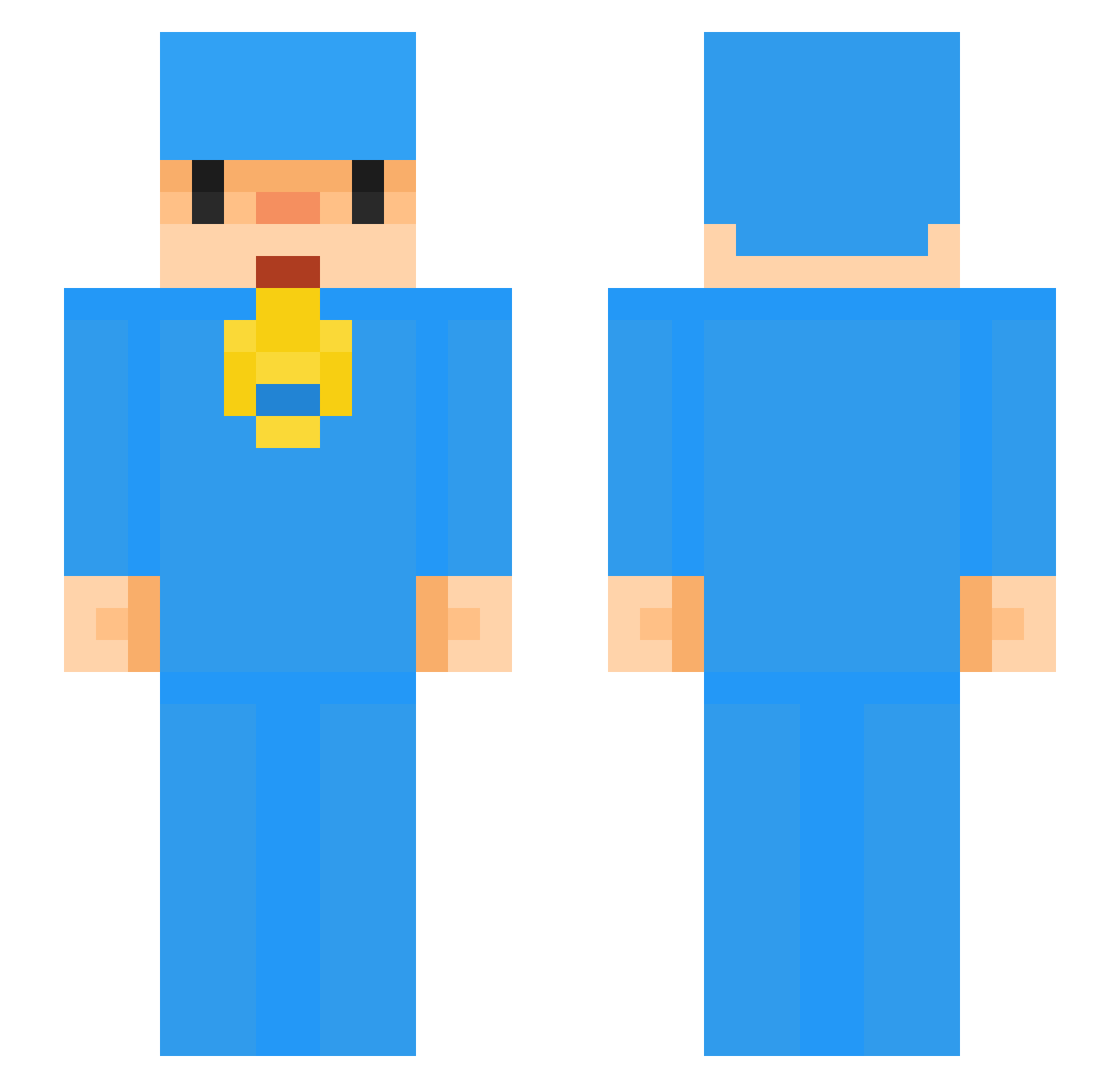
Current Minecraft skin of the player yettd, loaded from the official Mojang API. Rotate the 3D model with your mouse or finger, then download the skin as a PNG file and use it in Minecraft: Bedrock Edition or Java Edition for free. When yettd changes their skin, this page updates automatically and the old skin stays in the history below.
Other players with this skin (54)
yettd was the 25th player we have seen with this skin, first spotted on 07.09.2026. The same skin was seen on these players. Open a nickname to see their current skin and skin history.
 Viktrol xMagic_TV 69Caydem Julius782 D3nsityy Kimu_donghyun FiFl4k ascents_ Machadini AJisVibing UnNeat DKRCraft
 EesKoo the_bandit_squad seriquee esparradao zestystevey RiukyaO_O Jannes1511 mrb_RBumo_12_10 Zippzie lansaid ausuie i4ac Neight__ Ixakk yTecks ChadMungreen Azul021 geonw0o_ BnKspp flixzy19 758k 1Reba FlabbyInfant Jandaratan eYazh S3en bezzy4presi 7lve zorobii moshebaider AndrexItsMe nbplayer69 Lieee_me LucyyOwO NeumaticoTactico ungamer_ dreamemeupatinho Faustynio BeomDong98 Cebolit0s YDANO CiganStoleMyBike
More Pocoyo Minecraft skins
How to install the yettd skin
- Press the Download button above to save the skin as a PNG file.
- Minecraft: Bedrock Edition (PE): open the Dressing Room from the main menu (or tap your character → Edit Character), go to Classic Skins → Owned, press the + (new skin) button, choose the downloaded PNG and pick the Slim (Alex) model. Works on PC and mobile; consoles cannot import custom skins.
- Minecraft: Java Edition: open the Minecraft Launcher, go to the Skins tab, click New Skin, load the PNG, pick the Slim (Alex) model and press Save & Use. You can also upload it at minecraft.net → Profile → Change Skin.
The skin does not show up after import - what should I do?
Restart Minecraft and open the Dressing Room again - imported skins sometimes appear only after a restart. Also make sure you selected the imported skin and picked the Slim (Alex) model.
Which model should I choose, Classic or Slim?
This skin is designed for the Slim (Alex) model. If you pick the wrong model, the arms of the skin will look stretched or squeezed.
Is the skin of yettd free to download?
Yes. Press Download, save the PNG file and use it in Minecraft: Bedrock Edition or Java Edition - no payment or registration needed. The skin also works on multiplayer servers and Realms.
More skins
Looking for more? Go back to all Minecraft skins and check the top skins of the week, month and all time, or find any player's skin by nickname.