
yanaaaaaaaaaa - Minecraft Skins & Skin History
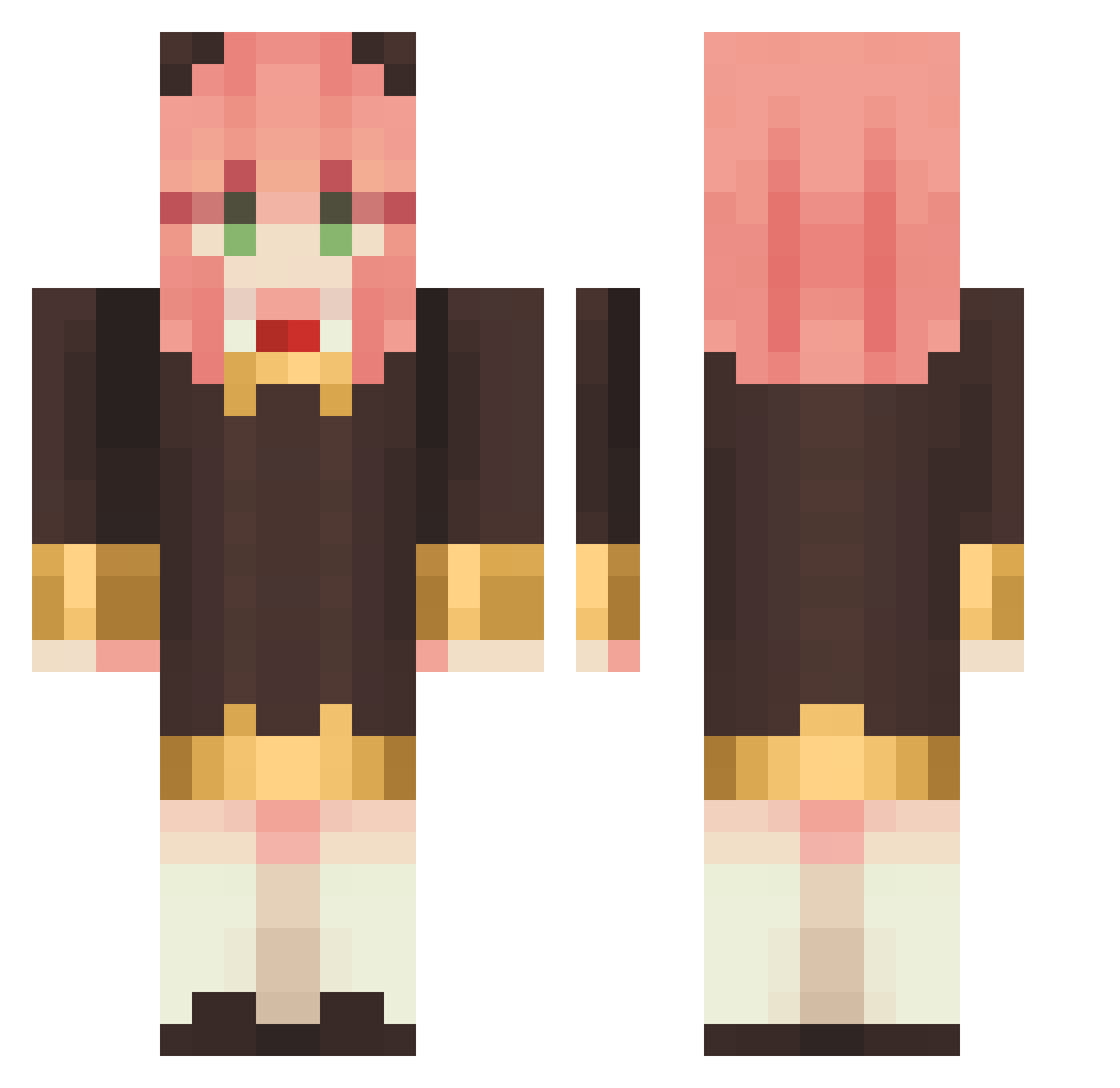
Current Minecraft skin of the player yanaaaaaaaaaa, loaded from the official Mojang API. Rotate the 3D model with your mouse or finger, then download the skin as a PNG file and use it in Minecraft: Bedrock Edition or Java Edition for free. When yanaaaaaaaaaa changes their skin, this page updates automatically and the old skin stays in the history below.
Other players with this skin (1147)
yanaaaaaaaaaa was the 369th player we have seen with this skin, first spotted on 31.08.2026. The same skin was seen on these players. Open a nickname to see their current skin and skin history.
 aramola songlyy12 BunnyPoos Annnn0020 MutsugorouBOT gechigechi DNABBY nanoka417 Tata_HK azulqas hyeonju03 Sleepy859 komer24 Yichen_Aaliyah hecs1 PaRos12 Davidiscute_1102 kyros108 Yakune tyazs itzmepotatos bugxbaby happys2 Ziroooooooooo EduGamer2002 JohnXina1221 YamatonAP Jeannich Drchenmoying666 TheWhite_King Zalysa LaRapoyo hantharo DameComida ShiroNeko007XD Annn0626 milkeemwimi tzuyen0326 Joniszin AniaForger calebets2011 SatinCat GarySteve sevies Nukiochan c_j714 x8o7x Striker64lp ivanliu0706 kerorine1919 yanyan_555 Joygame2027 louisle GM_Nader anyagrams AndrewsLiuTW YOmiGu Baconstrips420 _kevin_tw DDungY8n
More Anya Forger Minecraft skins
How to install the yanaaaaaaaaaa skin
- Press the Download button above to save the skin as a PNG file.
- Minecraft: Bedrock Edition (PE): open the Dressing Room from the main menu (or tap your character → Edit Character), go to Classic Skins → Owned, press the + (new skin) button, choose the downloaded PNG and pick the Classic (Steve) model. Works on PC and mobile; consoles cannot import custom skins.
- Minecraft: Java Edition: open the Minecraft Launcher, go to the Skins tab, click New Skin, load the PNG, pick the Classic (Steve) model and press Save & Use. You can also upload it at minecraft.net → Profile → Change Skin.
The skin does not show up after import - what should I do?
Restart Minecraft and open the Dressing Room again - imported skins sometimes appear only after a restart. Also make sure you selected the imported skin and picked the Classic (Steve) model.
Which model should I choose, Classic or Slim?
This skin is designed for the Classic (Steve) model. If you pick the wrong model, the arms of the skin will look stretched or squeezed.
Is the skin of yanaaaaaaaaaa free to download?
Yes. Press Download, save the PNG file and use it in Minecraft: Bedrock Edition or Java Edition - no payment or registration needed. The skin also works on multiplayer servers and Realms.
More skins
Looking for more? Go back to all Minecraft skins and check the top skins of the week, month and all time, or find any player's skin by nickname.