
yakitori_634 - Minecraft Skins & Skin History
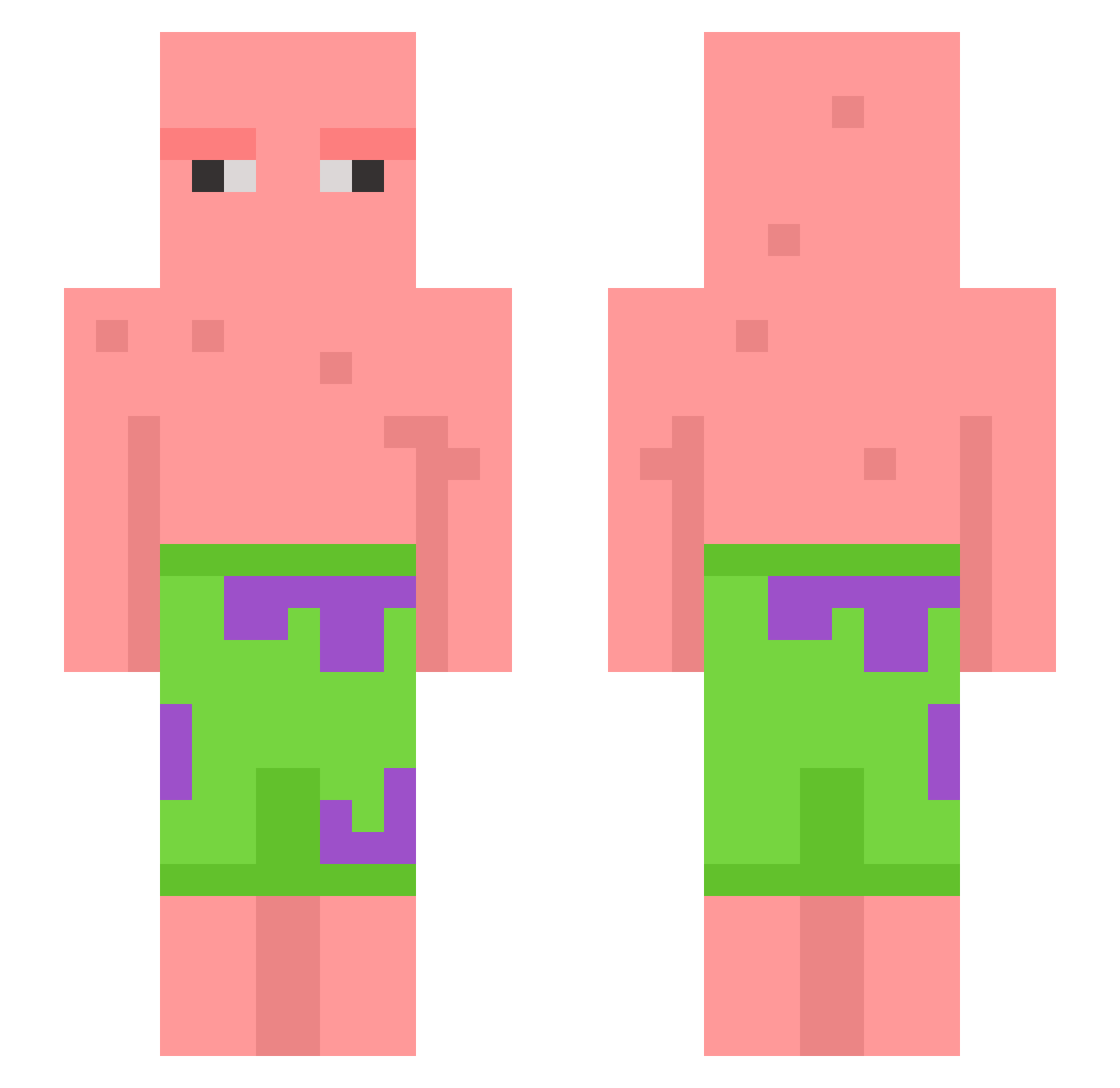
Current Minecraft skin of the player yakitori_634, loaded from the official Mojang API. Rotate the 3D model with your mouse or finger, then download the skin as a PNG file and use it in Minecraft: Bedrock Edition or Java Edition for free. When yakitori_634 changes their skin, this page updates automatically and the old skin stays in the history below.
Other players with this skin (604)
yakitori_634 was the 291st player we have seen with this skin, first spotted on 16.09.2026. The same skin was seen on these players. Open a nickname to see their current skin and skin history.
 mangeun2 Jurkiboi jeff895 identic iHypnotyx WestieJ Oku19 pandapotter12 chviswrlds 1NasA1 MonkeeFloyd Wizmick SmallBlack0220 Kor_minsu Hult6 Bryce_Hall EliteTui henrylei cardesu Explofion Frxser Coggs420 LukesPipHead Dumb_Mail GrusGurun junjja Shaquile_0atm3aI ImDJ Joshy_Dreams AGDZS greenbean512 Spenkix gyeongJH dbsehgus_ GOGODIE PIGASSS coss345 _Aviv_ yuhgetitiguess stargate101 JoyRode razorchapper hhan12n ShamRocky Ben_Dover08 CoomTroopa OutsideDaBar normstorm4 ClemLolZ Elysikae Fuzzysockz spooky24 minhyeok22 vakuumniy coleisballer aeishajaelen HChaji janniecoleman NameOfaUser jeremy18769
More Patrick Star Minecraft skins
See all 612 Patrick Star skins
How to install the yakitori_634 skin
- Press the Download button above to save the skin as a PNG file.
- Minecraft: Bedrock Edition (PE): open the Dressing Room from the main menu (or tap your character → Edit Character), go to Classic Skins → Owned, press the + (new skin) button, choose the downloaded PNG and pick the Slim (Alex) model. Works on PC and mobile; consoles cannot import custom skins.
- Minecraft: Java Edition: open the Minecraft Launcher, go to the Skins tab, click New Skin, load the PNG, pick the Slim (Alex) model and press Save & Use. You can also upload it at minecraft.net → Profile → Change Skin.
The skin does not show up after import - what should I do?
Restart Minecraft and open the Dressing Room again - imported skins sometimes appear only after a restart. Also make sure you selected the imported skin and picked the Slim (Alex) model.
Which model should I choose, Classic or Slim?
This skin is designed for the Slim (Alex) model. If you pick the wrong model, the arms of the skin will look stretched or squeezed.
Is the skin of yakitori_634 free to download?
Yes. Press Download, save the PNG file and use it in Minecraft: Bedrock Edition or Java Edition - no payment or registration needed. The skin also works on multiplayer servers and Realms.
More skins
Looking for more? Go back to all Minecraft skins and check the top skins of the week, month and all time, or find any player's skin by nickname.