
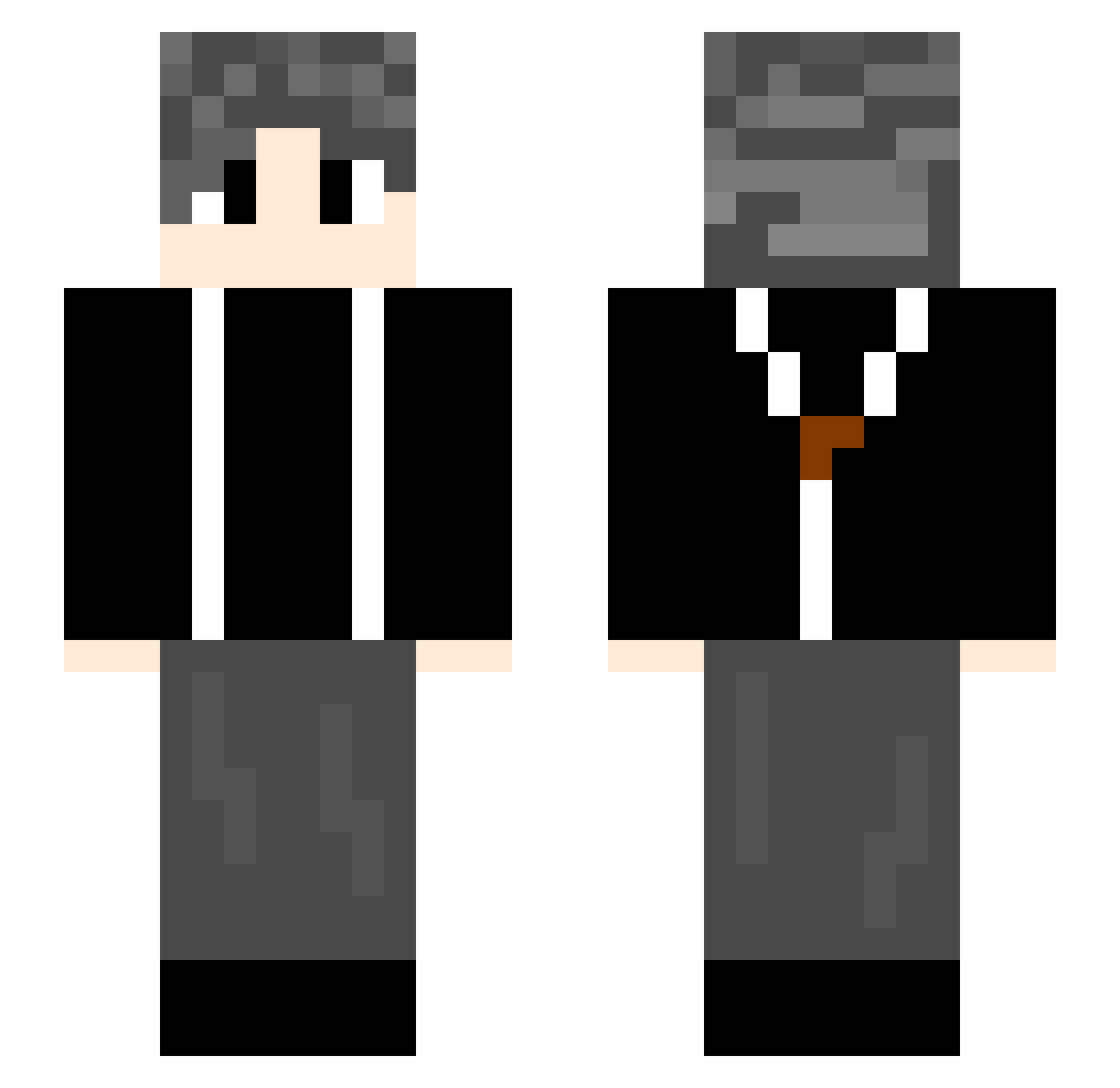
Current Minecraft skin of the player xindela, loaded from the official Mojang API. Rotate the 3D model with your mouse or finger, then download the skin as a PNG file and use it in Minecraft: Bedrock Edition or Java Edition for free. When xindela changes their skin, this page updates automatically and the old skin stays in the history below.
Other players with this skin (580)
xindela was the 549th player we have seen with this skin, first spotted on 09.10.2026. The same skin was seen on these players. Open a nickname to see their current skin and skin history.
 dreamyyds68 chenyuan007 xianchengduo13 jinsheng0624 GGbond2192 wweeqq ljfy wenyulin _Rainbow_______ Mantaballoon Y____Q LIBRAIRV TugeDwhite kekenan Mryouge songyu8489 Yichen1122 Gamlif iohwi Jqcc_ezg yourbaba55 Ikun997 HSM45e Li_Sanfeng Kanade114514 lan2303 Yunshang7 liuzyu Rlex5 nater13697 Chenmengqi AmbiChen Xgodgod laiseng Fantacy22 shdore caiho9 redmuo skywalker0054 EatingLemon XII12138 _313_ Awenck SteveCRZ Lucasmoderic Tjoe Zhangxxxxx xi_jie1 scp264 cc570 Kaguya630 tpzdw ZBGA hang2006 qiwu1 LucK_AnD Aminoth xiaoyu21 dave23318 randy52
How to install the xindela skin
- Press the Download button above to save the skin as a PNG file.
- Minecraft: Bedrock Edition (PE): open the Dressing Room from the main menu (or tap your character → Edit Character), go to Classic Skins → Owned, press the + (new skin) button, choose the downloaded PNG and pick the Slim (Alex) model. Works on PC and mobile; consoles cannot import custom skins.
- Minecraft: Java Edition: open the Minecraft Launcher, go to the Skins tab, click New Skin, load the PNG, pick the Slim (Alex) model and press Save & Use. You can also upload it at minecraft.net → Profile → Change Skin.
The skin does not show up after import - what should I do?
Restart Minecraft and open the Dressing Room again - imported skins sometimes appear only after a restart. Also make sure you selected the imported skin and picked the Slim (Alex) model.
Which model should I choose, Classic or Slim?
This skin is designed for the Slim (Alex) model. If you pick the wrong model, the arms of the skin will look stretched or squeezed.
Is the skin of xindela free to download?
Yes. Press Download, save the PNG file and use it in Minecraft: Bedrock Edition or Java Edition - no payment or registration needed. The skin also works on multiplayer servers and Realms.
More skins
Looking for more? Go back to all Minecraft skins and check the top skins of the week, month and all time, or find any player's skin by nickname.