
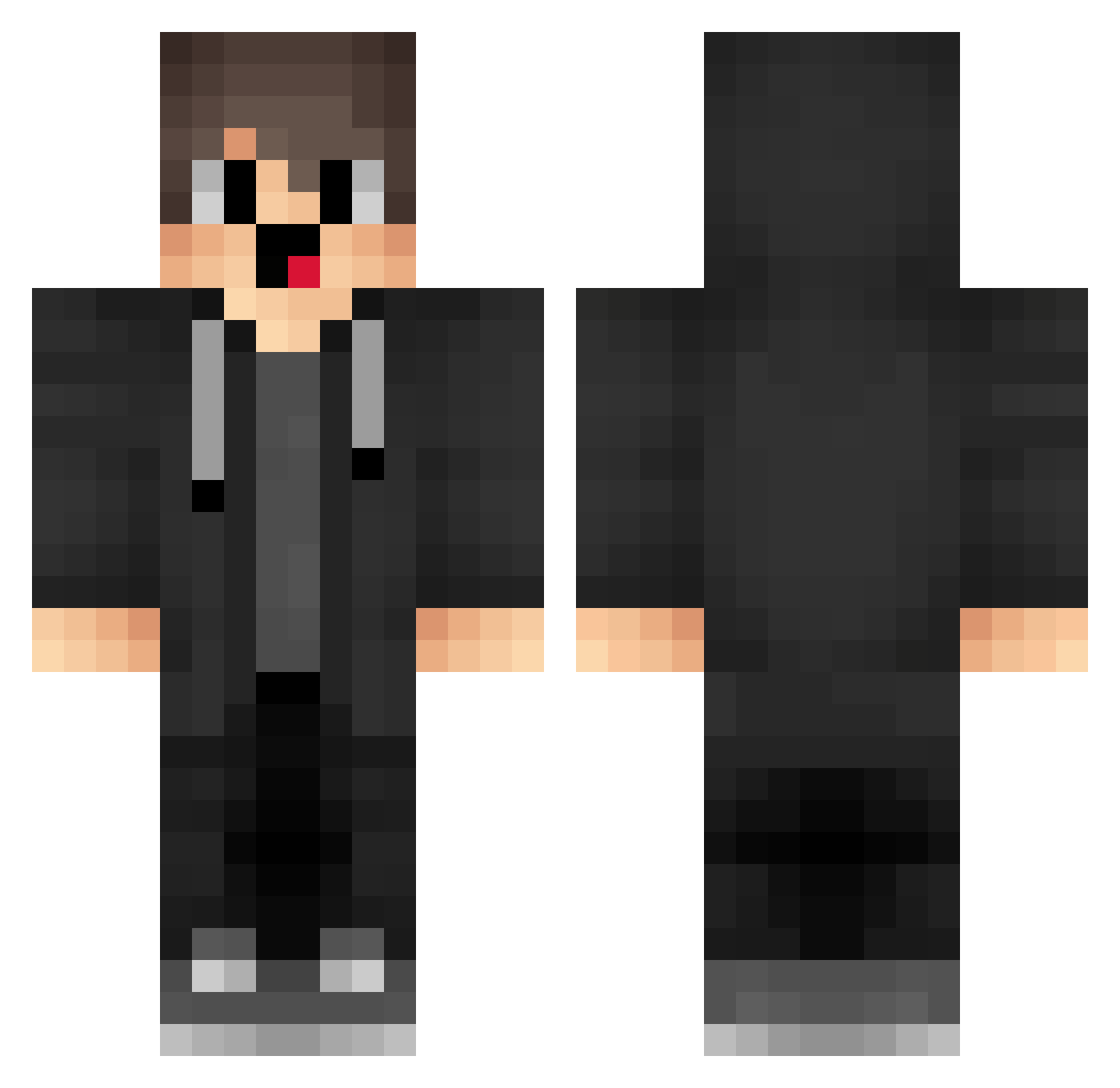
Current Minecraft skin of the player xenojake, loaded from the official Mojang API. Rotate the 3D model with your mouse or finger, then download the skin as a PNG file and use it in Minecraft: Bedrock Edition or Java Edition for free. When xenojake changes their skin, this page updates automatically and the old skin stays in the history below.
Other players with this skin (1290)
xenojake was the 456th player we have seen with this skin, first spotted on 24.08.2026. The same skin was seen on these players. Open a nickname to see their current skin and skin history.
 wkk347 Sa3ura_1999 raindas djluk3z fgY989 bjl300 VAPEPROCJT vam639 TQf614 hkA49 MTw111 merzidonut AID253 JXN457 nAE913 SIi401 box_vRDLIquNN497 xnD326 JustGresh box_kffAbMjFJ859 ItsKorea wGn202 ite86 gQl624 gjP320 lufei_AWXng_0207 fMh984 Api30 EnJ298 Namsues fme469 Nzh115 box_lkwTpEfeX174 AI8848 vri320 MyNoBHOP fur548 ZCX322 SST983 Rainbowk_FW0qNNA Sa3ura_28 danze1da lMP815 Haodidi_awaFans2 NomadicSum73304 merzinotbanned box_ORnODvBpn774 EYX90 qEu561 KQS43 box_CPZqUwnhl761 CQz325 TIT253 Cht881 hoC658 bAu358 pigmastaa Meryzz_6 IKUN_A789 box_gMvepQCcG999
How to install the xenojake skin
- Press the Download button above to save the skin as a PNG file.
- Minecraft: Bedrock Edition (PE): open the Dressing Room from the main menu (or tap your character → Edit Character), go to Classic Skins → Owned, press the + (new skin) button, choose the downloaded PNG and pick the Classic (Steve) model. Works on PC and mobile; consoles cannot import custom skins.
- Minecraft: Java Edition: open the Minecraft Launcher, go to the Skins tab, click New Skin, load the PNG, pick the Classic (Steve) model and press Save & Use. You can also upload it at minecraft.net → Profile → Change Skin.
The skin does not show up after import - what should I do?
Restart Minecraft and open the Dressing Room again - imported skins sometimes appear only after a restart. Also make sure you selected the imported skin and picked the Classic (Steve) model.
Which model should I choose, Classic or Slim?
This skin is designed for the Classic (Steve) model. If you pick the wrong model, the arms of the skin will look stretched or squeezed.
Is the skin of xenojake free to download?
Yes. Press Download, save the PNG file and use it in Minecraft: Bedrock Edition or Java Edition - no payment or registration needed. The skin also works on multiplayer servers and Realms.
More skins
Looking for more? Go back to all Minecraft skins and check the top skins of the week, month and all time, or find any player's skin by nickname.