
xeisas631 - Minecraft Skins & Skin History
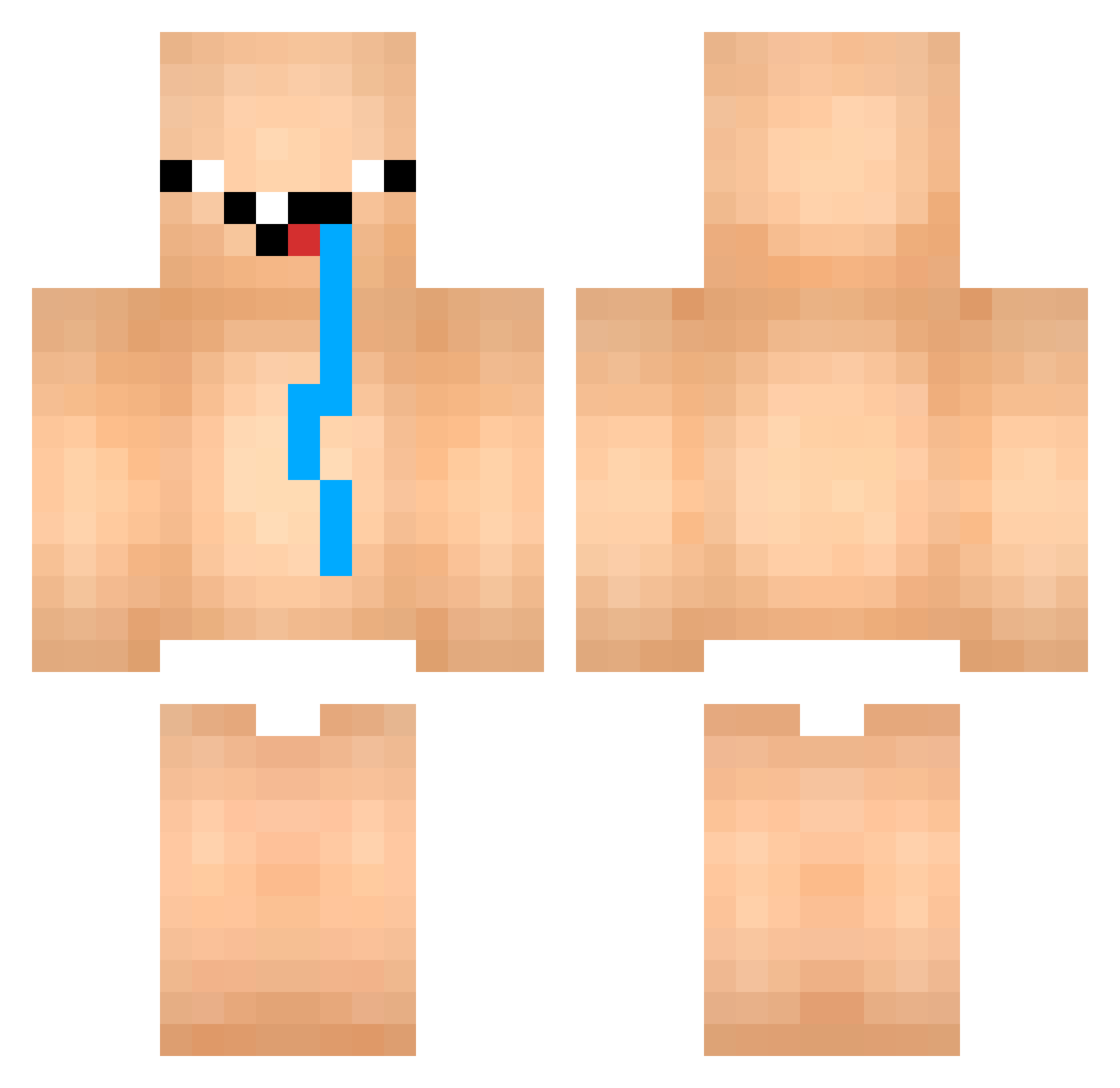
Current Minecraft skin of the player xeisas631, loaded from the official Mojang API. Rotate the 3D model with your mouse or finger, then download the skin as a PNG file and use it in Minecraft: Bedrock Edition or Java Edition for free. When xeisas631 changes their skin, this page updates automatically and the old skin stays in the history below.
Other players with this skin (852)
xeisas631 was the 542nd player we have seen with this skin, first spotted on 01.10.2026. The same skin was seen on these players. Open a nickname to see their current skin and skin history.
 mimickhan DiorLeakinn david_czz SMXsamuzin CruddierCube194 lamzqx EzahDark TNP03 laess_off speedfire01 Paulongooo ozotron FeetInMyToes _Ayampercik wisim1202 Fizgog Niklas4565 Skelrora DDdotCO 1mega_ Rskyyy Belzuk Tyxir26 Elias_Santh MasterTim24 FaZeStinker leozangs dimarusdi gimamichi JMshardid Myraon LIF2012 xXKalakrobchoBXx Tuna3331 TheRealHIKAKIN n2o_btx Cz_Rabbit SkyBlock777 qTeggl MaksimkaKRUT FazeNodi JaunaSmoke GLP_PalleLP09_HD kmawaro2523 darthjul06 IMMORTALJULIAN DersimliRuzgar nicolaigl72 Nalty67 Liorix666 luffgekko mjmatray10 kim_h_r vecraft1337 Dal_Pra Nonli4567 choraprovort3x TimoSuiRoblox 2232323_ estrognofe
More Diaper Minecraft skins
How to install the xeisas631 skin
- Press the Download button above to save the skin as a PNG file.
- Minecraft: Bedrock Edition (PE): open the Dressing Room from the main menu (or tap your character → Edit Character), go to Classic Skins → Owned, press the + (new skin) button, choose the downloaded PNG and pick the Classic (Steve) model. Works on PC and mobile; consoles cannot import custom skins.
- Minecraft: Java Edition: open the Minecraft Launcher, go to the Skins tab, click New Skin, load the PNG, pick the Classic (Steve) model and press Save & Use. You can also upload it at minecraft.net → Profile → Change Skin.
The skin does not show up after import - what should I do?
Restart Minecraft and open the Dressing Room again - imported skins sometimes appear only after a restart. Also make sure you selected the imported skin and picked the Classic (Steve) model.
Which model should I choose, Classic or Slim?
This skin is designed for the Classic (Steve) model. If you pick the wrong model, the arms of the skin will look stretched or squeezed.
Is the skin of xeisas631 free to download?
Yes. Press Download, save the PNG file and use it in Minecraft: Bedrock Edition or Java Edition - no payment or registration needed. The skin also works on multiplayer servers and Realms.
More skins
Looking for more? Go back to all Minecraft skins and check the top skins of the week, month and all time, or find any player's skin by nickname.