
Dal_Pra - Minecraft Skins & Skin History
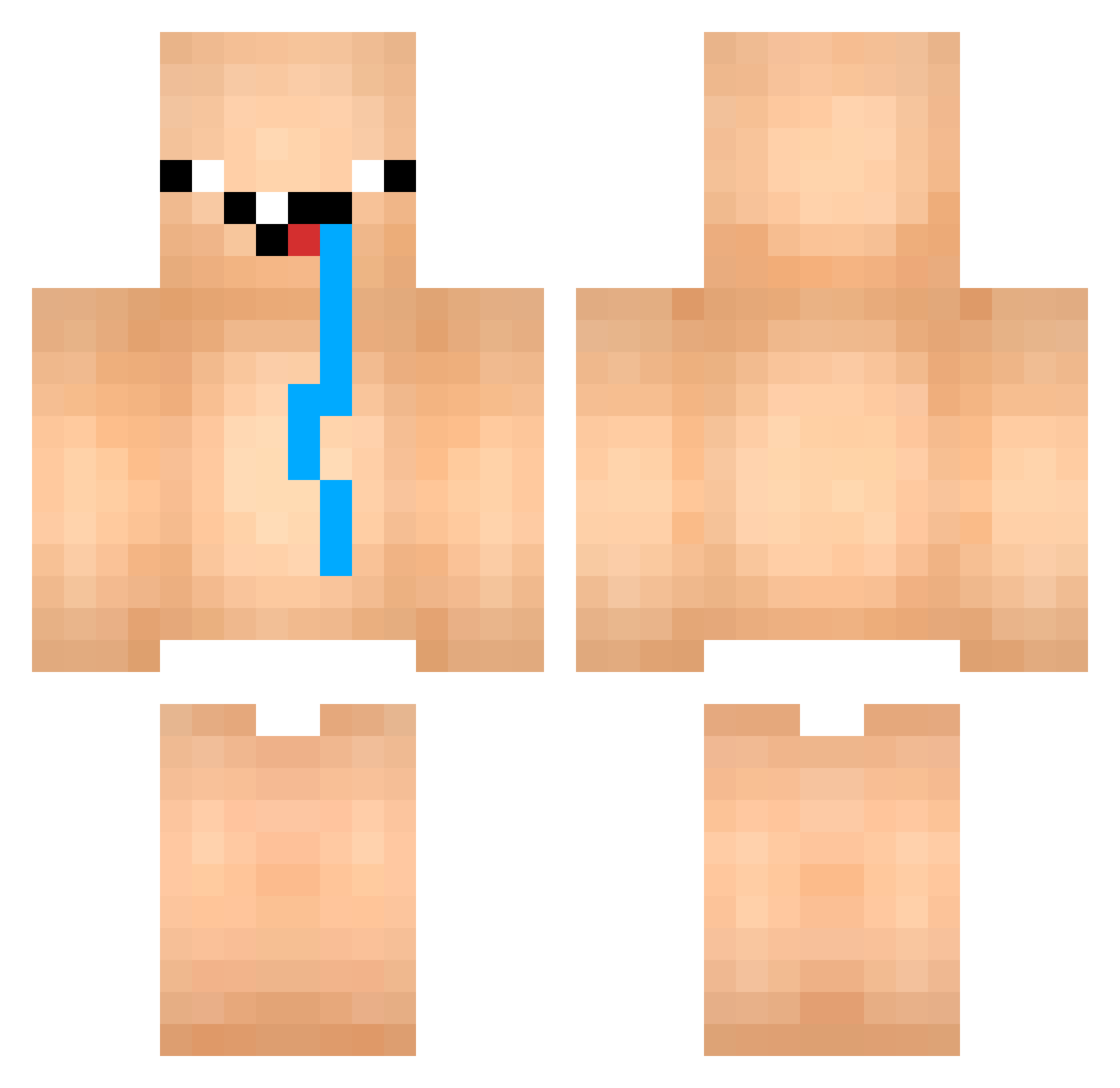
Current Minecraft skin of the player Dal_Pra, loaded from the official Mojang API. Rotate the 3D model with your mouse or finger, then download the skin as a PNG file and use it in Minecraft: Bedrock Edition or Java Edition for free. When Dal_Pra changes their skin, this page updates automatically and the old skin stays in the history below.
Other players with this skin (852)
Dal_Pra was the 521st player we have seen with this skin, first spotted on 29.09.2026. The same skin was seen on these players. Open a nickname to see their current skin and skin history.
 vecraft1337 choraprovort3x TimoSuiRoblox estrognofe galaxjp JaunaSmoke qTeggl Cz_Rabbit IronPepper n2o_btx Tuna3331 xXKalakrobchoBXx LIF2012 hex______ sojasobe moksooda Schmitt2009 Cyrox_1337 Andi_Ostfront_ Myraon gerryscotti06 OhhZhylo SeaTom56 FaZeStinker MasterTim24 Belzuk Rskyyy Joszzzz Kacper235 1mega_ Niklas4565 Emilioki P0GGSCHAMP clappedbyaguy_ RvnzinN _Ayampercik Visual_111 ozotron YuriSS01 negi_seijin laess_off david_czz DiorLeakinn xeisas631 mimickhan SMXsamuzin CruddierCube194 lamzqx EzahDark TNP03 speedfire01 Paulongooo Handballju Nota_Butcher FeetInMyToes jxqio12j4o1j2o4 ntrww KFcat wisim1202 bananakot69
More Diaper Minecraft skins
How to install the Dal_Pra skin
- Press the Download button above to save the skin as a PNG file.
- Minecraft: Bedrock Edition (PE): open the Dressing Room from the main menu (or tap your character → Edit Character), go to Classic Skins → Owned, press the + (new skin) button, choose the downloaded PNG and pick the Classic (Steve) model. Works on PC and mobile; consoles cannot import custom skins.
- Minecraft: Java Edition: open the Minecraft Launcher, go to the Skins tab, click New Skin, load the PNG, pick the Classic (Steve) model and press Save & Use. You can also upload it at minecraft.net → Profile → Change Skin.
The skin does not show up after import - what should I do?
Restart Minecraft and open the Dressing Room again - imported skins sometimes appear only after a restart. Also make sure you selected the imported skin and picked the Classic (Steve) model.
Which model should I choose, Classic or Slim?
This skin is designed for the Classic (Steve) model. If you pick the wrong model, the arms of the skin will look stretched or squeezed.
Is the skin of Dal_Pra free to download?
Yes. Press Download, save the PNG file and use it in Minecraft: Bedrock Edition or Java Edition - no payment or registration needed. The skin also works on multiplayer servers and Realms.
More skins
Looking for more? Go back to all Minecraft skins and check the top skins of the week, month and all time, or find any player's skin by nickname.