
x_net_x - Minecraft Skins & Skin History
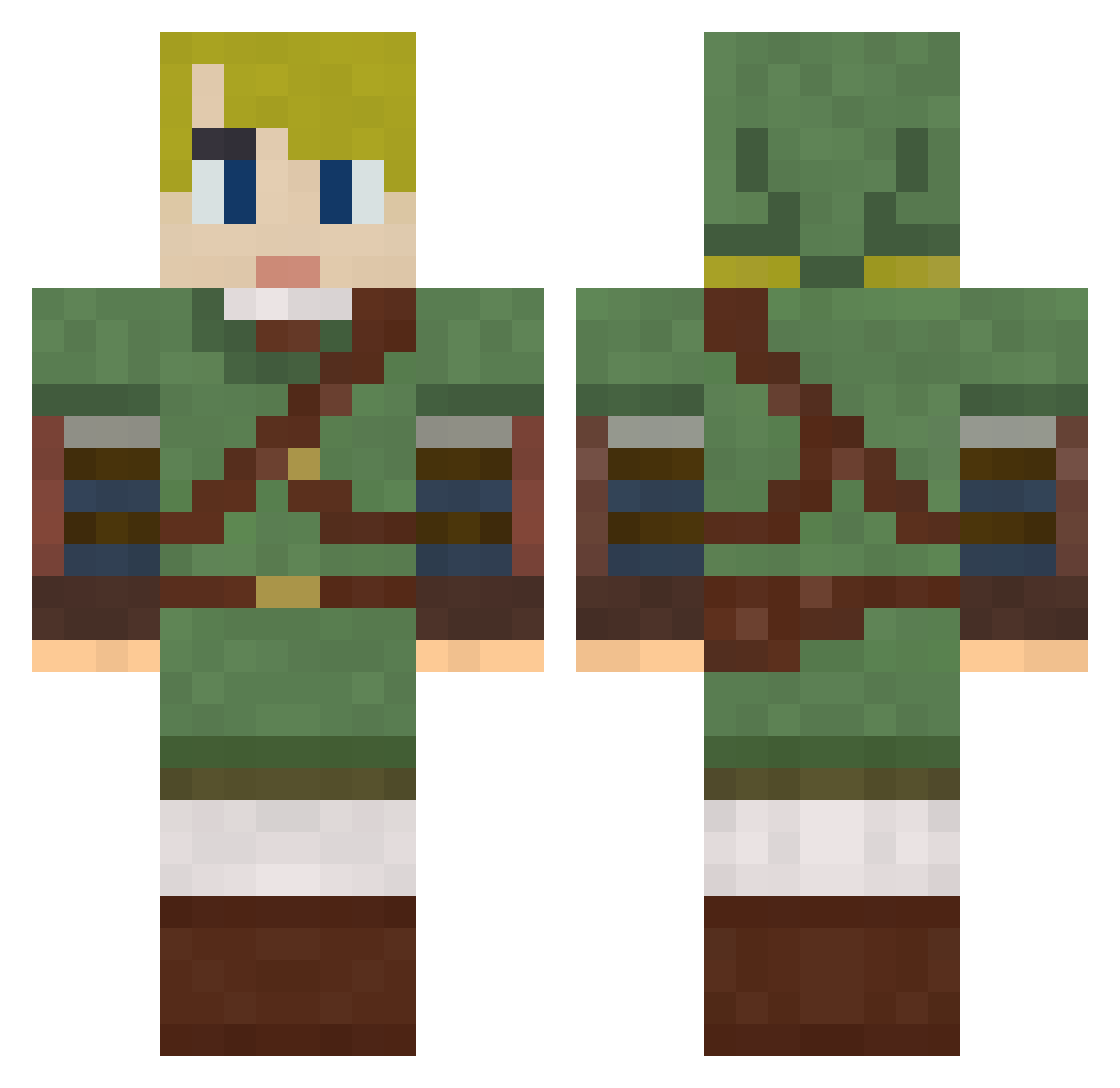
Current Minecraft skin of the player x_net_x, loaded from the official Mojang API. Rotate the 3D model with your mouse or finger, then download the skin as a PNG file and use it in Minecraft: Bedrock Edition or Java Edition for free. When x_net_x changes their skin, this page updates automatically and the old skin stays in the history below.
Other players with this skin (249)
x_net_x was the 189th player we have seen with this skin, first spotted on 30.09.2026. The same skin was seen on these players. Open a nickname to see their current skin and skin history.
 PheonixDown88 Drift3384 Miabi511 chuday QuackNoodles MeowBlep AxlRoze Kalemdian zzac71 Dietrich_BR french___fry PoorlyDrawnDuck RicePuppy birksandsocks Da_Bouch Hyosei GrimBunny6_6 milvalen Darkin_Ichigo pfow88 mighty_smoky billardsock Thomastlm Lehrerchen kp23 NamiSarene Loidden TheJinker micantty SilverAlicanto stigern33 CreatorFree CherrySunday85 RsoN_Style _Gnomus_ xtheschmid Rumblemere Weecho_25 LapinMarron Flerps XETHA24 GinTyn shokupanko moyashi9123 MindOfKenneth Sangued _ZarTeX Gilgamesh057 Sparxs731 junko07 Klinkerbell Trekstar54 SuuperNoah33 SourestLemonHead batatafrita4 ProfessorFate79 SteveCall DeltaTDS Chl01 tkst728116
More Zelda Minecraft skins
How to install the x_net_x skin
- Press the Download button above to save the skin as a PNG file.
- Minecraft: Bedrock Edition (PE): open the Dressing Room from the main menu (or tap your character → Edit Character), go to Classic Skins → Owned, press the + (new skin) button, choose the downloaded PNG and pick the Classic (Steve) model. Works on PC and mobile; consoles cannot import custom skins.
- Minecraft: Java Edition: open the Minecraft Launcher, go to the Skins tab, click New Skin, load the PNG, pick the Classic (Steve) model and press Save & Use. You can also upload it at minecraft.net → Profile → Change Skin.
The skin does not show up after import - what should I do?
Restart Minecraft and open the Dressing Room again - imported skins sometimes appear only after a restart. Also make sure you selected the imported skin and picked the Classic (Steve) model.
Which model should I choose, Classic or Slim?
This skin is designed for the Classic (Steve) model. If you pick the wrong model, the arms of the skin will look stretched or squeezed.
Is the skin of x_net_x free to download?
Yes. Press Download, save the PNG file and use it in Minecraft: Bedrock Edition or Java Edition - no payment or registration needed. The skin also works on multiplayer servers and Realms.
More skins
Looking for more? Go back to all Minecraft skins and check the top skins of the week, month and all time, or find any player's skin by nickname.