
Sparxs731 - Minecraft Skins & Skin History
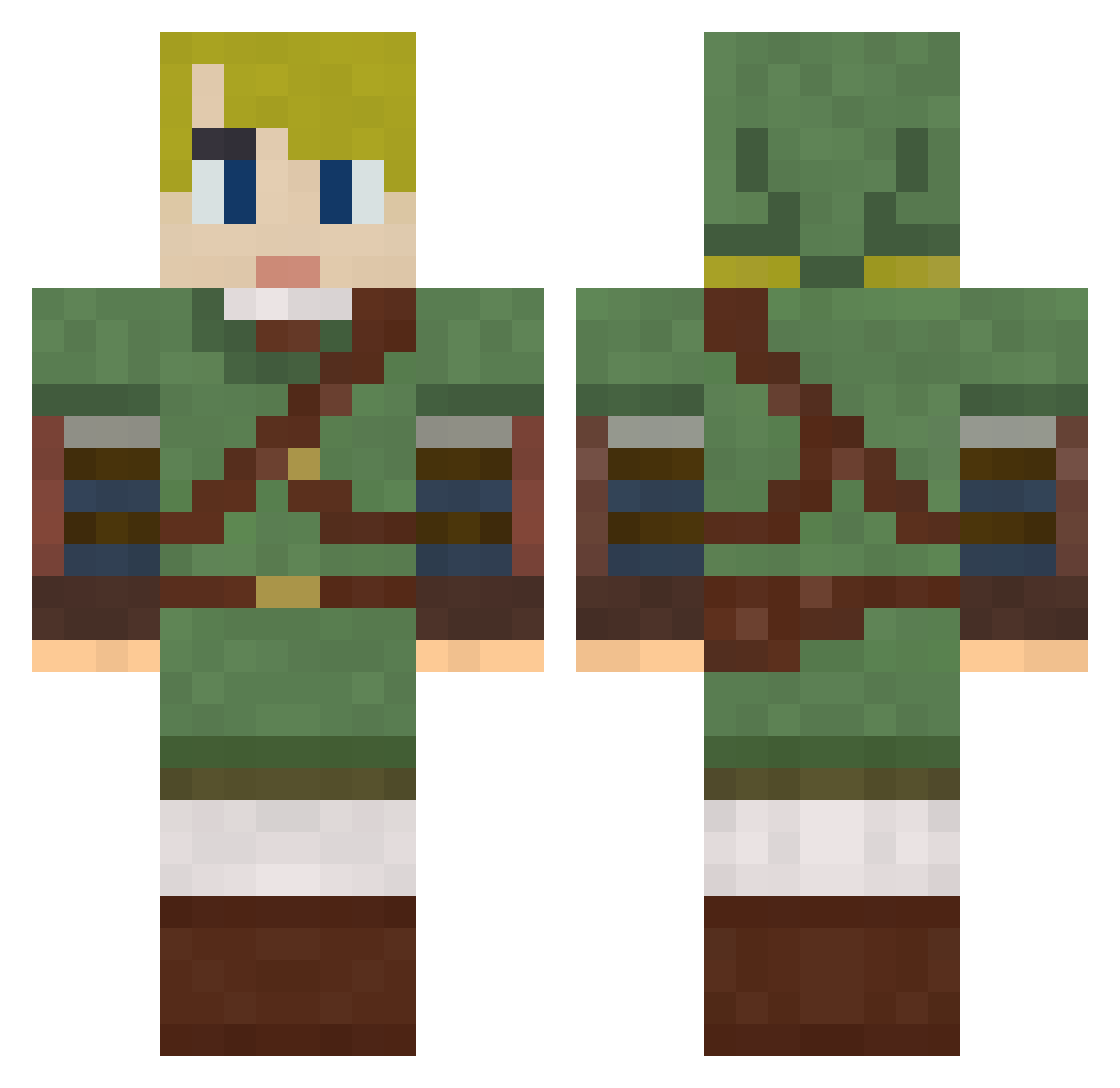
Current Minecraft skin of the player Sparxs731, loaded from the official Mojang API. Rotate the 3D model with your mouse or finger, then download the skin as a PNG file and use it in Minecraft: Bedrock Edition or Java Edition for free. When Sparxs731 changes their skin, this page updates automatically and the old skin stays in the history below.
Other players with this skin (249)
Sparxs731 was the 163rd player we have seen with this skin, first spotted on 21.09.2026. The same skin was seen on these players. Open a nickname to see their current skin and skin history.
 _ZarTeX Klinkerbell Sangued Trekstar54 shokupanko batatafrita4 DeltaTDS LapinMarron CU_K xtheschmid Norfiril41 CreatorFree Ronskies87 SilverAlicanto Loidden berkMS MeRockz Asmo_Deus kp23 LusPotato puffer03 Lehrerchen Thomastlm mighty_smoky pfow88 Darkin_Ichigo DJ005 milvalen MrShadyShades19 CHIWARWAR Hyosei SLVR25 french___fry Dietrich_BR zzac71 Kalemdian Nathinh0 J_Wiz MeowBlep QuackNoodles TT_0 Miabi511 Drift3384 brioche_barbare PheonixDown88 stat1stick x_net_x Nickmav1337 chuday AxlRoze PoorlyDrawnDuck RicePuppy birksandsocks Da_Bouch NotYourAvgTim GrimBunny6_6 billardsock eric_ford Jamphibious NamiSarene
More Zelda Minecraft skins
How to install the Sparxs731 skin
- Press the Download button above to save the skin as a PNG file.
- Minecraft: Bedrock Edition (PE): open the Dressing Room from the main menu (or tap your character → Edit Character), go to Classic Skins → Owned, press the + (new skin) button, choose the downloaded PNG and pick the Classic (Steve) model. Works on PC and mobile; consoles cannot import custom skins.
- Minecraft: Java Edition: open the Minecraft Launcher, go to the Skins tab, click New Skin, load the PNG, pick the Classic (Steve) model and press Save & Use. You can also upload it at minecraft.net → Profile → Change Skin.
The skin does not show up after import - what should I do?
Restart Minecraft and open the Dressing Room again - imported skins sometimes appear only after a restart. Also make sure you selected the imported skin and picked the Classic (Steve) model.
Which model should I choose, Classic or Slim?
This skin is designed for the Classic (Steve) model. If you pick the wrong model, the arms of the skin will look stretched or squeezed.
Is the skin of Sparxs731 free to download?
Yes. Press Download, save the PNG file and use it in Minecraft: Bedrock Edition or Java Edition - no payment or registration needed. The skin also works on multiplayer servers and Realms.
More skins
Looking for more? Go back to all Minecraft skins and check the top skins of the week, month and all time, or find any player's skin by nickname.