
xZafkiell - Minecraft Skins & Skin History
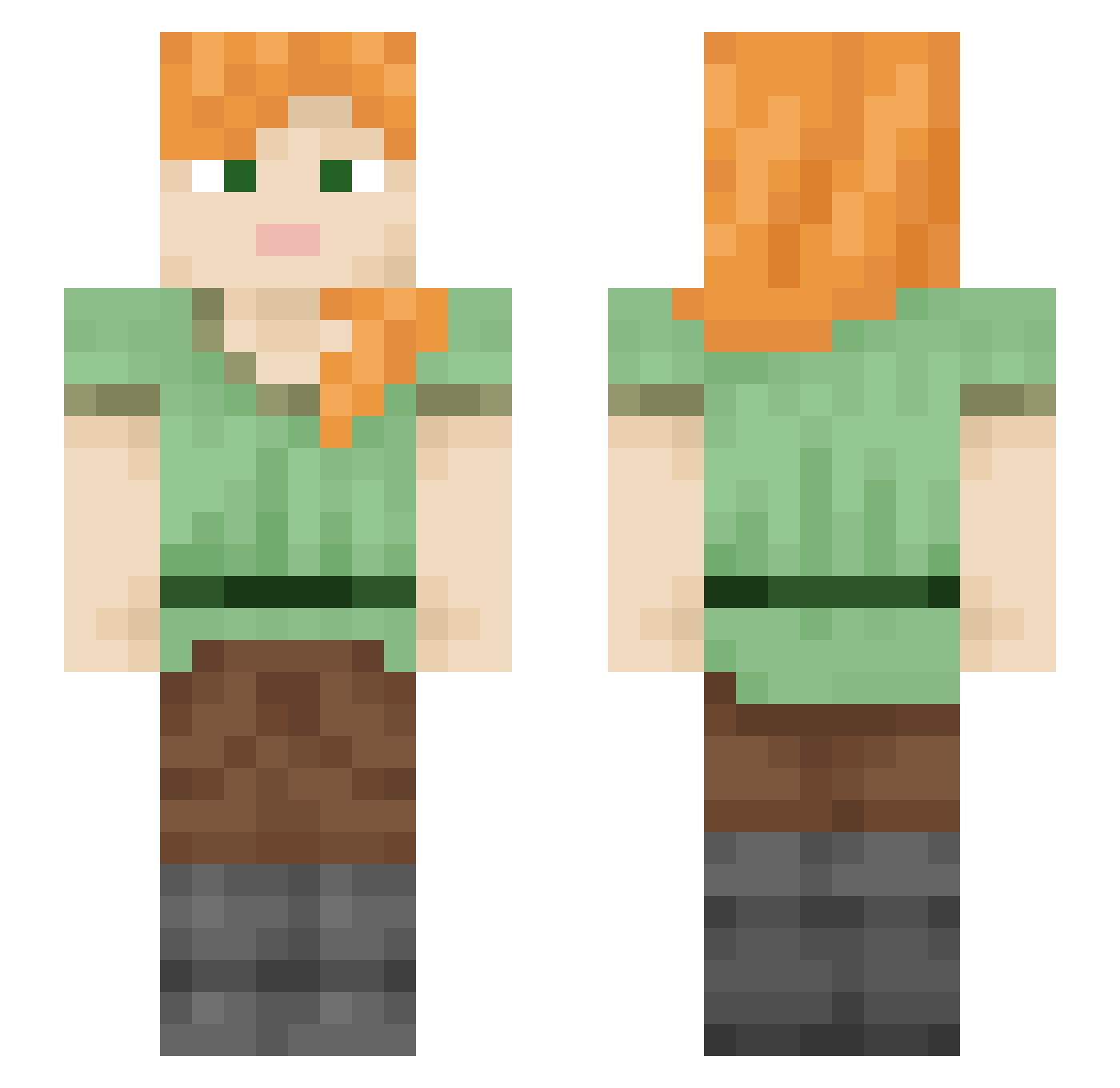
Current Minecraft skin of the player xZafkiell, loaded from the official Mojang API. Rotate the 3D model with your mouse or finger, then download the skin as a PNG file and use it in Minecraft: Bedrock Edition or Java Edition for free. When xZafkiell changes their skin, this page updates automatically and the old skin stays in the history below.
Other players with this skin (2112)
xZafkiell was the 1426th player we have seen with this skin, first spotted on 05.10.2026. The same skin was seen on these players. Open a nickname to see their current skin and skin history.
 shawn1120 Alexandroas KingWoods SmackMobz lauralapis fqrren RimStone moselle123 Atsuya2Craft Taipans Carrot7728 JoJia0623 Alkylation serine GuiguiBlitz Distractedly eylaea juanix28 Jaxx2021 Bone0616 TheSageHero Chilidog churchill3rd ToreaxTV asfalte niksiismo50 ZedPapper memoilidan MrJL EXPL0ZI0N AfricanMan23 kepgfna Yieldable Vilifying Riina_Rock_AEGIS WillyWizwell staffman Dam_Bananas lungwort BagelDust googleyboogley krugwl jshva DemanLz cigan52 manul naaman CatBreath Ambivert nara2025 Balerion_Rider linkman efficiency Rendis NikodemBVB Ragmen nedo757 AgstXD ronczka Rjcoop3r
How to install the xZafkiell skin
- Press the Download button above to save the skin as a PNG file.
- Minecraft: Bedrock Edition (PE): open the Dressing Room from the main menu (or tap your character → Edit Character), go to Classic Skins → Owned, press the + (new skin) button, choose the downloaded PNG and pick the Slim (Alex) model. Works on PC and mobile; consoles cannot import custom skins.
- Minecraft: Java Edition: open the Minecraft Launcher, go to the Skins tab, click New Skin, load the PNG, pick the Slim (Alex) model and press Save & Use. You can also upload it at minecraft.net → Profile → Change Skin.
The skin does not show up after import - what should I do?
Restart Minecraft and open the Dressing Room again - imported skins sometimes appear only after a restart. Also make sure you selected the imported skin and picked the Slim (Alex) model.
Which model should I choose, Classic or Slim?
This skin is designed for the Slim (Alex) model. If you pick the wrong model, the arms of the skin will look stretched or squeezed.
Is the skin of xZafkiell free to download?
Yes. Press Download, save the PNG file and use it in Minecraft: Bedrock Edition or Java Edition - no payment or registration needed. The skin also works on multiplayer servers and Realms.
More skins
Looking for more? Go back to all Minecraft skins and check the top skins of the week, month and all time, or find any player's skin by nickname.