
xXrohidbossXx - Minecraft Skins & Skin History
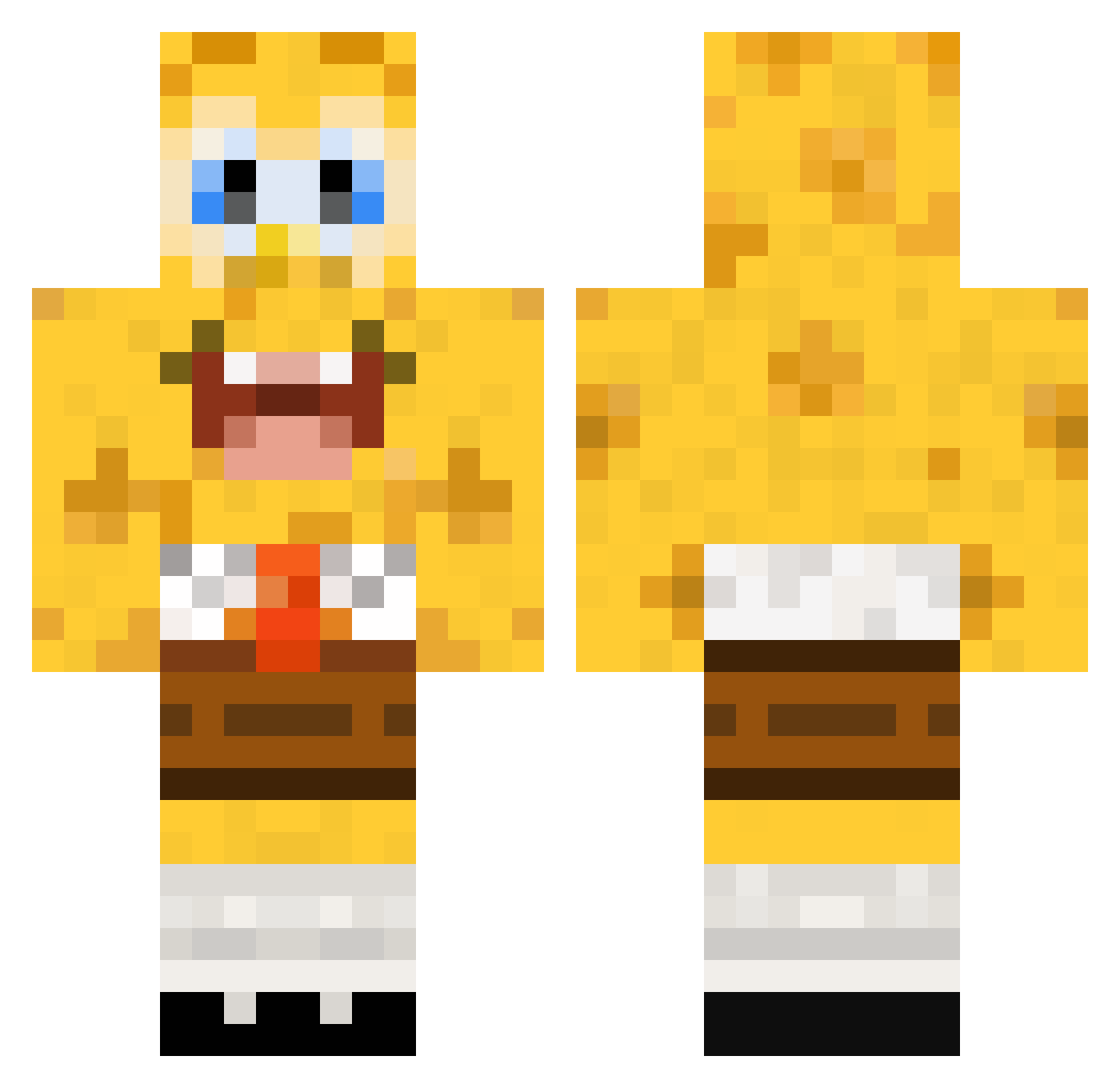
Current Minecraft skin of the player xXrohidbossXx, loaded from the official Mojang API. Rotate the 3D model with your mouse or finger, then download the skin as a PNG file and use it in Minecraft: Bedrock Edition or Java Edition for free. When xXrohidbossXx changes their skin, this page updates automatically and the old skin stays in the history below.
Other players with this skin (448)
xXrohidbossXx was the 416th player we have seen with this skin, first spotted on 25.10.2026. The same skin was seen on these players. Open a nickname to see their current skin and skin history.
 wartdepro trevorm184888 JeffLebowskii CrowTag orangeboy007 UnicornLover72 nadihoops greycraft12 Alessiocica MajorMege Cammy1515 piggywiggy80 zippy_99 joezaG mp3speler2006 _RyBack DAVID_2508 pussykoni apopooo david90dk GreatNoobas gustavenocson Matze1970 Zoeyellah fodinator noobtastic101 AlexA97 JPC126 louisavet 1234mathias5678 JostixX bobu0921 Lefo16 Smarty1722 tommothy smithstone32 99thunder SinfulConception AnalExterminator kennyw515 Seppiepro willminer3 riicii2 pN_Banzai Vormord Jpurdy Seidlman1029 nadeem4321 gers1 Hatebeezy dendj2 Longflavor MinecraftKiller pigmug melybely OfficalMuffin Jannisx mpucci interphace1 exatorp
More Cartoon Minecraft skins
How to install the xXrohidbossXx skin
- Press the Download button above to save the skin as a PNG file.
- Minecraft: Bedrock Edition (PE): open the Dressing Room from the main menu (or tap your character → Edit Character), go to Classic Skins → Owned, press the + (new skin) button, choose the downloaded PNG and pick the Classic (Steve) model. Works on PC and mobile; consoles cannot import custom skins.
- Minecraft: Java Edition: open the Minecraft Launcher, go to the Skins tab, click New Skin, load the PNG, pick the Classic (Steve) model and press Save & Use. You can also upload it at minecraft.net → Profile → Change Skin.
The skin does not show up after import - what should I do?
Restart Minecraft and open the Dressing Room again - imported skins sometimes appear only after a restart. Also make sure you selected the imported skin and picked the Classic (Steve) model.
Which model should I choose, Classic or Slim?
This skin is designed for the Classic (Steve) model. If you pick the wrong model, the arms of the skin will look stretched or squeezed.
Is the skin of xXrohidbossXx free to download?
Yes. Press Download, save the PNG file and use it in Minecraft: Bedrock Edition or Java Edition - no payment or registration needed. The skin also works on multiplayer servers and Realms.
More skins
Looking for more? Go back to all Minecraft skins and check the top skins of the week, month and all time, or find any player's skin by nickname.