
xX_Killz_Xx - Minecraft Skins & Skin History
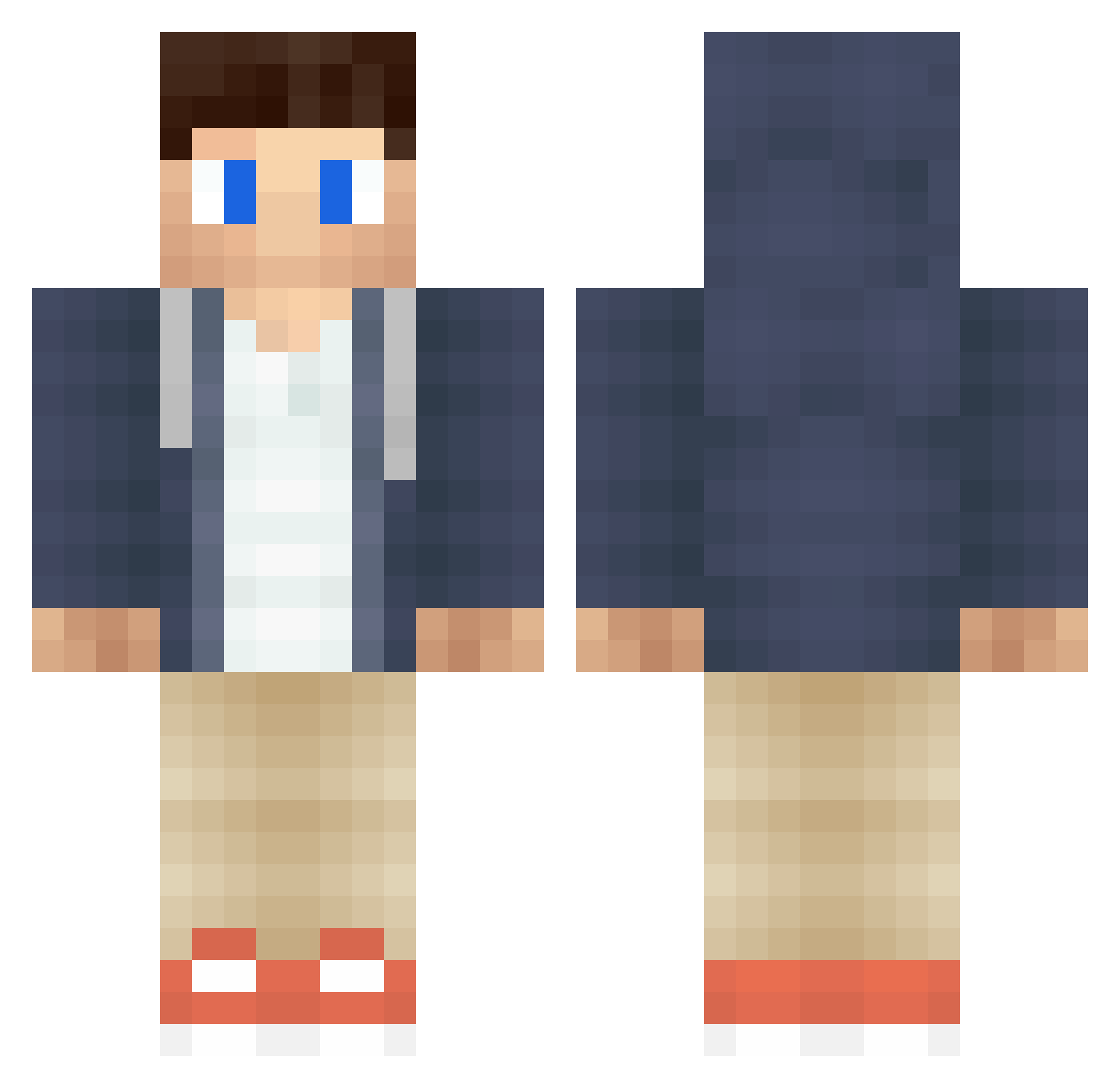
Current Minecraft skin of the player xX_Killz_Xx, loaded from the official Mojang API. Rotate the 3D model with your mouse or finger, then download the skin as a PNG file and use it in Minecraft: Bedrock Edition or Java Edition for free. When xX_Killz_Xx changes their skin, this page updates automatically and the old skin stays in the history below.
Other players with this skin (389)
xX_Killz_Xx was the 258th player we have seen with this skin, first spotted on 26.09.2026. The same skin was seen on these players. Open a nickname to see their current skin and skin history.
 macsource Nazune Mayesty_Star joren883 runenitro Momboo TheRealDK caleb_brrr zLogic_ _Zentorno_ Dan1ss29 Aestiee AntonQ19 Nicolaj1234 knikkertje AbsurdRhythmist Coco2811 Spudfalcon Donnayy Aneathesis StevenChao Hutchpro deltalegende1108 Mafu1976 zibezib Chryy gamer1237 iamaquaa prexz15 cykopathik XDrender922918 Josh_Ragon Claustrofobic287 Jason415 Jeepeey ndysmth Simme1558 TheAsianB0y Schokoriegel123 theValcerion Loco_sascha FreakyAbraham BrentFTW Jiggly chickenkilla13 _Frozen_LLoyd_ pinole_66 iAchille Thijmstro Valtti21 BlogsWithDan Kjella69 Brokenhome94 shahin13 kreaka98 Mackan0215 WTHRR CAaronE_ Robin05399 KashKaj
More Casual Minecraft skins
How to install the xX_Killz_Xx skin
- Press the Download button above to save the skin as a PNG file.
- Minecraft: Bedrock Edition (PE): open the Dressing Room from the main menu (or tap your character → Edit Character), go to Classic Skins → Owned, press the + (new skin) button, choose the downloaded PNG and pick the Classic (Steve) model. Works on PC and mobile; consoles cannot import custom skins.
- Minecraft: Java Edition: open the Minecraft Launcher, go to the Skins tab, click New Skin, load the PNG, pick the Classic (Steve) model and press Save & Use. You can also upload it at minecraft.net → Profile → Change Skin.
The skin does not show up after import - what should I do?
Restart Minecraft and open the Dressing Room again - imported skins sometimes appear only after a restart. Also make sure you selected the imported skin and picked the Classic (Steve) model.
Which model should I choose, Classic or Slim?
This skin is designed for the Classic (Steve) model. If you pick the wrong model, the arms of the skin will look stretched or squeezed.
Is the skin of xX_Killz_Xx free to download?
Yes. Press Download, save the PNG file and use it in Minecraft: Bedrock Edition or Java Edition - no payment or registration needed. The skin also works on multiplayer servers and Realms.
More skins
Looking for more? Go back to all Minecraft skins and check the top skins of the week, month and all time, or find any player's skin by nickname.