
xXCarlosG321Xx - Minecraft Skins & Skin History
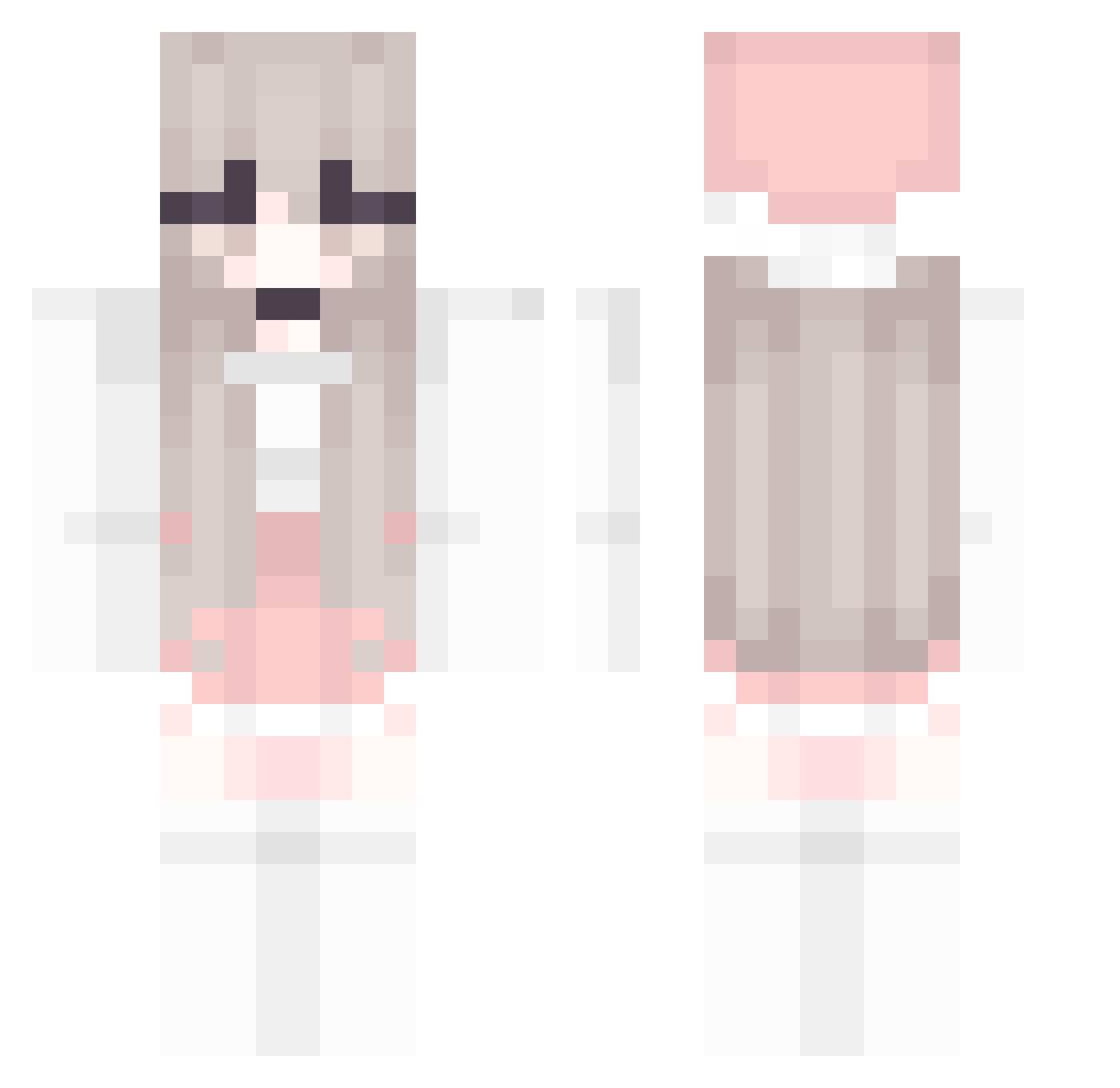
Current Minecraft skin of the player xXCarlosG321Xx, loaded from the official Mojang API. Rotate the 3D model with your mouse or finger, then download the skin as a PNG file and use it in Minecraft: Bedrock Edition or Java Edition for free. When xXCarlosG321Xx changes their skin, this page updates automatically and the old skin stays in the history below.
Other players with this skin (212)
xXCarlosG321Xx was the 199th player we have seen with this skin, first spotted on 06.11.2026. The same skin was seen on these players. Open a nickname to see their current skin and skin history.
 MoonYoonHwe damn12386 momi_ji vAimBrot Avagelinez ipei76 dogsoft Babie__ seonaeZz Yoding_2 Nerd_Mad osora1014 jihopro hywqh HikariKasumi FanniCraft fipek54 qiika Nadusia_ jasiko33 waterbottle520 FluffyBunny62 PPeng FEL2006 Gloria_1121 Confi7777 chova02 LiN0221 changsheng1122 Only_P Honeycombo06 AcneStudio Milktart26 lzntsy carloooooos jue0628 mymelodyx NosraG MSBY_ YanoriYang kamenos34 timxuti Isorteskogen2 MenLing sakuraemiya Yanggyall DaRamyee12 lilyrin01 Huangying_x hevxglitter SerenityStorm Krob_ ginger337 Duhcky langbian hellstarashley xShuvix crisphy BlondieFaux rhino7zero
More Pastel Minecraft skins
How to install the xXCarlosG321Xx skin
- Press the Download button above to save the skin as a PNG file.
- Minecraft: Bedrock Edition (PE): open the Dressing Room from the main menu (or tap your character → Edit Character), go to Classic Skins → Owned, press the + (new skin) button, choose the downloaded PNG and pick the Classic (Steve) model. Works on PC and mobile; consoles cannot import custom skins.
- Minecraft: Java Edition: open the Minecraft Launcher, go to the Skins tab, click New Skin, load the PNG, pick the Classic (Steve) model and press Save & Use. You can also upload it at minecraft.net → Profile → Change Skin.
The skin does not show up after import - what should I do?
Restart Minecraft and open the Dressing Room again - imported skins sometimes appear only after a restart. Also make sure you selected the imported skin and picked the Classic (Steve) model.
Which model should I choose, Classic or Slim?
This skin is designed for the Classic (Steve) model. If you pick the wrong model, the arms of the skin will look stretched or squeezed.
Is the skin of xXCarlosG321Xx free to download?
Yes. Press Download, save the PNG file and use it in Minecraft: Bedrock Edition or Java Edition - no payment or registration needed. The skin also works on multiplayer servers and Realms.
More skins
Looking for more? Go back to all Minecraft skins and check the top skins of the week, month and all time, or find any player's skin by nickname.