
xRodri5011 - Minecraft Skins & Skin History
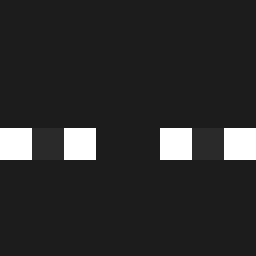
Current Minecraft skin of the player xRodri5011, loaded from the official Mojang API. Rotate the 3D model with your mouse or finger, then download the skin as a PNG file and use it in Minecraft: Bedrock Edition or Java Edition for free. When xRodri5011 changes their skin, this page updates automatically and the old skin stays in the history below.

Other players with this skin (555)
xRodri5011 was the 269th player we have seen with this skin, first spotted on 20.09.2026. The same skin was seen on these players. Open a nickname to see their current skin and skin history.
 penbeul KimRante lqwq playboisa GOJOxs7 CCY0076 GNASZ ARMD_ yard_come_pilha Gigi_Inc_Patate LameHivernale Allegedly_Jaxon Bilal59 MAJETO TooMuchCardboard kirik4469 WaterMelonEng VictorSnijder julanda89 luizg_ 2Fjarne the7oski7 v1cari ccaarrr Skulsik Peffysis soostinky Petrasogood wsdasss SoyRaze JLcRiss CoderSoft blinkeatskappa xylophoner LonelyDopamine oguimass ItsCoding Trex_1509 Otamian EkaGamingHD256 djovakiin Fullmetal2003 kronoz75 Ninjakai75000 LukeK1205 DDanDDan_Ji ruoxia depaolis Okonoma NGHT_tt Joel_xp Z_AQ1 inseong_0104 ojna25 jazkkj santibigpapoi lnhospito Skazaxs ImDahim QuaGKT
How to install the xRodri5011 skin
- Press the Download button above to save the skin as a PNG file.
- Minecraft: Bedrock Edition (PE): open the Dressing Room from the main menu (or tap your character → Edit Character), go to Classic Skins → Owned, press the + (new skin) button, choose the downloaded PNG and pick the Classic (Steve) model. Works on PC and mobile; consoles cannot import custom skins.
- Minecraft: Java Edition: open the Minecraft Launcher, go to the Skins tab, click New Skin, load the PNG, pick the Classic (Steve) model and press Save & Use. You can also upload it at minecraft.net → Profile → Change Skin.
The skin does not show up after import - what should I do?
Restart Minecraft and open the Dressing Room again - imported skins sometimes appear only after a restart. Also make sure you selected the imported skin and picked the Classic (Steve) model.
Which model should I choose, Classic or Slim?
This skin is designed for the Classic (Steve) model. If you pick the wrong model, the arms of the skin will look stretched or squeezed.
Is the skin of xRodri5011 free to download?
Yes. Press Download, save the PNG file and use it in Minecraft: Bedrock Edition or Java Edition - no payment or registration needed. The skin also works on multiplayer servers and Realms.
More skins
Looking for more? Go back to all Minecraft skins and check the top skins of the week, month and all time, or find any player's skin by nickname.