
xRengr - Minecraft Skins & Skin History
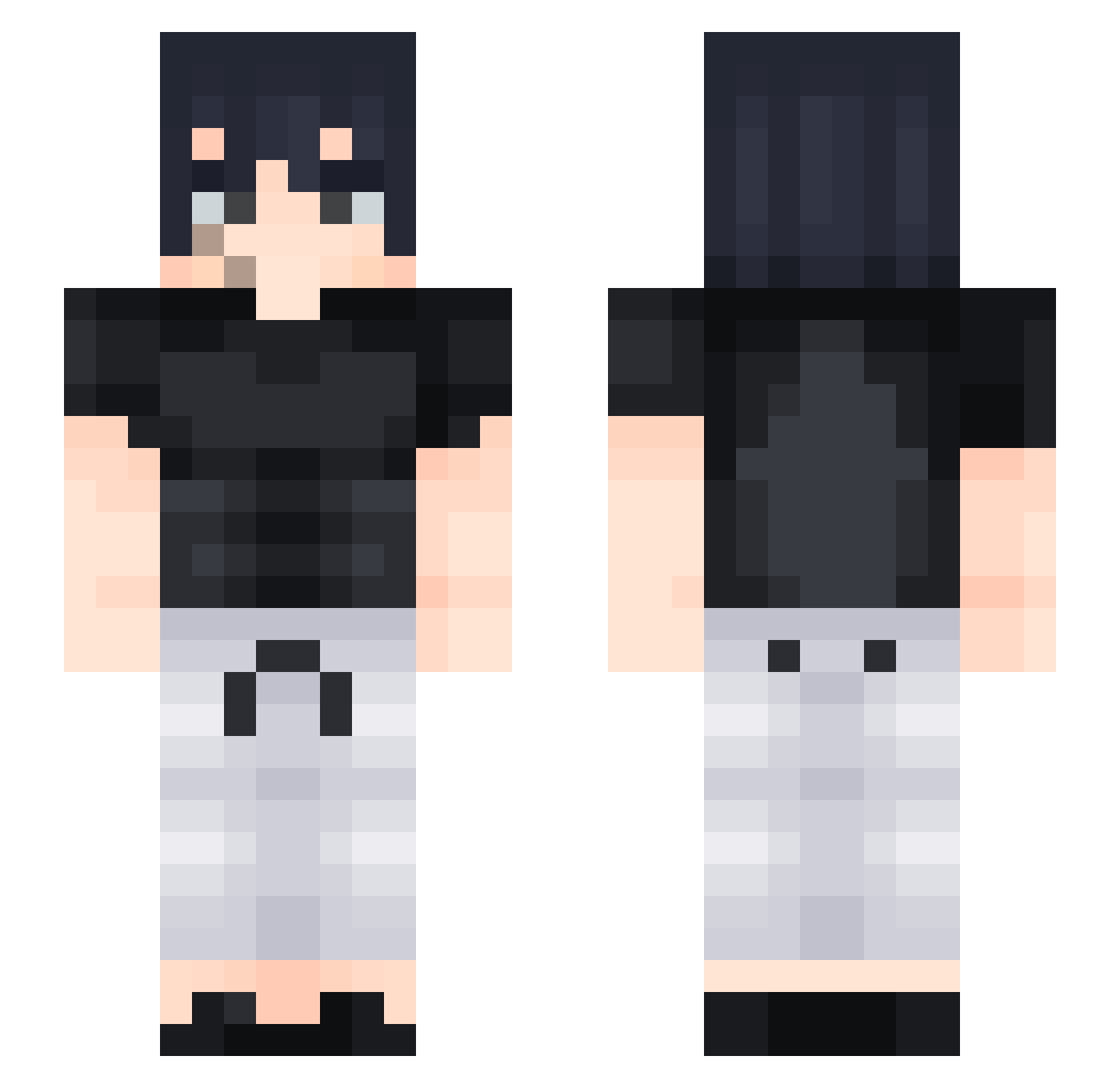
Current Minecraft skin of the player xRengr, loaded from the official Mojang API. Rotate the 3D model with your mouse or finger, then download the skin as a PNG file and use it in Minecraft: Bedrock Edition or Java Edition for free. When xRengr changes their skin, this page updates automatically and the old skin stays in the history below.
Other players with this skin (428)
xRengr was the 232nd player we have seen with this skin, first spotted on 20.09.2026. The same skin was seen on these players. Open a nickname to see their current skin and skin history.
 i97r Jordon_ akaAqqua JEDReaper Fodduwu Olek_06 Seyphort tefd1 azamoooooo CR0MBO Zhyross Cyfar Obiand ales1510 Gin08 VertoxD callmepseu ghs06 Villy88 Lucaabg6 Nico73110 macomzin SatoruFuji Apex_0 yesits14in fulGMD MAD4RA87 X_shadow23 ldwhite 8o2o gator_the_skater JDalli Tajmaine Vaspon Ragnarokacv IDVLI Exect0r ttvaidanteed weeso26 emanueldnts_ flameTM Lanthalos NIK1TAR richboywestt TTVsoggy_bagel21 K3rim_66 viktor20201 KYrieFANS Papito255 menturu xRicardox40 HUGS953 dog0invasion DE4NTRBL GotVader opy_dopy Fabi7 FireFist_Phoenix ViruS_bumera SquiffL
More Sasuke Uchiha Minecraft skins
See all 727 Sasuke Uchiha skins
How to install the xRengr skin
- Press the Download button above to save the skin as a PNG file.
- Minecraft: Bedrock Edition (PE): open the Dressing Room from the main menu (or tap your character → Edit Character), go to Classic Skins → Owned, press the + (new skin) button, choose the downloaded PNG and pick the Slim (Alex) model. Works on PC and mobile; consoles cannot import custom skins.
- Minecraft: Java Edition: open the Minecraft Launcher, go to the Skins tab, click New Skin, load the PNG, pick the Slim (Alex) model and press Save & Use. You can also upload it at minecraft.net → Profile → Change Skin.
The skin does not show up after import - what should I do?
Restart Minecraft and open the Dressing Room again - imported skins sometimes appear only after a restart. Also make sure you selected the imported skin and picked the Slim (Alex) model.
Which model should I choose, Classic or Slim?
This skin is designed for the Slim (Alex) model. If you pick the wrong model, the arms of the skin will look stretched or squeezed.
Is the skin of xRengr free to download?
Yes. Press Download, save the PNG file and use it in Minecraft: Bedrock Edition or Java Edition - no payment or registration needed. The skin also works on multiplayer servers and Realms.
More skins
Looking for more? Go back to all Minecraft skins and check the top skins of the week, month and all time, or find any player's skin by nickname.