
xMavericK_ - Minecraft Skins & Skin History
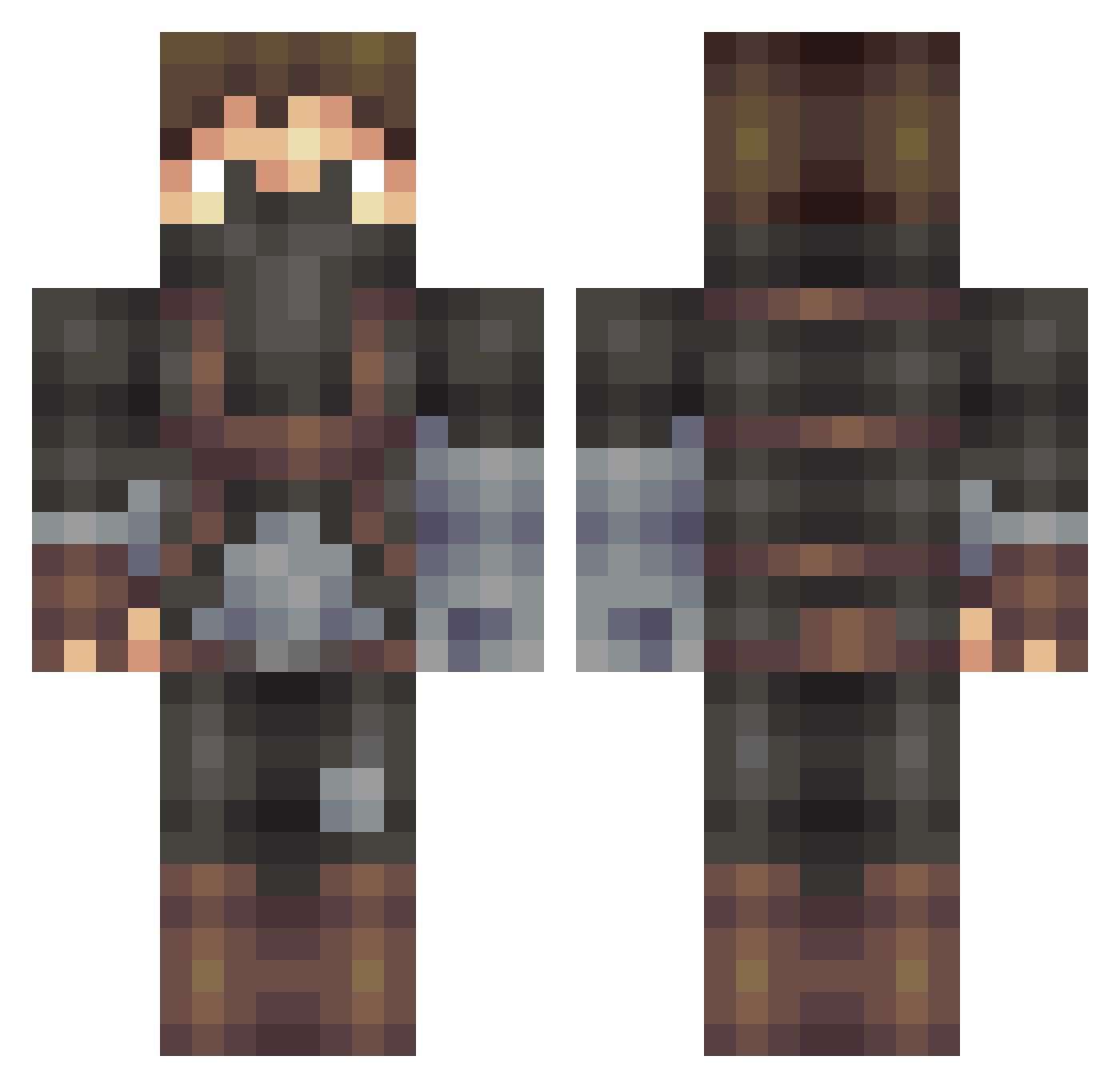
Current Minecraft skin of the player xMavericK_, loaded from the official Mojang API. Rotate the 3D model with your mouse or finger, then download the skin as a PNG file and use it in Minecraft: Bedrock Edition or Java Edition for free. When xMavericK_ changes their skin, this page updates automatically and the old skin stays in the history below.
Other players with this skin (509)
xMavericK_ was the 293rd player we have seen with this skin, first spotted on 28.09.2026. The same skin was seen on these players. Open a nickname to see their current skin and skin history.
 prpaxson SN4KE_ Eremitus Bencrosf Slayer888 CammyJunt Bosso77 shadowknight0506 UNLCLICKER101 Palenaattori KiNgSLayER69 Tekroz DiggerSF CrzzzOrc Blackfire7 Dwiempje seanmeng7 Rojdae krepoxx JustCauseVox RuJK FortyBang ccsminer angelicmanor tv2405 yodamike909 Raborh Fishdog69 mellodys ThaJokah EthaneEpic67 Michiel6666 Tactical28 boom_mug sagewizard jacobsson02 turtle163 TweenieChompwah XxGJCxX Drk_Force minipops Maplebird zivko mrbb4146 Troyne johannes_kg jack3934 Sammeyer23 luke332 Buckeye005 Bandicoot45 _Lunsj_ ksender Phibo29 Nosferateu Reunite S_Tgames ChrisNuffSaid SurfGrommet Axel_Sandridge
More Assassin Minecraft skins
How to install the xMavericK_ skin
- Press the Download button above to save the skin as a PNG file.
- Minecraft: Bedrock Edition (PE): open the Dressing Room from the main menu (or tap your character → Edit Character), go to Classic Skins → Owned, press the + (new skin) button, choose the downloaded PNG and pick the Classic (Steve) model. Works on PC and mobile; consoles cannot import custom skins.
- Minecraft: Java Edition: open the Minecraft Launcher, go to the Skins tab, click New Skin, load the PNG, pick the Classic (Steve) model and press Save & Use. You can also upload it at minecraft.net → Profile → Change Skin.
The skin does not show up after import - what should I do?
Restart Minecraft and open the Dressing Room again - imported skins sometimes appear only after a restart. Also make sure you selected the imported skin and picked the Classic (Steve) model.
Which model should I choose, Classic or Slim?
This skin is designed for the Classic (Steve) model. If you pick the wrong model, the arms of the skin will look stretched or squeezed.
Is the skin of xMavericK_ free to download?
Yes. Press Download, save the PNG file and use it in Minecraft: Bedrock Edition or Java Edition - no payment or registration needed. The skin also works on multiplayer servers and Realms.
More skins
Looking for more? Go back to all Minecraft skins and check the top skins of the week, month and all time, or find any player's skin by nickname.