
xKaoss - Minecraft Skins & Skin History
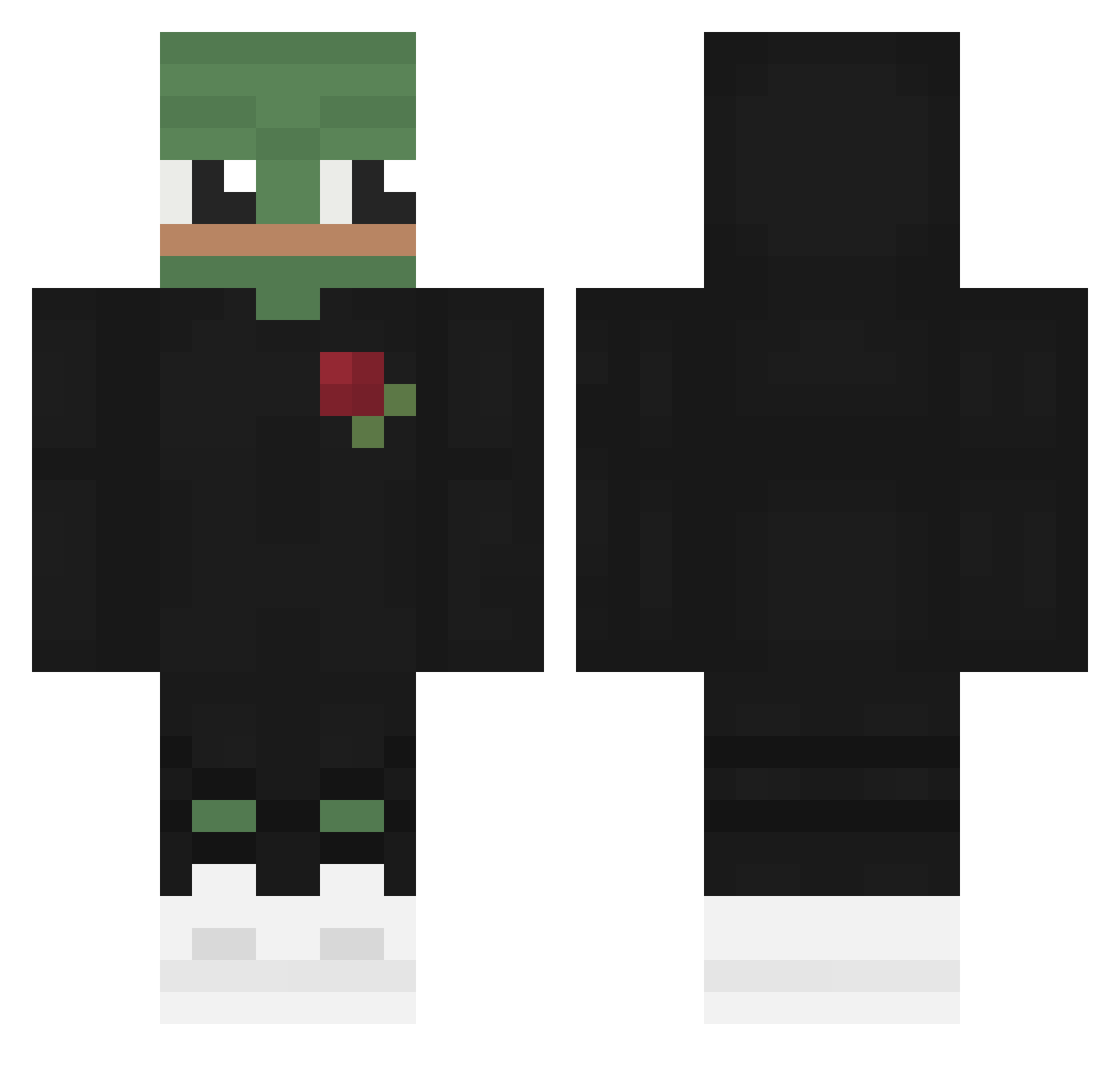
Current Minecraft skin of the player xKaoss, loaded from the official Mojang API. Rotate the 3D model with your mouse or finger, then download the skin as a PNG file and use it in Minecraft: Bedrock Edition or Java Edition for free. When xKaoss changes their skin, this page updates automatically and the old skin stays in the history below.
Other players with this skin (57)
xKaoss was the 32nd player we have seen with this skin, first spotted on 11.09.2026. The same skin was seen on these players. Open a nickname to see their current skin and skin history.
 KFC_Bucket MrFlabby zjesper1 fischi97 hotpepe Oremo31 Terebrine SemiSkimmedMilkk Mazurky xYbF LamiA_MortiS ThatBlackBoi NurDerRWE NOT_INF3RNO zDreamX sosickakrutilka3 _SIOUL wiseman25 Folpron iLuvAura KyleBih HBlossom bastis1337 Kiltro radcon2000 artsevas Phongfrack HiimAustin MikeTheOne42 Hellonity Lucky_Stranger MangoPelican skyywox Itche GOWater Seal2134 KrzychuVippro TheCloudKicker CraftDad_ 6_gabriel_9 SenorLoboEsquire Edgilcious ethantheminer Rednaskela14 Bean_Field Maintainable RealexX3 ProstateMaster69 ClarityAF ApeXDlol vartikus W3EM en3rgizer__ W0L1 BakuAku BigJSleezy woooozang
More Pepe Minecraft skins
How to install the xKaoss skin
- Press the Download button above to save the skin as a PNG file.
- Minecraft: Bedrock Edition (PE): open the Dressing Room from the main menu (or tap your character → Edit Character), go to Classic Skins → Owned, press the + (new skin) button, choose the downloaded PNG and pick the Classic (Steve) model. Works on PC and mobile; consoles cannot import custom skins.
- Minecraft: Java Edition: open the Minecraft Launcher, go to the Skins tab, click New Skin, load the PNG, pick the Classic (Steve) model and press Save & Use. You can also upload it at minecraft.net → Profile → Change Skin.
The skin does not show up after import - what should I do?
Restart Minecraft and open the Dressing Room again - imported skins sometimes appear only after a restart. Also make sure you selected the imported skin and picked the Classic (Steve) model.
Which model should I choose, Classic or Slim?
This skin is designed for the Classic (Steve) model. If you pick the wrong model, the arms of the skin will look stretched or squeezed.
Is the skin of xKaoss free to download?
Yes. Press Download, save the PNG file and use it in Minecraft: Bedrock Edition or Java Edition - no payment or registration needed. The skin also works on multiplayer servers and Realms.
More skins
Looking for more? Go back to all Minecraft skins and check the top skins of the week, month and all time, or find any player's skin by nickname.