
xELxREYx13 - Minecraft Skins & Skin History
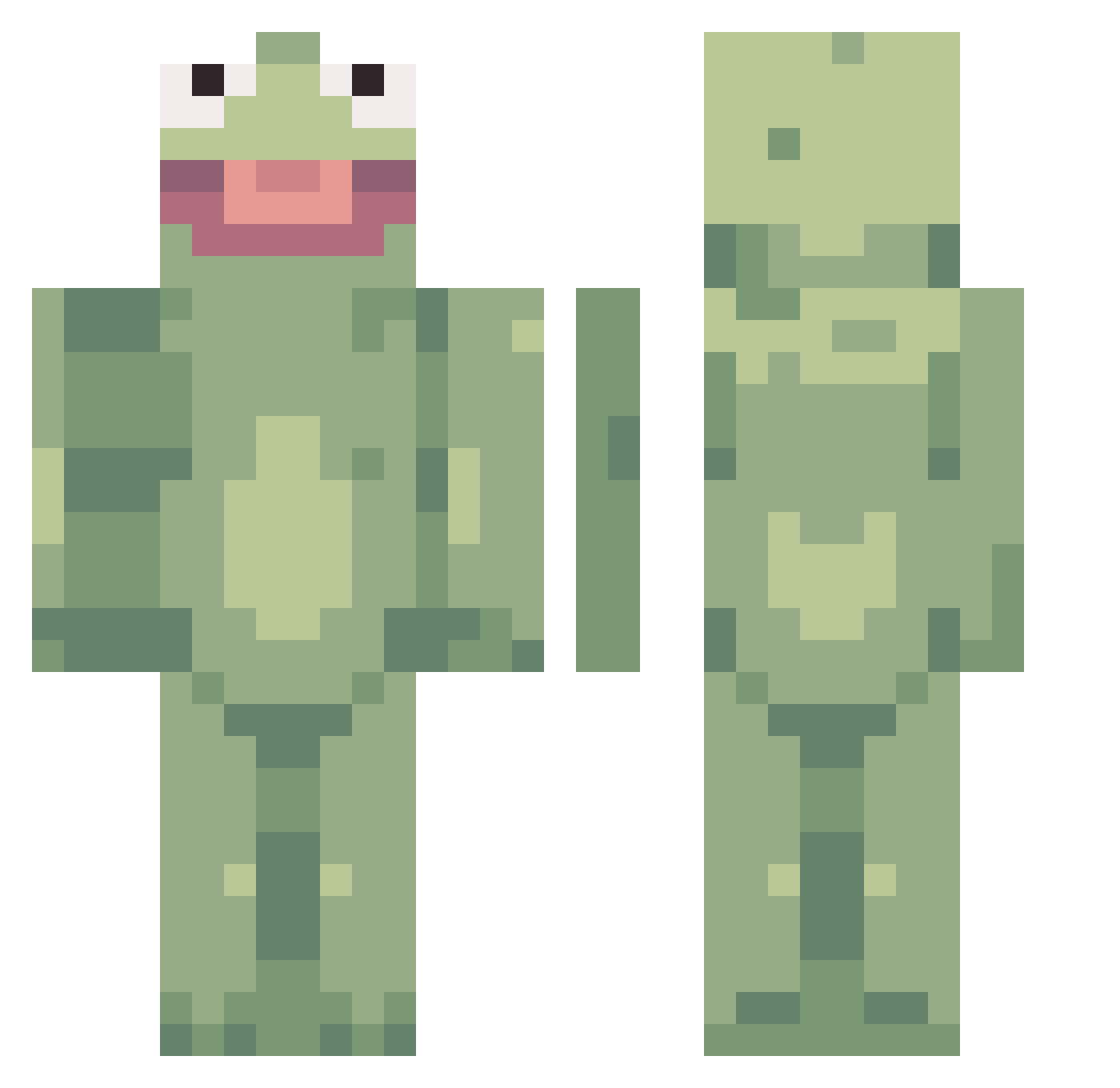
Current Minecraft skin of the player xELxREYx13, loaded from the official Mojang API. Rotate the 3D model with your mouse or finger, then download the skin as a PNG file and use it in Minecraft: Bedrock Edition or Java Edition for free. When xELxREYx13 changes their skin, this page updates automatically and the old skin stays in the history below.
Other players with this skin (359)
xELxREYx13 was the 337th player we have seen with this skin, first spotted on 22.10.2026. The same skin was seen on these players. Open a nickname to see their current skin and skin history.
 crampxxx Madscientist15 triggerbuff KermitEatsCats chicken_nuggs1 lagomarg GiveMeTheGlicky JohnBottles RoccoBombex CheeseNado TandemSteam9 dehidr b0gu kimplausible69 Emma9685 KermitOfTheFrog AlexIsKing3709 BJeve trentm11 Yakkov13 SpacePajamas SilentStorm119 crimsoncube froemosen Leeget ziahmc Tacopaj28 Ilovenickga quhs Archaeologist76 Lendit PurpleLemons27 DeDeDeeds Romeyyx fallentenshii isusmark Derpmcmuffin35 Adwill45 Th3Vale TYtaniumTYtanic Poggmans tonywuzhere Boromoi creeperdestroyer BobRoss_Sav SavageRoadman69 Potatosarecooll FlacoTaco24 The_Rea1_GT ThanatosDaLegend ManBearPig64 RJLX RoastMyToast23 Cozmiss eemmahh VintageGaming Magnussonbarnen Skwanthony ZENN0S randomname5456
More Kermit The Frog Minecraft skins
See all 395 Kermit The Frog skins
How to install the xELxREYx13 skin
- Press the Download button above to save the skin as a PNG file.
- Minecraft: Bedrock Edition (PE): open the Dressing Room from the main menu (or tap your character → Edit Character), go to Classic Skins → Owned, press the + (new skin) button, choose the downloaded PNG and pick the Classic (Steve) model. Works on PC and mobile; consoles cannot import custom skins.
- Minecraft: Java Edition: open the Minecraft Launcher, go to the Skins tab, click New Skin, load the PNG, pick the Classic (Steve) model and press Save & Use. You can also upload it at minecraft.net → Profile → Change Skin.
The skin does not show up after import - what should I do?
Restart Minecraft and open the Dressing Room again - imported skins sometimes appear only after a restart. Also make sure you selected the imported skin and picked the Classic (Steve) model.
Which model should I choose, Classic or Slim?
This skin is designed for the Classic (Steve) model. If you pick the wrong model, the arms of the skin will look stretched or squeezed.
Is the skin of xELxREYx13 free to download?
Yes. Press Download, save the PNG file and use it in Minecraft: Bedrock Edition or Java Edition - no payment or registration needed. The skin also works on multiplayer servers and Realms.
More skins
Looking for more? Go back to all Minecraft skins and check the top skins of the week, month and all time, or find any player's skin by nickname.