
xDandruff - Minecraft Skins & Skin History
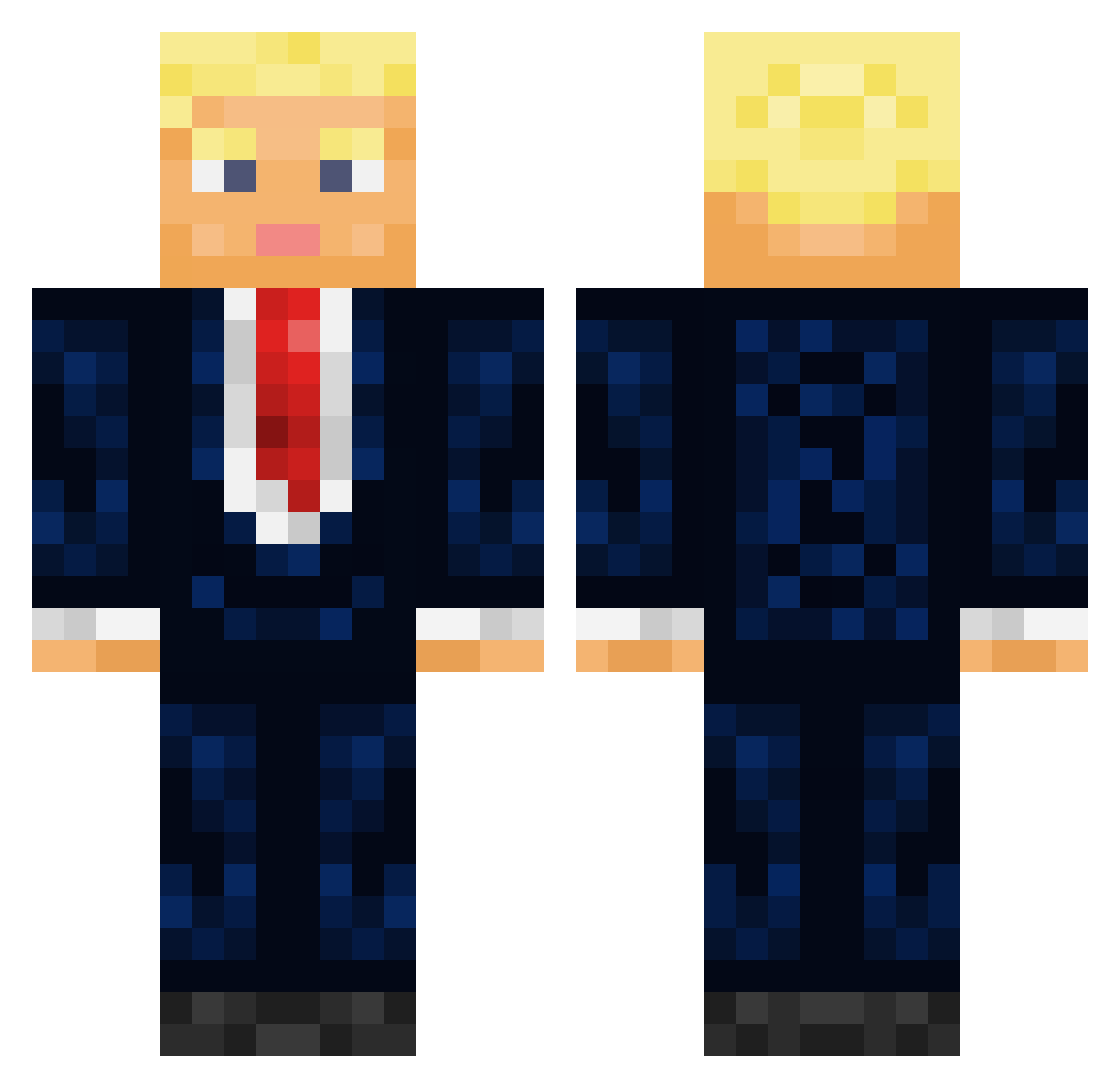
Current Minecraft skin of the player xDandruff, loaded from the official Mojang API. Rotate the 3D model with your mouse or finger, then download the skin as a PNG file and use it in Minecraft: Bedrock Edition or Java Edition for free. When xDandruff changes their skin, this page updates automatically and the old skin stays in the history below.
Other players with this skin (434)
xDandruff was the 376th player we have seen with this skin, first spotted on 24.10.2026. The same skin was seen on these players. Open a nickname to see their current skin and skin history.
 noooooooooboy Blane1887 DXSTGoated Stuckinthe90s Palme_Elia slainoo Tacticalwaffel TrumpChampion Jacek25112011 Gator9500 WilliamMin Haymaker058 ChrisPBacon313 YanboYanbo DMTROV WallM1N CptVinsmoke thedoordude Goodprox Suduka petomarcin Dubke Stensholm03 EnhancerBD TRUMP2024_ papiSaintim LeeGung Brittno123 rotroteador Super_TBK cr0090 Liliswann SleekR3gent TwoDic2 JameS19f rifty87 HerMak56 GuenterGummibaum iiMarnerzZ Tz_RayGun Tyriannius DerNetteMann712 CrakyKoksberg187 CarryPotter___ John_Brandy AMIR5432 BoubeurESTici VordersteFront xaodxx Squiire JOEGR mikeyflocka0869 Jank1e filipos155 obwankanobi jewish_monkey93 legion12320 Crende15 ChowMein1387 xcem91
More Donald Trump Minecraft skins
See all 326 Donald Trump skins
How to install the xDandruff skin
- Press the Download button above to save the skin as a PNG file.
- Minecraft: Bedrock Edition (PE): open the Dressing Room from the main menu (or tap your character → Edit Character), go to Classic Skins → Owned, press the + (new skin) button, choose the downloaded PNG and pick the Classic (Steve) model. Works on PC and mobile; consoles cannot import custom skins.
- Minecraft: Java Edition: open the Minecraft Launcher, go to the Skins tab, click New Skin, load the PNG, pick the Classic (Steve) model and press Save & Use. You can also upload it at minecraft.net → Profile → Change Skin.
The skin does not show up after import - what should I do?
Restart Minecraft and open the Dressing Room again - imported skins sometimes appear only after a restart. Also make sure you selected the imported skin and picked the Classic (Steve) model.
Which model should I choose, Classic or Slim?
This skin is designed for the Classic (Steve) model. If you pick the wrong model, the arms of the skin will look stretched or squeezed.
Is the skin of xDandruff free to download?
Yes. Press Download, save the PNG file and use it in Minecraft: Bedrock Edition or Java Edition - no payment or registration needed. The skin also works on multiplayer servers and Realms.
More skins
Looking for more? Go back to all Minecraft skins and check the top skins of the week, month and all time, or find any player's skin by nickname.