
xDTrussetyvenDK - Minecraft Skins & Skin History
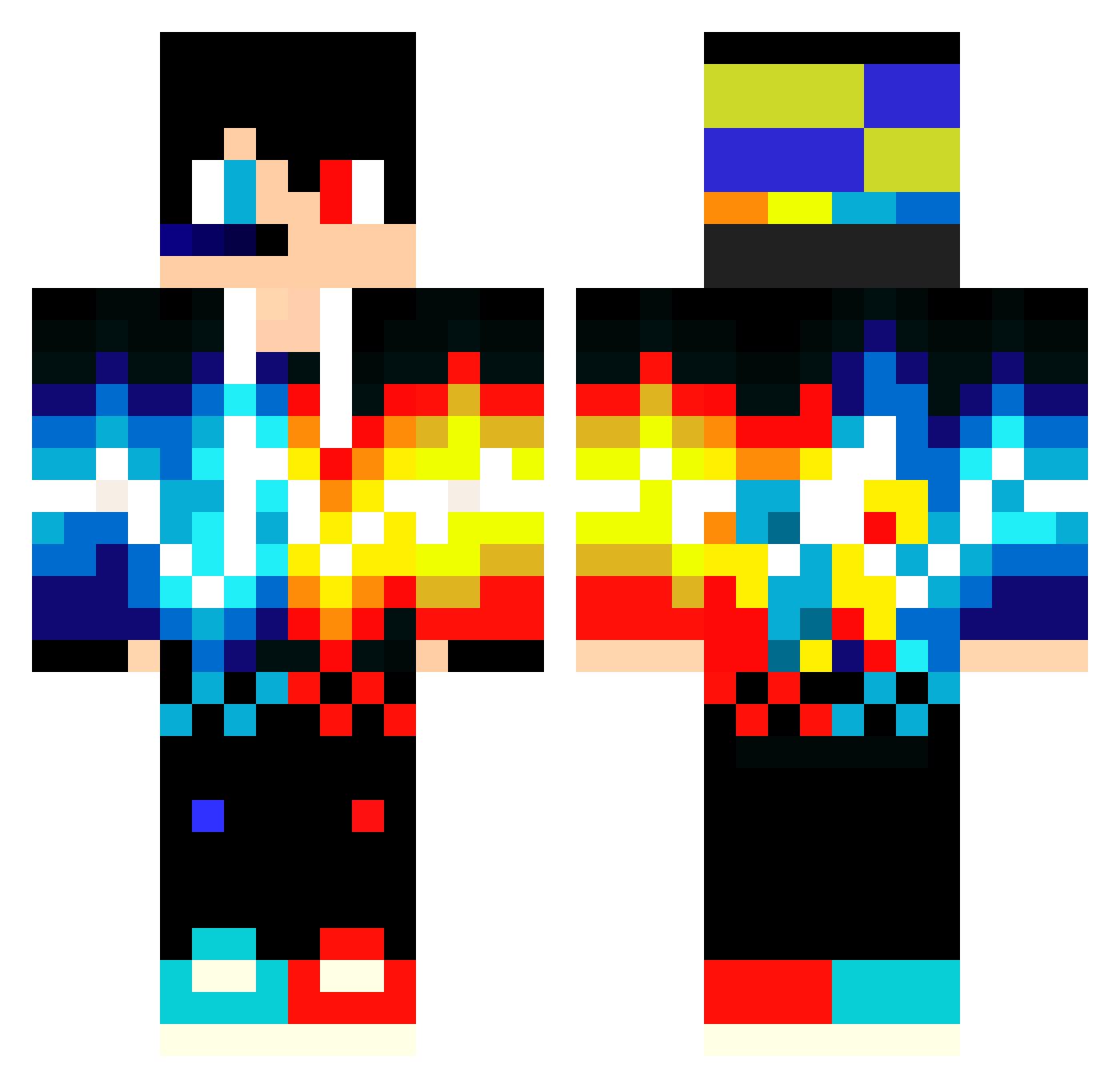
Current Minecraft skin of the player xDTrussetyvenDK, loaded from the official Mojang API. Rotate the 3D model with your mouse or finger, then download the skin as a PNG file and use it in Minecraft: Bedrock Edition or Java Edition for free. When xDTrussetyvenDK changes their skin, this page updates automatically and the old skin stays in the history below.
Other players with this skin (549)
xDTrussetyvenDK was the 446th player we have seen with this skin, first spotted on 15.10.2026. The same skin was seen on these players. Open a nickname to see their current skin and skin history.
 Rope339 mathpro29 harukichi2008 Kazuki1215 wow0433 cheseburger18 theboss5144 rickgamerbr5195 Nehoray_Bitan Harsha2011 Erebus86 WellingtonLLLLLL PaynahChoFathaWO Svobodnyy Sheen1111 S0BAG3M Roovel_Tobu_Juss wallynoah2005 harang1028 uuan CHOKUN655Za Astrokroete09 ChrissMP TIREXgoo TurnerBox _Abaddon41 ikuyta LennyLennum BarbutoRasato mIsTeRy96 Bobby246424 CreeperBro194 STBK8AK Rodfa Zyaka DeadFungZ Bai_yuyi noyaa007 CoolColeH Darrenkk Thiele9119 MorLuna GalaxyBrainOwner Piterman2012 Kuba_46 ZekeTheCzech gog415053 TimpoTEAM Machtkreuz_88 ArkiDuc blackTodyer Traniluca02 littledunc b8I9 fdxru7rrryrytr PHsIuoL Gabrielj09 zenino17 RUGUAM Smeik14
More Fire And Ice Minecraft skins
See all 695 Fire And Ice skins
How to install the xDTrussetyvenDK skin
- Press the Download button above to save the skin as a PNG file.
- Minecraft: Bedrock Edition (PE): open the Dressing Room from the main menu (or tap your character → Edit Character), go to Classic Skins → Owned, press the + (new skin) button, choose the downloaded PNG and pick the Classic (Steve) model. Works on PC and mobile; consoles cannot import custom skins.
- Minecraft: Java Edition: open the Minecraft Launcher, go to the Skins tab, click New Skin, load the PNG, pick the Classic (Steve) model and press Save & Use. You can also upload it at minecraft.net → Profile → Change Skin.
The skin does not show up after import - what should I do?
Restart Minecraft and open the Dressing Room again - imported skins sometimes appear only after a restart. Also make sure you selected the imported skin and picked the Classic (Steve) model.
Which model should I choose, Classic or Slim?
This skin is designed for the Classic (Steve) model. If you pick the wrong model, the arms of the skin will look stretched or squeezed.
Is the skin of xDTrussetyvenDK free to download?
Yes. Press Download, save the PNG file and use it in Minecraft: Bedrock Edition or Java Edition - no payment or registration needed. The skin also works on multiplayer servers and Realms.
More skins
Looking for more? Go back to all Minecraft skins and check the top skins of the week, month and all time, or find any player's skin by nickname.