
woojoong696 - Minecraft Skins & Skin History
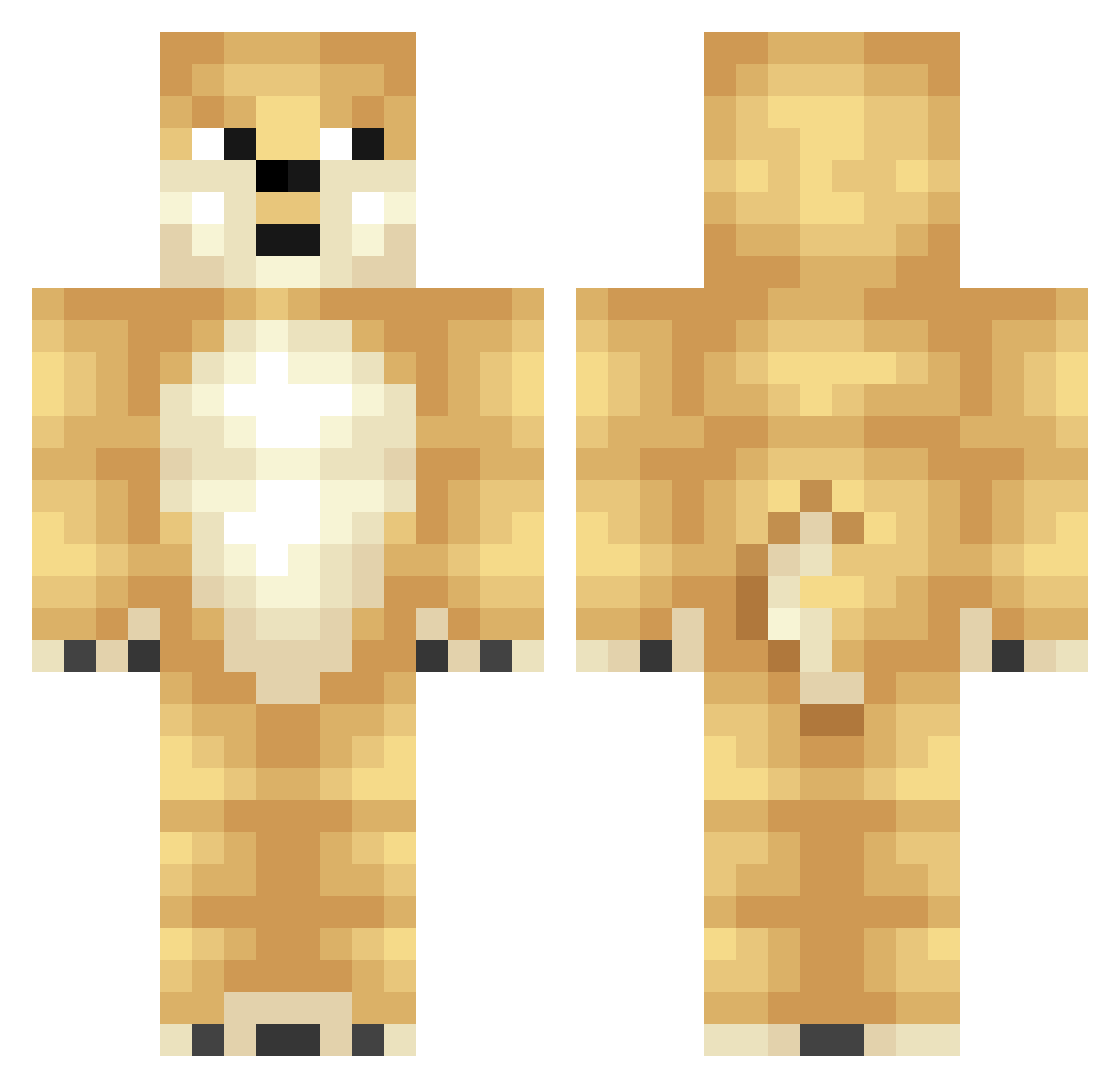
Current Minecraft skin of the player woojoong696, loaded from the official Mojang API. Rotate the 3D model with your mouse or finger, then download the skin as a PNG file and use it in Minecraft: Bedrock Edition or Java Edition for free. When woojoong696 changes their skin, this page updates automatically and the old skin stays in the history below.
Other players with this skin (320)
woojoong696 was the 17th player we have seen with this skin, first spotted on 31.07.2026. The same skin was seen on these players. Open a nickname to see their current skin and skin history.
 summersd izViperrr VexBG Ae2u DanielFGamz ImBeef revo_lver AngDung2 GildedKitten Korelite DreamInfinitely MidasAvocado Tedchiang AlderMing MiniDoggoGTR Vranic Hoosic samsquatch123 sojugood SHISHI0 sutton12345
 feurigeflamme wilslon BeiYan 74wonjo74 I_musici_I mon0041 Nobeafy3 sam5169s quvind Dognapper dogeisbest oops_P bokutohage gaochanggong Clonecharles heheop ZORE666 xiebazi666 danimoli Good_Glrl
 qchoko nitschd xNat1 YellowLemon Besteban soniccraft5 CraftFoxy carkachu13 enjelu fayeeeer pomege claire2341 JAM4RA WENWENA GYUJIN0328A J4c0b191 Ubiiii quintin118 SunnyCali
More Shiba Inu Minecraft skins
How to install the woojoong696 skin
- Press the Download button above to save the skin as a PNG file.
- Minecraft: Bedrock Edition (PE): open the Dressing Room from the main menu (or tap your character → Edit Character), go to Classic Skins → Owned, press the + (new skin) button, choose the downloaded PNG and pick the Classic (Steve) model. Works on PC and mobile; consoles cannot import custom skins.
- Minecraft: Java Edition: open the Minecraft Launcher, go to the Skins tab, click New Skin, load the PNG, pick the Classic (Steve) model and press Save & Use. You can also upload it at minecraft.net → Profile → Change Skin.
The skin does not show up after import - what should I do?
Restart Minecraft and open the Dressing Room again - imported skins sometimes appear only after a restart. Also make sure you selected the imported skin and picked the Classic (Steve) model.
Which model should I choose, Classic or Slim?
This skin is designed for the Classic (Steve) model. If you pick the wrong model, the arms of the skin will look stretched or squeezed.
Is the skin of woojoong696 free to download?
Yes. Press Download, save the PNG file and use it in Minecraft: Bedrock Edition or Java Edition - no payment or registration needed. The skin also works on multiplayer servers and Realms.
More skins
Looking for more? Go back to all Minecraft skins and check the top skins of the week, month and all time, or find any player's skin by nickname.