
wonsita - Minecraft Skins & Skin History
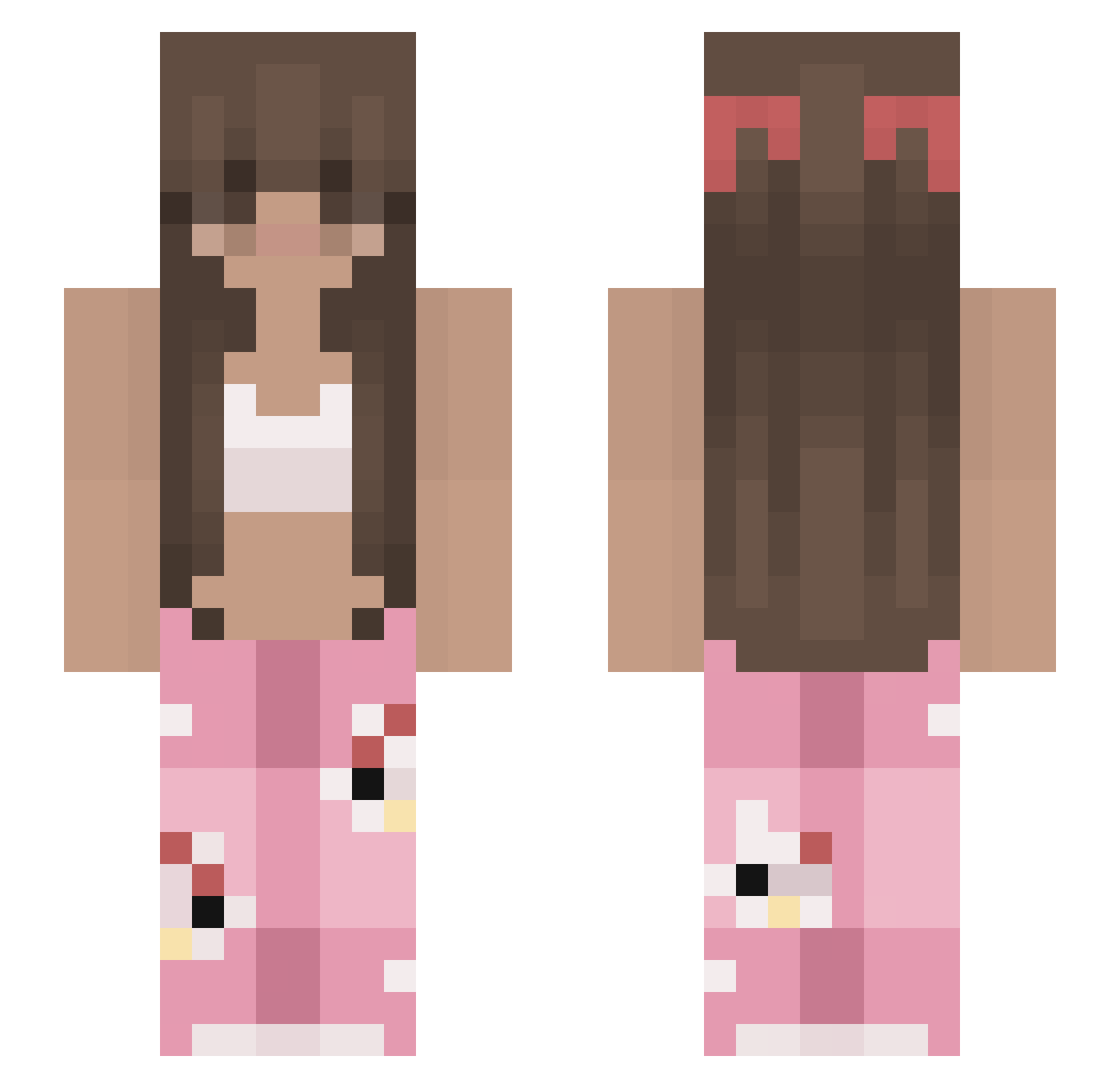
Current Minecraft skin of the player wonsita, loaded from the official Mojang API. Rotate the 3D model with your mouse or finger, then download the skin as a PNG file and use it in Minecraft: Bedrock Edition or Java Edition for free. When wonsita changes their skin, this page updates automatically and the old skin stays in the history below.
Other players with this skin (213)
wonsita was the 182nd player we have seen with this skin, first spotted on 07.10.2026. The same skin was seen on these players. Open a nickname to see their current skin and skin history.
 SoulNadia UniMagic007 lilynpch anto0616 ruiruizi66 avfy denson3819 NAZOOS Creeprrr Sneakybadger25 vikittyvi nata_ishere alilopez0221 _toga mayapapaya819 Margarella porschemuffin Ganjang601 ____Cubix____ x4xxx yololary llama011 s1mlamc61 BiancaG0209 WillisMclaughlin emiemth 1Iara they_callmemimii mayx011 Tekillyaaa Mulciaqqq winterinmymind _fefeZinha AVAmusic lozakonosek12 Nakanow AgatkaES SoggyPancake11 marg09 Farahlabg Sikiju Lola147 Carolzz8 lais_ JainaInes K1y0k0 Sefizy WhoIsJulianna Laeti20 Juliet105278 Dewiering Nlayee Twizzy970 spicymonkey2 akasataa FCN__ NerdSurprise Lucyama LarissaIR nurdiey
More Pyjamas Minecraft skins
How to install the wonsita skin
- Press the Download button above to save the skin as a PNG file.
- Minecraft: Bedrock Edition (PE): open the Dressing Room from the main menu (or tap your character → Edit Character), go to Classic Skins → Owned, press the + (new skin) button, choose the downloaded PNG and pick the Slim (Alex) model. Works on PC and mobile; consoles cannot import custom skins.
- Minecraft: Java Edition: open the Minecraft Launcher, go to the Skins tab, click New Skin, load the PNG, pick the Slim (Alex) model and press Save & Use. You can also upload it at minecraft.net → Profile → Change Skin.
The skin does not show up after import - what should I do?
Restart Minecraft and open the Dressing Room again - imported skins sometimes appear only after a restart. Also make sure you selected the imported skin and picked the Slim (Alex) model.
Which model should I choose, Classic or Slim?
This skin is designed for the Slim (Alex) model. If you pick the wrong model, the arms of the skin will look stretched or squeezed.
Is the skin of wonsita free to download?
Yes. Press Download, save the PNG file and use it in Minecraft: Bedrock Edition or Java Edition - no payment or registration needed. The skin also works on multiplayer servers and Realms.
More skins
Looking for more? Go back to all Minecraft skins and check the top skins of the week, month and all time, or find any player's skin by nickname.