
wokenclaude - Minecraft Skins & Skin History
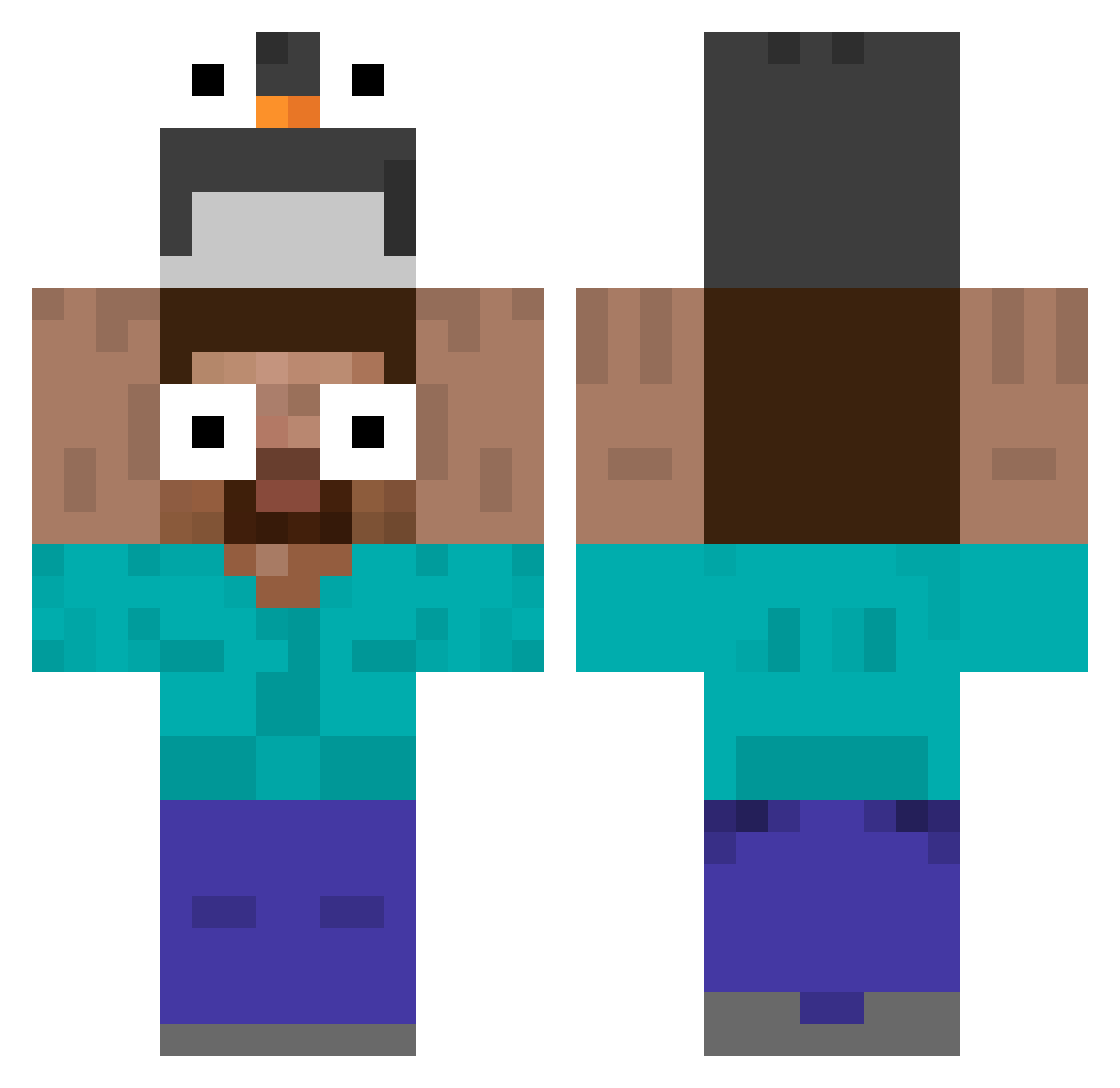
Current Minecraft skin of the player wokenclaude, loaded from the official Mojang API. Rotate the 3D model with your mouse or finger, then download the skin as a PNG file and use it in Minecraft: Bedrock Edition or Java Edition for free. When wokenclaude changes their skin, this page updates automatically and the old skin stays in the history below.
Other players with this skin (535)
wokenclaude was the 106th player we have seen with this skin, first spotted on 15.08.2026. The same skin was seen on these players. Open a nickname to see their current skin and skin history.
 TyphoonCJ VOX_REDEMPTOR ErickCraft12 diyorchi MIKOL95 Felqes xCoots 9_ws AvatarCorin Traduccion Cristal7770 SamSexBareta ElSquart Maja2473 ESPARTA123123 sloth0428 Ga0Z1 Dubious_cocoa Kruuze38 zpedroca kkingkkangmom madrugada567 panosus sieun0929 SELMITO_88 PROLEXTER mjh121212 Howard0423 Kyrox47 GeorgeZen Sonixy mk0430 ShineHinode DDDD_BBBB Nuc173 joelgb14 RodrigoSuzart Pikachugrenin Diblo408 fdiih CiggiesNTiddies Sabodoken DimiOrdem RicksPanio SLIRRE1 hyunx8 mosquito5555
 yuun03 ANTAAARES jungwooooooooo Mikugodrl SuperDODO1119 lifesmile Edumelo27 Vojt3ska Toddyneo q000d Erikrjdc yumyys Jantar123
More Funny Eyes Minecraft skins
How to install the wokenclaude skin
- Press the Download button above to save the skin as a PNG file.
- Minecraft: Bedrock Edition (PE): open the Dressing Room from the main menu (or tap your character → Edit Character), go to Classic Skins → Owned, press the + (new skin) button, choose the downloaded PNG and pick the Classic (Steve) model. Works on PC and mobile; consoles cannot import custom skins.
- Minecraft: Java Edition: open the Minecraft Launcher, go to the Skins tab, click New Skin, load the PNG, pick the Classic (Steve) model and press Save & Use. You can also upload it at minecraft.net → Profile → Change Skin.
The skin does not show up after import - what should I do?
Restart Minecraft and open the Dressing Room again - imported skins sometimes appear only after a restart. Also make sure you selected the imported skin and picked the Classic (Steve) model.
Which model should I choose, Classic or Slim?
This skin is designed for the Classic (Steve) model. If you pick the wrong model, the arms of the skin will look stretched or squeezed.
Is the skin of wokenclaude free to download?
Yes. Press Download, save the PNG file and use it in Minecraft: Bedrock Edition or Java Edition - no payment or registration needed. The skin also works on multiplayer servers and Realms.
More skins
Looking for more? Go back to all Minecraft skins and check the top skins of the week, month and all time, or find any player's skin by nickname.