
wlroldan - Minecraft Skins & Skin History
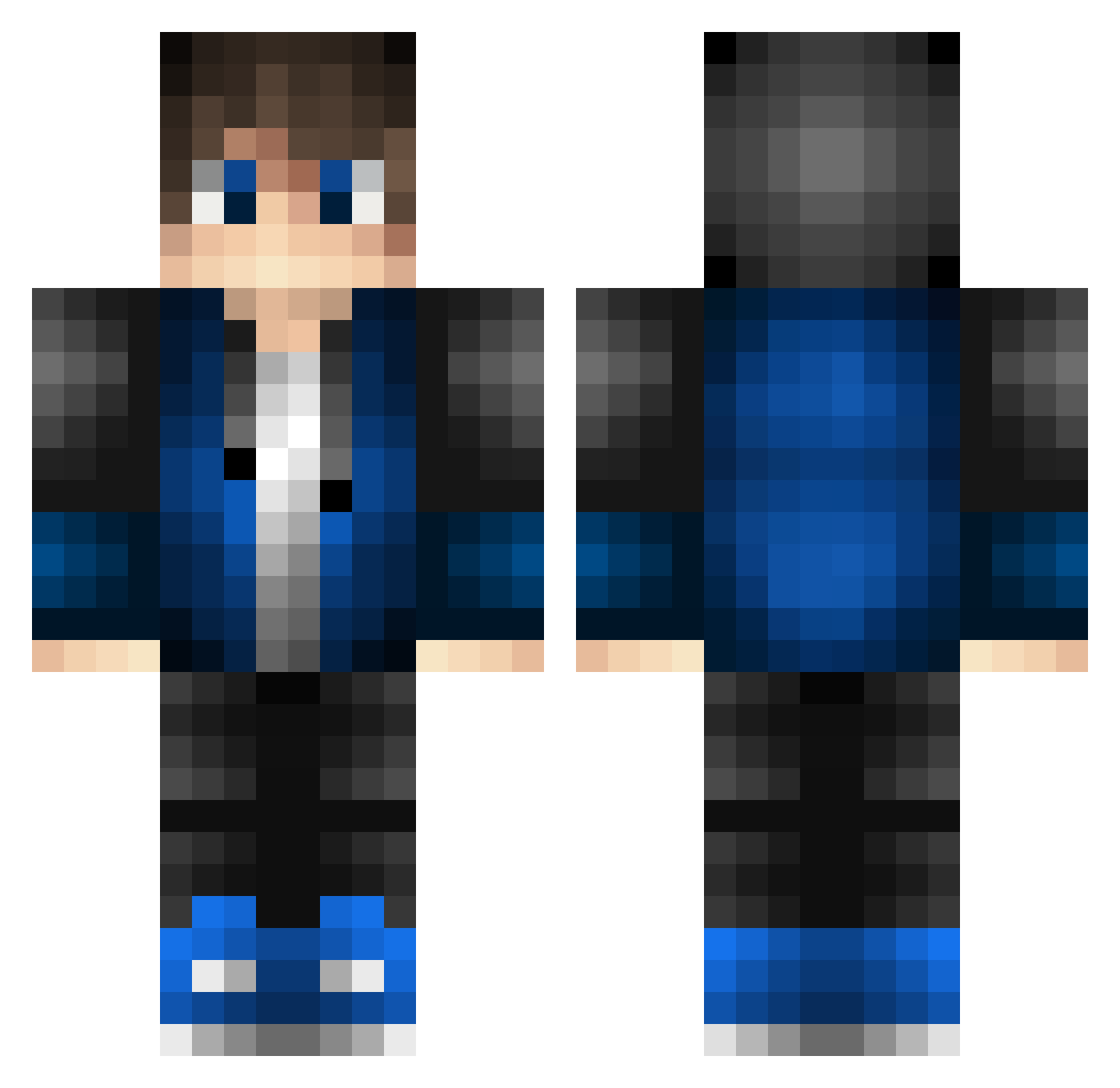
Current Minecraft skin of the player wlroldan, loaded from the official Mojang API. Rotate the 3D model with your mouse or finger, then download the skin as a PNG file and use it in Minecraft: Bedrock Edition or Java Edition for free. When wlroldan changes their skin, this page updates automatically and the old skin stays in the history below.
Other players with this skin (528)
wlroldan was the 360th player we have seen with this skin, first spotted on 07.10.2026. The same skin was seen on these players. Open a nickname to see their current skin and skin history.
 BennyGabon MULU2021 CrazyBunny2313 Jackattack08_2 AcrelixMaster135 Alvarolmlm GXLH Bombic3 Commando565 ShadowKiller099 mitsuan0823 MidoriTora_ anl4234 Floofy82 GregoMC wojo514 ImDilandroid Mindfulmax destructeurr UndefinedCloud EpsilonWolf7 SimoRoma99 KalebMC7113 SilverGx20 TEEEEEPURAA lemondaroids neruden1113 Alister2309 vivava00 Small_bear1 baoqianlo JaumRuff xzudemimino SVBL_Gamer hirokazu002 yuu6150 junka47 Nrrio OscarVGM Feuerstern_6 Vincnouf Aselum LeviArtz AresTushka Luki1810 Dagobertduck21 BrianPetre Cyanbruce ZeyShy FrancescoQ Matty997 KA_AFC_16_pLaYs Witch_Hunters noob820 LuchoSSJ10 EvHi HongdouCc Leloyea BramvdKlashorst zennher
How to install the wlroldan skin
- Press the Download button above to save the skin as a PNG file.
- Minecraft: Bedrock Edition (PE): open the Dressing Room from the main menu (or tap your character → Edit Character), go to Classic Skins → Owned, press the + (new skin) button, choose the downloaded PNG and pick the Classic (Steve) model. Works on PC and mobile; consoles cannot import custom skins.
- Minecraft: Java Edition: open the Minecraft Launcher, go to the Skins tab, click New Skin, load the PNG, pick the Classic (Steve) model and press Save & Use. You can also upload it at minecraft.net → Profile → Change Skin.
The skin does not show up after import - what should I do?
Restart Minecraft and open the Dressing Room again - imported skins sometimes appear only after a restart. Also make sure you selected the imported skin and picked the Classic (Steve) model.
Which model should I choose, Classic or Slim?
This skin is designed for the Classic (Steve) model. If you pick the wrong model, the arms of the skin will look stretched or squeezed.
Is the skin of wlroldan free to download?
Yes. Press Download, save the PNG file and use it in Minecraft: Bedrock Edition or Java Edition - no payment or registration needed. The skin also works on multiplayer servers and Realms.
More skins
Looking for more? Go back to all Minecraft skins and check the top skins of the week, month and all time, or find any player's skin by nickname.