
wlals08 - Minecraft Skins & Skin History
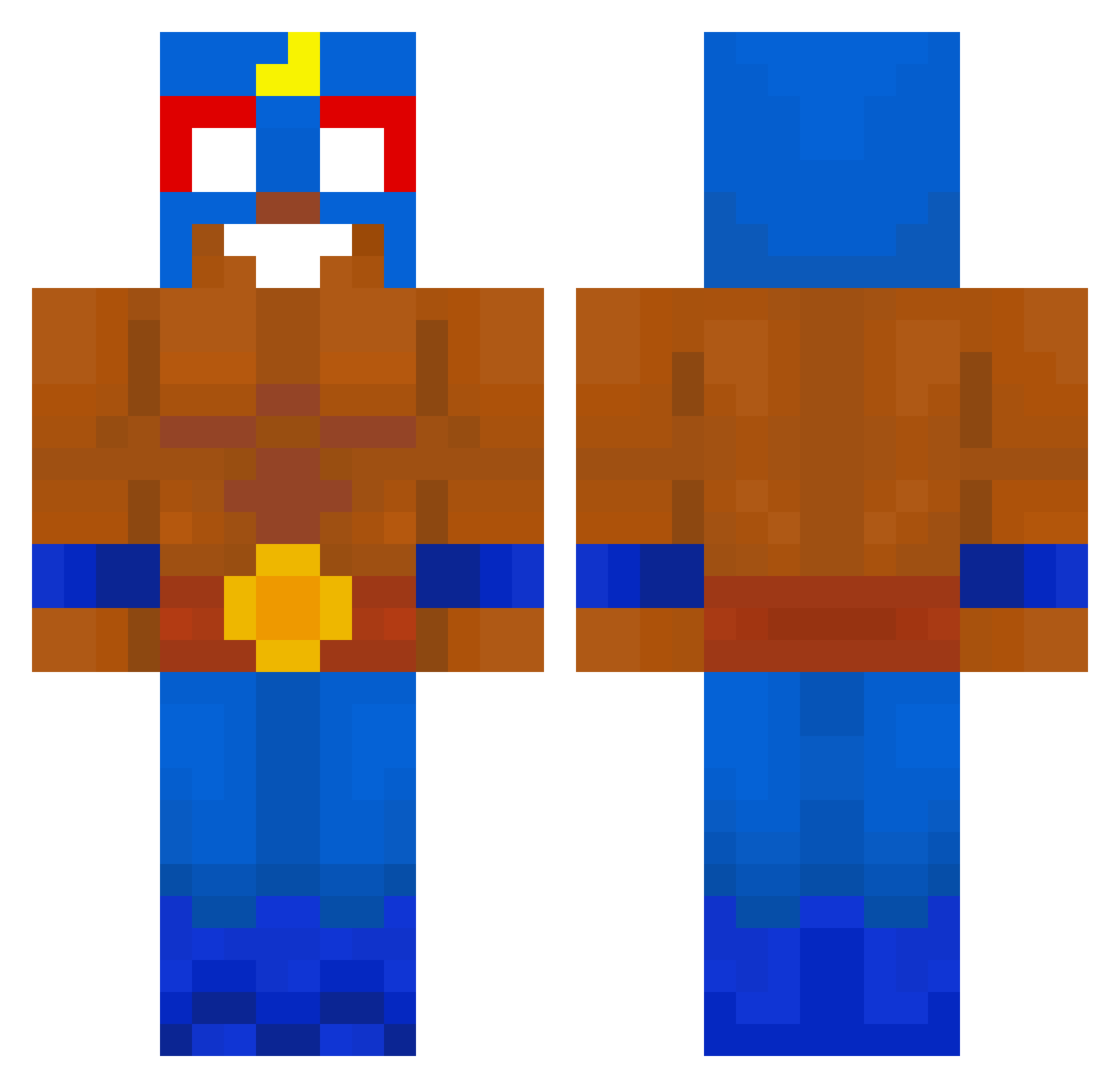
Current Minecraft skin of the player wlals08, loaded from the official Mojang API. Rotate the 3D model with your mouse or finger, then download the skin as a PNG file and use it in Minecraft: Bedrock Edition or Java Edition for free. When wlals08 changes their skin, this page updates automatically and the old skin stays in the history below.
Other players with this skin (619)
wlals08 was the 257th player we have seen with this skin, first spotted on 08.09.2026. The same skin was seen on these players. Open a nickname to see their current skin and skin history.
 NugaBey BBotssz Martynzas LaPelleDe_SCHREK gcrobac jjankes777 Toms12345543210 Giga_dumb ItsRigg vvixiie krimmr McPixaMurcha Naelprimoo PenciZorno31 messi_228 oTRG Matitodino iOiuy_ CelloILPro tomwzx gacogbs Susan3809 TimHijenga Kapuano73 nurJannis coqc TacomaTrucker min0616 Mison6789 SR0816 tjehdwn12 D3fz_ THENBG angelwon Foolio1337 FiatEn_Y EEELPRIMOOOOO Chyfug Vittoganzo PopaSVG Gognzm Mafamude ElFlipso RsH09 Brw7911 Pottssyy AIMGOD6952 Nino1902 Ellqstro kuba_xel hectoorvr ElPrimooo_ poueren Minekevin1 flyeralarm nnach0 Andy10001 infekS Elad464 ShulkerT
More El Primo Minecraft skins
How to install the wlals08 skin
- Press the Download button above to save the skin as a PNG file.
- Minecraft: Bedrock Edition (PE): open the Dressing Room from the main menu (or tap your character → Edit Character), go to Classic Skins → Owned, press the + (new skin) button, choose the downloaded PNG and pick the Classic (Steve) model. Works on PC and mobile; consoles cannot import custom skins.
- Minecraft: Java Edition: open the Minecraft Launcher, go to the Skins tab, click New Skin, load the PNG, pick the Classic (Steve) model and press Save & Use. You can also upload it at minecraft.net → Profile → Change Skin.
The skin does not show up after import - what should I do?
Restart Minecraft and open the Dressing Room again - imported skins sometimes appear only after a restart. Also make sure you selected the imported skin and picked the Classic (Steve) model.
Which model should I choose, Classic or Slim?
This skin is designed for the Classic (Steve) model. If you pick the wrong model, the arms of the skin will look stretched or squeezed.
Is the skin of wlals08 free to download?
Yes. Press Download, save the PNG file and use it in Minecraft: Bedrock Edition or Java Edition - no payment or registration needed. The skin also works on multiplayer servers and Realms.
More skins
Looking for more? Go back to all Minecraft skins and check the top skins of the week, month and all time, or find any player's skin by nickname.