
willdo31 - Minecraft Skins & Skin History
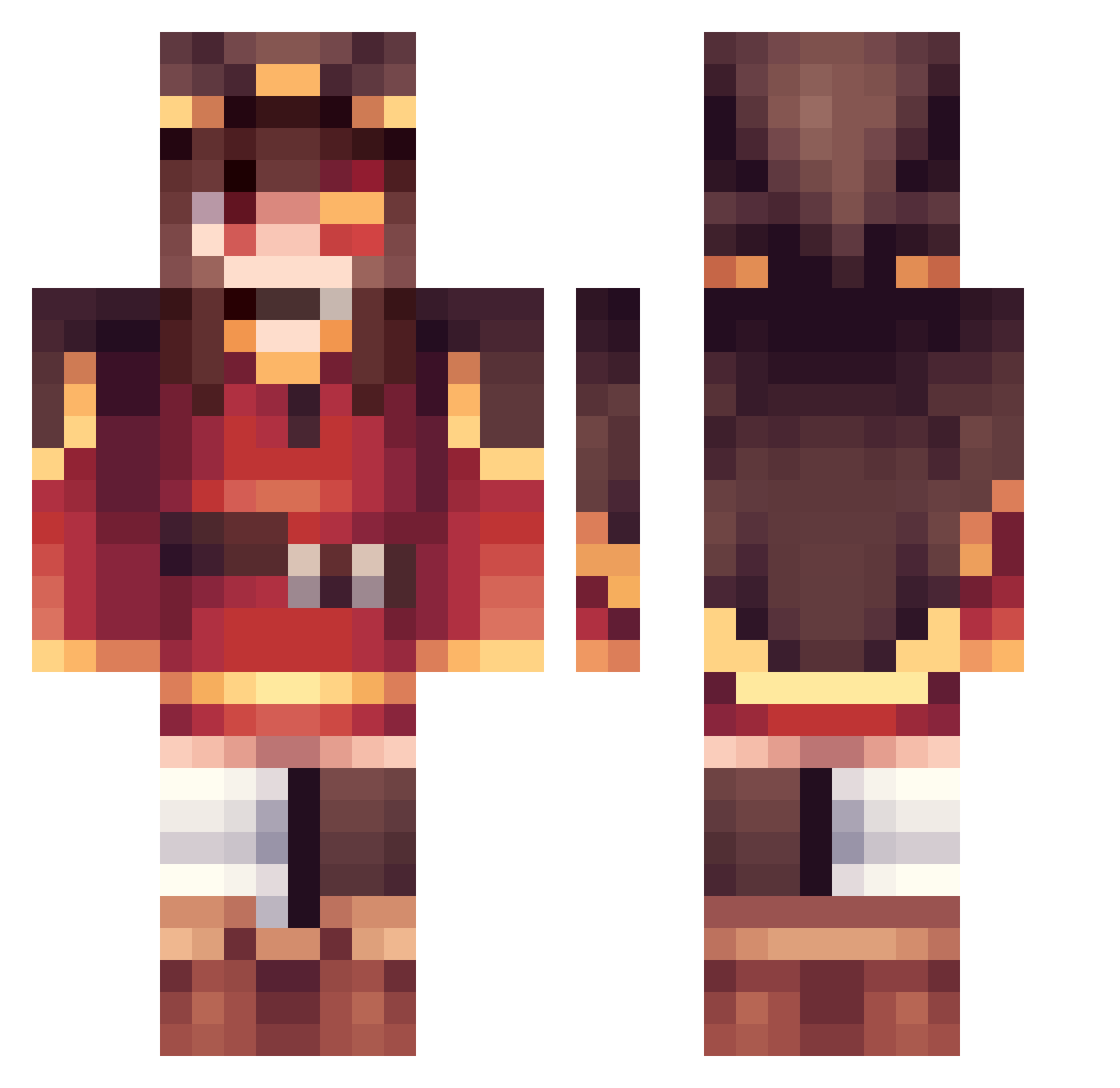
Current Minecraft skin of the player willdo31, loaded from the official Mojang API. Rotate the 3D model with your mouse or finger, then download the skin as a PNG file and use it in Minecraft: Bedrock Edition or Java Edition for free. When willdo31 changes their skin, this page updates automatically and the old skin stays in the history below.
Other players with this skin (359)
willdo31 was the 288th player we have seen with this skin, first spotted on 16.10.2026. The same skin was seen on these players. Open a nickname to see their current skin and skin history.
 nayuta_0409 nicolo83 NationalSecurity husseyno Magnesium315 fakedumbcactus Splushstupid Shedow101 _Yurine_ white_wolfgaming Ra9X CCIIRRNNOO rich_rain C4MP0S Healthx_x KindraXD pigeon99 yoelr0102 JiuXiaoD FengSaMa Zelgoth tkboxlee Ecliipse77 Krevlin Darkness675723 miojk beanklit xzrd L0usy pocky_dayo Baker_ brenotte APoint1111 hank19190621 fleyzeeee langssang Nyaaa1 SeishiFr zazhh Bachirasnutfluid Tatenashii LoveBlit mineteraw Leizo Artimimi N4TH4NBC SimostryOwO cianr212 Hanyudes Zalin9 dadaxoveccz teruwa09 zhixuzhishu Happycow5487 XenaCoast_666 drinkwater_aa Demon_ink Feiien Ravnur2 yaj7879
More Megumin Minecraft skins
How to install the willdo31 skin
- Press the Download button above to save the skin as a PNG file.
- Minecraft: Bedrock Edition (PE): open the Dressing Room from the main menu (or tap your character → Edit Character), go to Classic Skins → Owned, press the + (new skin) button, choose the downloaded PNG and pick the Classic (Steve) model. Works on PC and mobile; consoles cannot import custom skins.
- Minecraft: Java Edition: open the Minecraft Launcher, go to the Skins tab, click New Skin, load the PNG, pick the Classic (Steve) model and press Save & Use. You can also upload it at minecraft.net → Profile → Change Skin.
The skin does not show up after import - what should I do?
Restart Minecraft and open the Dressing Room again - imported skins sometimes appear only after a restart. Also make sure you selected the imported skin and picked the Classic (Steve) model.
Which model should I choose, Classic or Slim?
This skin is designed for the Classic (Steve) model. If you pick the wrong model, the arms of the skin will look stretched or squeezed.
Is the skin of willdo31 free to download?
Yes. Press Download, save the PNG file and use it in Minecraft: Bedrock Edition or Java Edition - no payment or registration needed. The skin also works on multiplayer servers and Realms.
More skins
Looking for more? Go back to all Minecraft skins and check the top skins of the week, month and all time, or find any player's skin by nickname.