
whtbdk321 - Minecraft Skins & Skin History
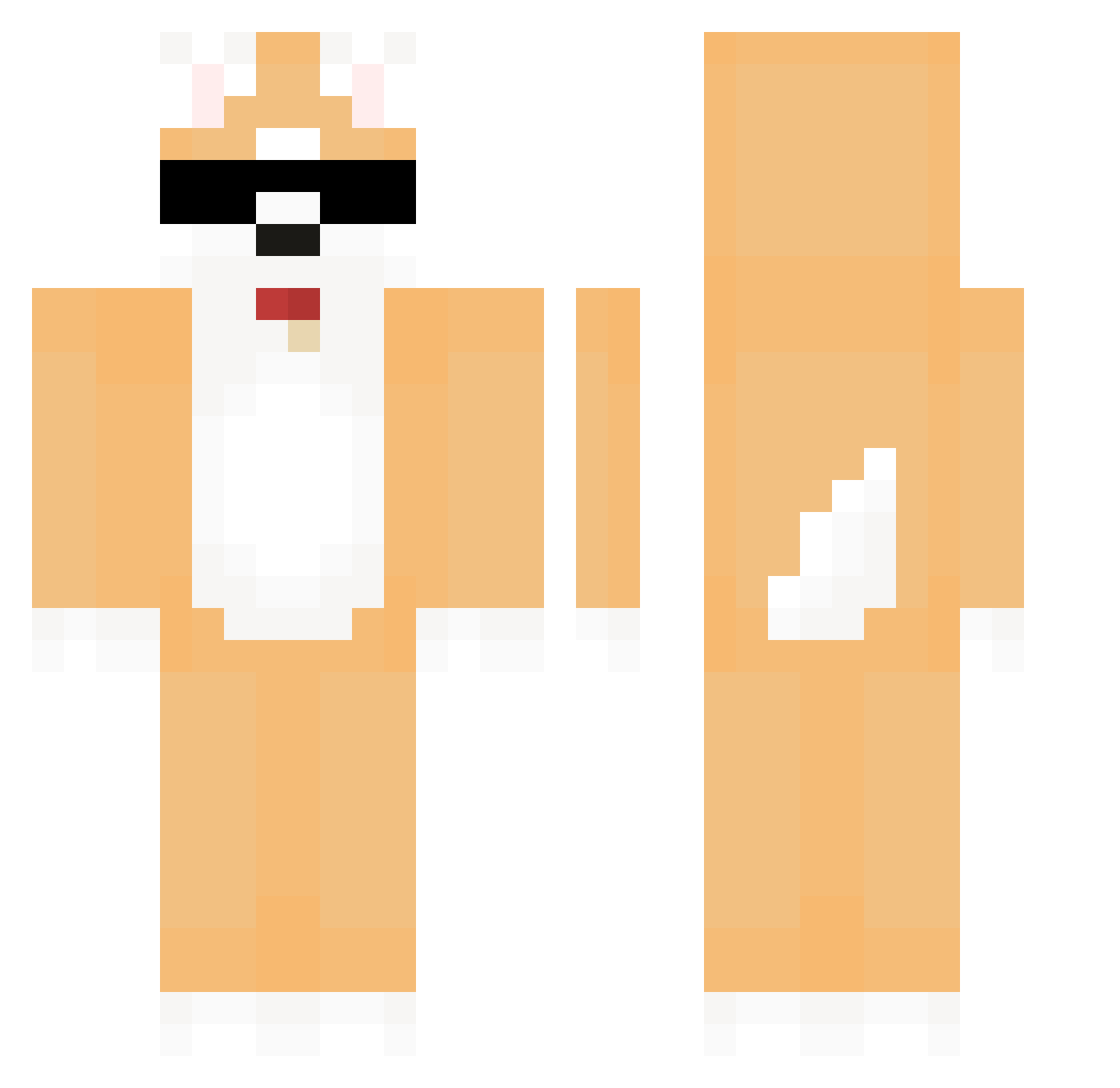
Current Minecraft skin of the player whtbdk321, loaded from the official Mojang API. Rotate the 3D model with your mouse or finger, then download the skin as a PNG file and use it in Minecraft: Bedrock Edition or Java Edition for free. When whtbdk321 changes their skin, this page updates automatically and the old skin stays in the history below.
Other players with this skin (695)
whtbdk321 was the 619th player we have seen with this skin, first spotted on 07.11.2026. The same skin was seen on these players. Open a nickname to see their current skin and skin history.
 Nanhee_ Choibham ChungHyuck ehdsoaodrn K_Seok tree_orn SrMascota Dottol gksruf0602 smin0224 LMidori323 AwareLettuce597 BigBroJP Chaengrang RMei__qq LedXMoz6 Blockkarry taemin_0525 Central122 Chem_JH hxxkjun ThoughtGame7958 Kevin_8893 emejota11 hwangcoco Boyfric15 k4564543 Adamassin kyle101031 IvanGame2012 fletid WlsWls Matesjenej2 heeyaho NekkyCekcu squatchycowboy CH710 Fansu_5484 MasterJenik josinlae graaaaaaaa Jagam sleepers1963 Yichi17 pelkikour GotErs_zxc KILL2899 Toto9928 HHHYARN LHBO tmdwo khj1102 ml2 HandSomeBoy0413 Papshy MoCow_ qkrwnsdh1 xehyng37 ksmr21 riis4
More Shiba Inu Minecraft skins
How to install the whtbdk321 skin
- Press the Download button above to save the skin as a PNG file.
- Minecraft: Bedrock Edition (PE): open the Dressing Room from the main menu (or tap your character → Edit Character), go to Classic Skins → Owned, press the + (new skin) button, choose the downloaded PNG and pick the Classic (Steve) model. Works on PC and mobile; consoles cannot import custom skins.
- Minecraft: Java Edition: open the Minecraft Launcher, go to the Skins tab, click New Skin, load the PNG, pick the Classic (Steve) model and press Save & Use. You can also upload it at minecraft.net → Profile → Change Skin.
The skin does not show up after import - what should I do?
Restart Minecraft and open the Dressing Room again - imported skins sometimes appear only after a restart. Also make sure you selected the imported skin and picked the Classic (Steve) model.
Which model should I choose, Classic or Slim?
This skin is designed for the Classic (Steve) model. If you pick the wrong model, the arms of the skin will look stretched or squeezed.
Is the skin of whtbdk321 free to download?
Yes. Press Download, save the PNG file and use it in Minecraft: Bedrock Edition or Java Edition - no payment or registration needed. The skin also works on multiplayer servers and Realms.
More skins
Looking for more? Go back to all Minecraft skins and check the top skins of the week, month and all time, or find any player's skin by nickname.