
whoischilo - Minecraft Skins & Skin History
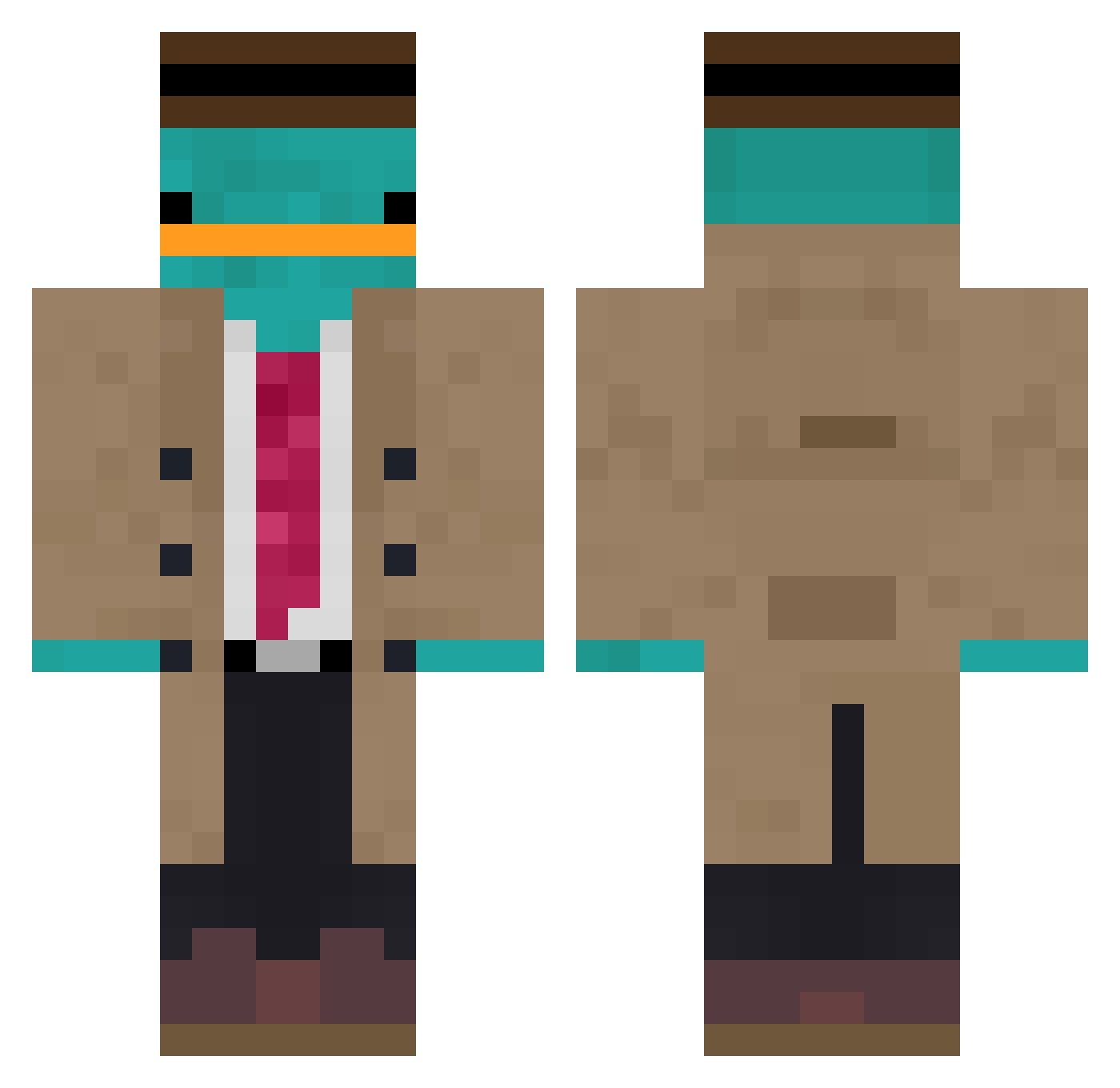
Current Minecraft skin of the player whoischilo, loaded from the official Mojang API. Rotate the 3D model with your mouse or finger, then download the skin as a PNG file and use it in Minecraft: Bedrock Edition or Java Edition for free. When whoischilo changes their skin, this page updates automatically and the old skin stays in the history below.
Other players with this skin (867)
whoischilo was the 252nd player we have seen with this skin, first spotted on 21.08.2026. The same skin was seen on these players. Open a nickname to see their current skin and skin history.
 NiKjeSch KillStephen Qatoshi 1nfinitylxl lolfailerd Masteroogway24 Riestevlaai Hi_Al3x Embrzz mas111 DasWildeKnuffel Send_noodlesTV Wenom123 Mimimimosas chriso308 JotaMG Northern0wl sourcesoc lechinoisducoin dubstepkin BigFlyMatt chogunlnwza Paatik Bambi_chino HEROBRINE7835 KoddaZz Larsliebedeutsh Theresa2010 juanstarex Space421 Krzyspian Oh_Info silvio1999155 Wangsis Rossy_Gamez Blakdef ItsFishermanMC Tefefe DarkSlayer246
 Pandelyon Tasty7880 Gollumero Nyiixe Avraaaaa AsiatiquePlacide ILMei tundray TwinkieAF
 shortiepants18 Spectre_667 ClaytonTOP c__z b0MBY11 Dsfoster Lollo_00 Yonjo Wekor29 _kercil_ Xiliderr AppleBomber
More Platypus Minecraft skins
How to install the whoischilo skin
- Press the Download button above to save the skin as a PNG file.
- Minecraft: Bedrock Edition (PE): open the Dressing Room from the main menu (or tap your character → Edit Character), go to Classic Skins → Owned, press the + (new skin) button, choose the downloaded PNG and pick the Classic (Steve) model. Works on PC and mobile; consoles cannot import custom skins.
- Minecraft: Java Edition: open the Minecraft Launcher, go to the Skins tab, click New Skin, load the PNG, pick the Classic (Steve) model and press Save & Use. You can also upload it at minecraft.net → Profile → Change Skin.
The skin does not show up after import - what should I do?
Restart Minecraft and open the Dressing Room again - imported skins sometimes appear only after a restart. Also make sure you selected the imported skin and picked the Classic (Steve) model.
Which model should I choose, Classic or Slim?
This skin is designed for the Classic (Steve) model. If you pick the wrong model, the arms of the skin will look stretched or squeezed.
Is the skin of whoischilo free to download?
Yes. Press Download, save the PNG file and use it in Minecraft: Bedrock Edition or Java Edition - no payment or registration needed. The skin also works on multiplayer servers and Realms.
More skins
Looking for more? Go back to all Minecraft skins and check the top skins of the week, month and all time, or find any player's skin by nickname.