
wellroch - Minecraft Skins & Skin History
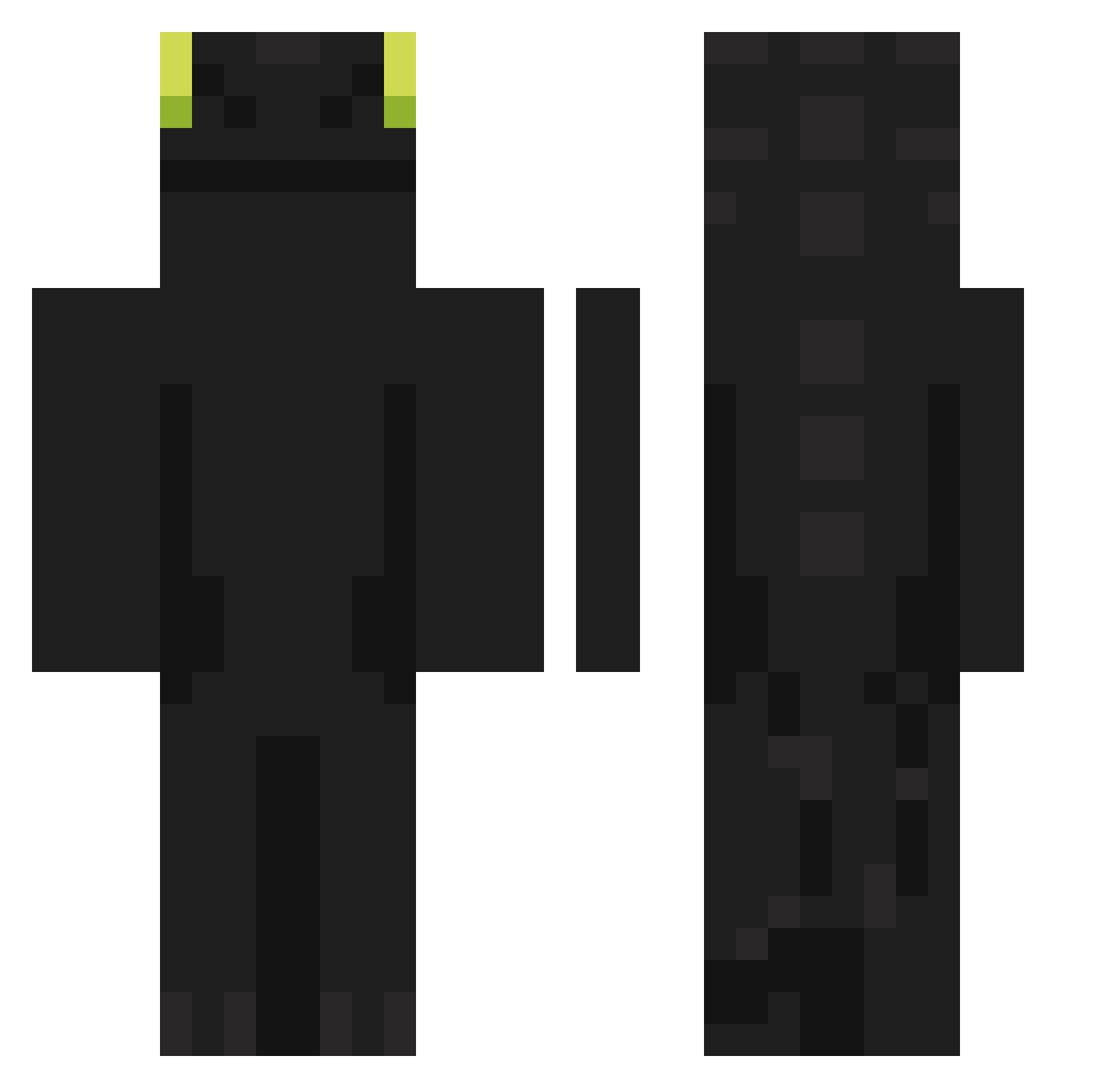
Current Minecraft skin of the player wellroch, loaded from the official Mojang API. Rotate the 3D model with your mouse or finger, then download the skin as a PNG file and use it in Minecraft: Bedrock Edition or Java Edition for free. When wellroch changes their skin, this page updates automatically and the old skin stays in the history below.
Other players with this skin (902)
wellroch was the 68th player we have seen with this skin, first spotted on 01.08.2026. The same skin was seen on these players. Open a nickname to see their current skin and skin history.
 nan_xian_ khw7998 exzcte DofgirtPlay DezirArman baekho0108 dobe123 HEPAST Noahedward316 KICKYOURASSAS4UR TroyyyJrrr IgnGurgerta AdeliciaDosGames JTPCraft Tsvkiyo zone_of_papai69 MECHAFENIKS75 GrzecznyAndroid ttVbb Adamer03 Kokosinka Placideer227 deOliveira135 Coyen09 ChaeUrsos Miller7u7
 Itssobrick Vendency Syraxxx_ Sanglierogue ranjal SADSONs Abebsanderrr pet4543 Masiek123 kyuhyun0_ _Glueck_ _FlaxPlayer_ gameslash1006 PetrLosBagetos frooz_22 kitsuoo
 Clanker_Master69 zach1ry Eepystump 4NU815 YTKW Dominikus_Sniper Testi_ YuryxD12 MuEyo2 1caroLev1 horuhoru07 CclioO mrKodziak enea300 iguana1129 JoyousFunk Alen696 calanguynho
More Night Fury Minecraft skins
How to install the wellroch skin
- Press the Download button above to save the skin as a PNG file.
- Minecraft: Bedrock Edition (PE): open the Dressing Room from the main menu (or tap your character → Edit Character), go to Classic Skins → Owned, press the + (new skin) button, choose the downloaded PNG and pick the Classic (Steve) model. Works on PC and mobile; consoles cannot import custom skins.
- Minecraft: Java Edition: open the Minecraft Launcher, go to the Skins tab, click New Skin, load the PNG, pick the Classic (Steve) model and press Save & Use. You can also upload it at minecraft.net → Profile → Change Skin.
The skin does not show up after import - what should I do?
Restart Minecraft and open the Dressing Room again - imported skins sometimes appear only after a restart. Also make sure you selected the imported skin and picked the Classic (Steve) model.
Which model should I choose, Classic or Slim?
This skin is designed for the Classic (Steve) model. If you pick the wrong model, the arms of the skin will look stretched or squeezed.
Is the skin of wellroch free to download?
Yes. Press Download, save the PNG file and use it in Minecraft: Bedrock Edition or Java Edition - no payment or registration needed. The skin also works on multiplayer servers and Realms.
More skins
Looking for more? Go back to all Minecraft skins and check the top skins of the week, month and all time, or find any player's skin by nickname.