
weihexiaoxin - Minecraft Skins & Skin History
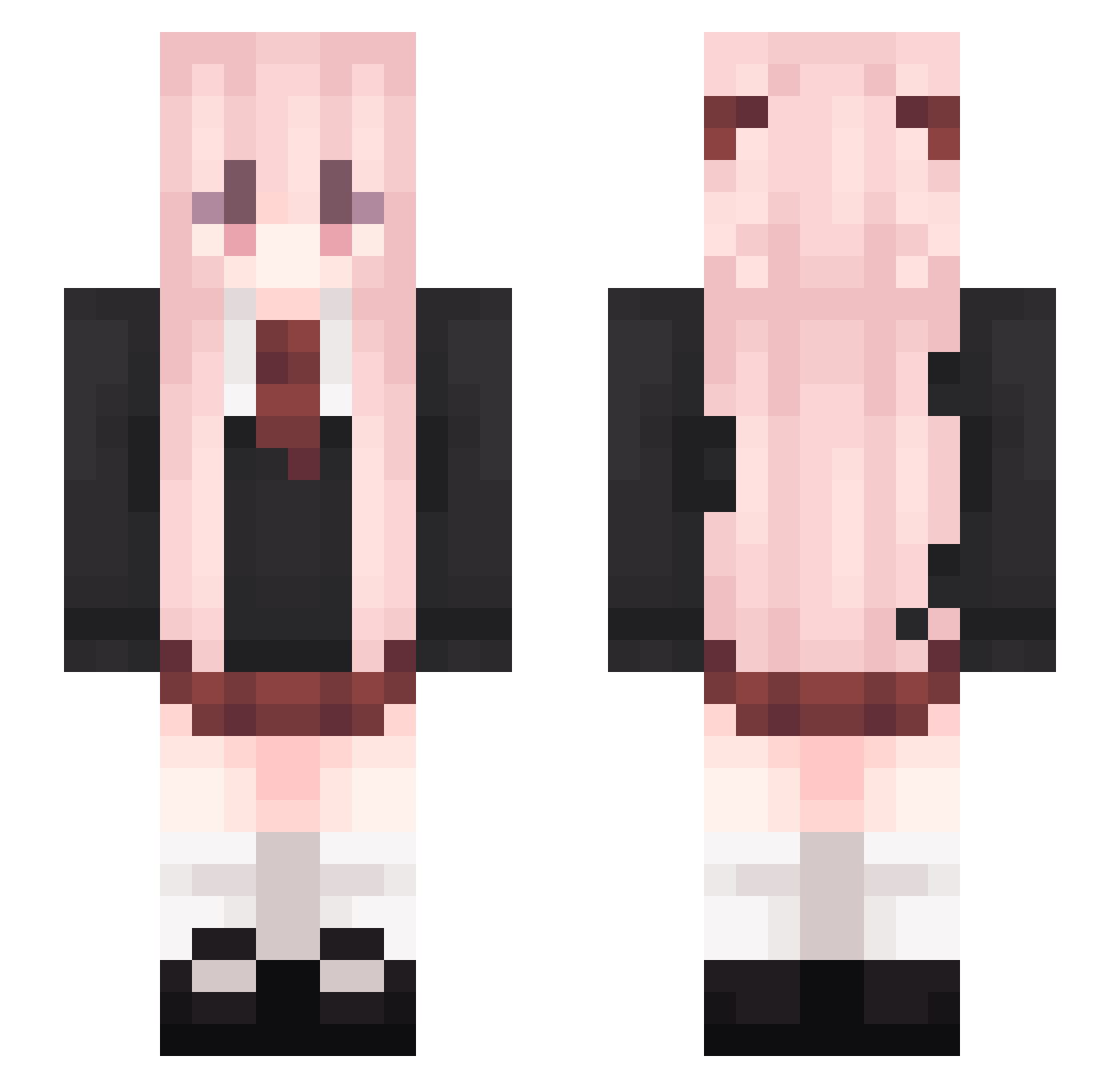
Current Minecraft skin of the player weihexiaoxin, loaded from the official Mojang API. Rotate the 3D model with your mouse or finger, then download the skin as a PNG file and use it in Minecraft: Bedrock Edition or Java Edition for free. When weihexiaoxin changes their skin, this page updates automatically and the old skin stays in the history below.
Other players with this skin (541)
weihexiaoxin was the 319th player we have seen with this skin, first spotted on 03.10.2026. The same skin was seen on these players. Open a nickname to see their current skin and skin history.
 Tidu33 juszc NoBebuff guziri666 yumo1029 zepp1i YUI_Novel q1w1p isolation123_ Realizable_ Saigyoji_Yuyuko_ Apotofo Thedia233 helinkun Lemtt Charon77 lovke7 xiaoHai__001 taylorswift13131 meonly33 ligangs13 0721Nima TC_apple X_xYang wangwangji Xia6000_Kilr Mahiro0426 XfMist Gangster0509 snowynight_LE Hopeloveu yuhuli eleven1_11 Shikinam1Asuka Asamy_737 Akebi_Surei Ghausti333 RosyEarth Lz_XiaoYao CCTV002 Ushio114514 ChuXin520 Eren1017 HaiYanYa nianjiuy zFe3 Chenghui2021 cwxuan Misa119 champion_YT Xiaoxiujie CCCL_OL KUN555 Pomilk Eforena Yuzuru0 Qihai1225 _zhengzheng_ muy257 wzc1227
More School Uniform Minecraft skins
See all 6996 School Uniform skins
How to install the weihexiaoxin skin
- Press the Download button above to save the skin as a PNG file.
- Minecraft: Bedrock Edition (PE): open the Dressing Room from the main menu (or tap your character → Edit Character), go to Classic Skins → Owned, press the + (new skin) button, choose the downloaded PNG and pick the Slim (Alex) model. Works on PC and mobile; consoles cannot import custom skins.
- Minecraft: Java Edition: open the Minecraft Launcher, go to the Skins tab, click New Skin, load the PNG, pick the Slim (Alex) model and press Save & Use. You can also upload it at minecraft.net → Profile → Change Skin.
The skin does not show up after import - what should I do?
Restart Minecraft and open the Dressing Room again - imported skins sometimes appear only after a restart. Also make sure you selected the imported skin and picked the Slim (Alex) model.
Which model should I choose, Classic or Slim?
This skin is designed for the Slim (Alex) model. If you pick the wrong model, the arms of the skin will look stretched or squeezed.
Is the skin of weihexiaoxin free to download?
Yes. Press Download, save the PNG file and use it in Minecraft: Bedrock Edition or Java Edition - no payment or registration needed. The skin also works on multiplayer servers and Realms.
More skins
Looking for more? Go back to all Minecraft skins and check the top skins of the week, month and all time, or find any player's skin by nickname.