
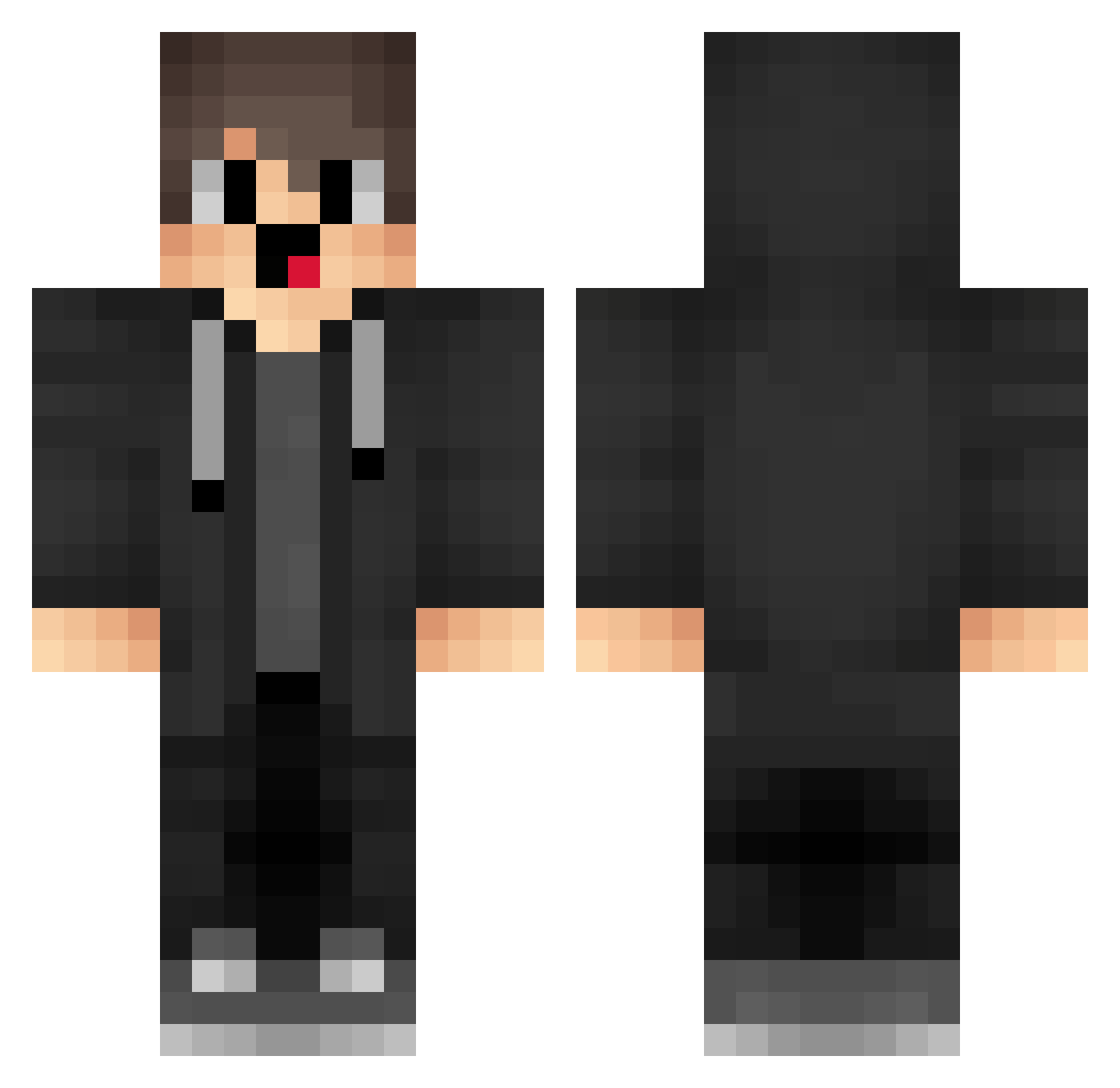
Current Minecraft skin of the player wee888, loaded from the official Mojang API. Rotate the 3D model with your mouse or finger, then download the skin as a PNG file and use it in Minecraft: Bedrock Edition or Java Edition for free. When wee888 changes their skin, this page updates automatically and the old skin stays in the history below.
Other players with this skin (1281)
wee888 was the 1138th player we have seen with this skin, first spotted on 08.10.2026. The same skin was seen on these players. Open a nickname to see their current skin and skin history.
 udh364 gQQ999 nJL743 Its_RamonStar jum659 box_vSufxJLAQ912 bzL826 kindCod5 tifusbaba jOU927 pUe788 gHx994 qXv19 Vaper_A02 SlinkyUser_ 0MOP DAJIBA_ box_LUBCReOQa500 merryxmases Mal_jnHoFB A_NOTREAL_HACKER ovf512 dpc655 merzisecondpov yWm971 kZt925 hak633 IUh77 pZu977 gZb694 box_XCZsuWuIb820 lsW544 hkP381 HZu75 Joz745 Vfr684 Rbh363 qns890 Agnostick SouthsideNext Brxdman2 JagerWR YDa24 Meryzzz_ wugui_sEIk7_1129 fhI610 Closet_Cheating Z1rnEx LET233 Manthe___ mUX125 uaO170 fZF322 HUTAO_MH_mLtA898 aFC996 sVw422 pingme heq35 SoP885 WIU734
How to install the wee888 skin
- Press the Download button above to save the skin as a PNG file.
- Minecraft: Bedrock Edition (PE): open the Dressing Room from the main menu (or tap your character → Edit Character), go to Classic Skins → Owned, press the + (new skin) button, choose the downloaded PNG and pick the Classic (Steve) model. Works on PC and mobile; consoles cannot import custom skins.
- Minecraft: Java Edition: open the Minecraft Launcher, go to the Skins tab, click New Skin, load the PNG, pick the Classic (Steve) model and press Save & Use. You can also upload it at minecraft.net → Profile → Change Skin.
The skin does not show up after import - what should I do?
Restart Minecraft and open the Dressing Room again - imported skins sometimes appear only after a restart. Also make sure you selected the imported skin and picked the Classic (Steve) model.
Which model should I choose, Classic or Slim?
This skin is designed for the Classic (Steve) model. If you pick the wrong model, the arms of the skin will look stretched or squeezed.
Is the skin of wee888 free to download?
Yes. Press Download, save the PNG file and use it in Minecraft: Bedrock Edition or Java Edition - no payment or registration needed. The skin also works on multiplayer servers and Realms.
More skins
Looking for more? Go back to all Minecraft skins and check the top skins of the week, month and all time, or find any player's skin by nickname.