
wedsik5242 - Minecraft Skins & Skin History
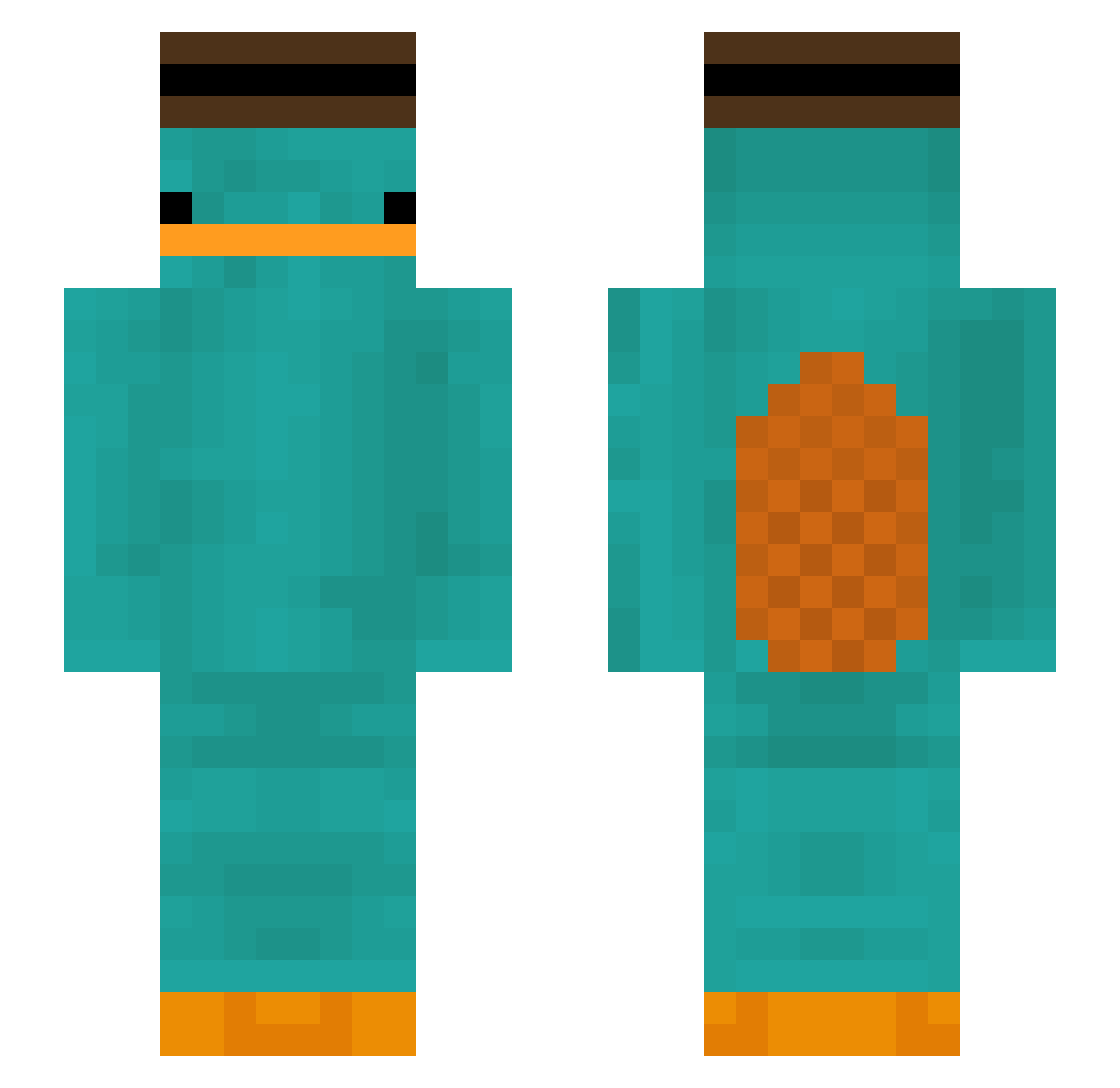
Current Minecraft skin of the player wedsik5242, loaded from the official Mojang API. Rotate the 3D model with your mouse or finger, then download the skin as a PNG file and use it in Minecraft: Bedrock Edition or Java Edition for free. When wedsik5242 changes their skin, this page updates automatically and the old skin stays in the history below.
Other players with this skin (299)
wedsik5242 was the 227th player we have seen with this skin, first spotted on 04.10.2026. The same skin was seen on these players. Open a nickname to see their current skin and skin history.
 red__fish Peony57 androidk DontCheating thegcaza ArneborgLP dinofarter Jqmie__ meansparker PlatypusDumpling Tkddj486 gaive_champignon TimathyJohnson Zoutepekingeend boobaboss maciel31 bang0317 W0mpey jeolging QuentinSSan LeggoMyEggos_ BananaMan0900 Y0_Stitch 22uhr09 doblez_886 Goldust29 AllTheseFunds YOUNDWW welnisia Nepomock WlanPasswortW DrunKix elash990 jnahc Scrawms Jurntie lookatedooo LemonadeSpirit sjy3282 TAEBONG00 11bobo1199 FuetEnjoyer Jakeybossuk Eduarwar xQuezy diopus Suujj clauudee BornRecord2421 Biooly3 yomama4125 Artixik yuco candiid HangryFN nootnootnuts shermangamer guttaso_26 TehMonkeyMan7 Aungpao006
More Platypus Minecraft skins
How to install the wedsik5242 skin
- Press the Download button above to save the skin as a PNG file.
- Minecraft: Bedrock Edition (PE): open the Dressing Room from the main menu (or tap your character → Edit Character), go to Classic Skins → Owned, press the + (new skin) button, choose the downloaded PNG and pick the Slim (Alex) model. Works on PC and mobile; consoles cannot import custom skins.
- Minecraft: Java Edition: open the Minecraft Launcher, go to the Skins tab, click New Skin, load the PNG, pick the Slim (Alex) model and press Save & Use. You can also upload it at minecraft.net → Profile → Change Skin.
The skin does not show up after import - what should I do?
Restart Minecraft and open the Dressing Room again - imported skins sometimes appear only after a restart. Also make sure you selected the imported skin and picked the Slim (Alex) model.
Which model should I choose, Classic or Slim?
This skin is designed for the Slim (Alex) model. If you pick the wrong model, the arms of the skin will look stretched or squeezed.
Is the skin of wedsik5242 free to download?
Yes. Press Download, save the PNG file and use it in Minecraft: Bedrock Edition or Java Edition - no payment or registration needed. The skin also works on multiplayer servers and Realms.
More skins
Looking for more? Go back to all Minecraft skins and check the top skins of the week, month and all time, or find any player's skin by nickname.