
waraya818 - Minecraft Skins & Skin History
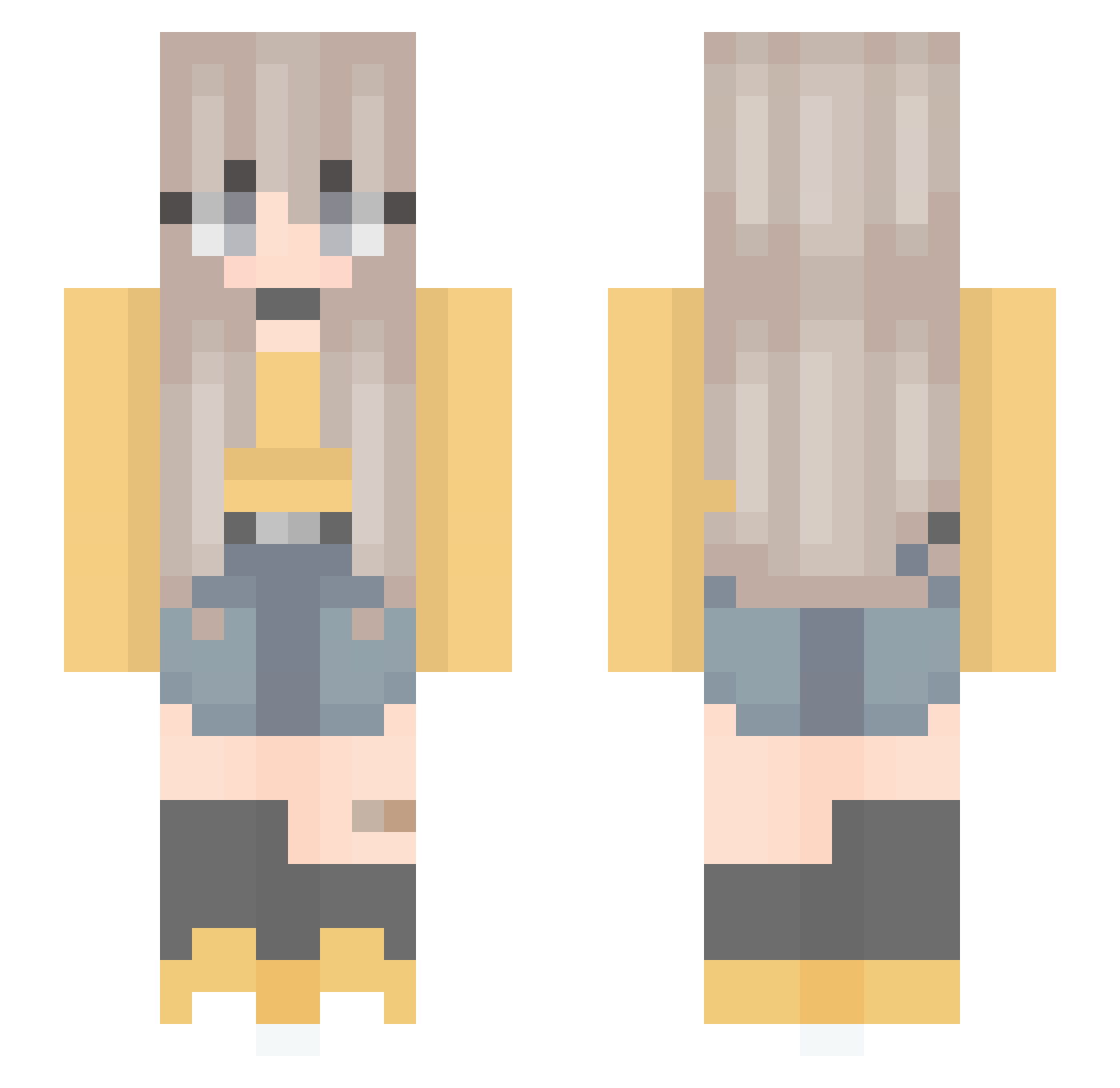
Current Minecraft skin of the player waraya818, loaded from the official Mojang API. Rotate the 3D model with your mouse or finger, then download the skin as a PNG file and use it in Minecraft: Bedrock Edition or Java Edition for free. When waraya818 changes their skin, this page updates automatically and the old skin stays in the history below.
Other players with this skin (301)
waraya818 was the 31st player we have seen with this skin, first spotted on 03.08.2026. The same skin was seen on these players. Open a nickname to see their current skin and skin history.
 Left_Soq Slowingduck1809 Lemon277 sidlinRma06 CookieOJo _Dragonita_ n0kaal Ulinzi kira1mu Easyluisa SoopyAddons Shanna_233 roxxyblum Cayrols Kiminee BiancaBub7099 boarderheli rehanasra Hwood2583 Hanle20 purpflamingo2000 Ajara001 hamzzi01 Charlotte_Field itsduckie angelagg007 ElyMC iradaa Darita Vanessa797 Barsion_ Liviam1117 savishow24 pulurr deathzie Einhornknaller fuqwad mochica2018 victorialop Tabitha2006 yedaoshen24 mayomay531 kyskym Purpleteng 11004477 Megadeolo alyssaozuna TwnyaOhisama GracieFritzee Suitopanda Lindy2788 SugaKookiee aoakdfhefj jae_k Hunioras candeeapple BrightBottle joebilyjoe pikaciu2211 Tanghytten_Guest
More Anime Minecraft skins
How to install the waraya818 skin
- Press the Download button above to save the skin as a PNG file.
- Minecraft: Bedrock Edition (PE): open the Dressing Room from the main menu (or tap your character → Edit Character), go to Classic Skins → Owned, press the + (new skin) button, choose the downloaded PNG and pick the Slim (Alex) model. Works on PC and mobile; consoles cannot import custom skins.
- Minecraft: Java Edition: open the Minecraft Launcher, go to the Skins tab, click New Skin, load the PNG, pick the Slim (Alex) model and press Save & Use. You can also upload it at minecraft.net → Profile → Change Skin.
The skin does not show up after import - what should I do?
Restart Minecraft and open the Dressing Room again - imported skins sometimes appear only after a restart. Also make sure you selected the imported skin and picked the Slim (Alex) model.
Which model should I choose, Classic or Slim?
This skin is designed for the Slim (Alex) model. If you pick the wrong model, the arms of the skin will look stretched or squeezed.
Is the skin of waraya818 free to download?
Yes. Press Download, save the PNG file and use it in Minecraft: Bedrock Edition or Java Edition - no payment or registration needed. The skin also works on multiplayer servers and Realms.
More skins
Looking for more? Go back to all Minecraft skins and check the top skins of the week, month and all time, or find any player's skin by nickname.