
vinny1800 - Minecraft Skins & Skin History
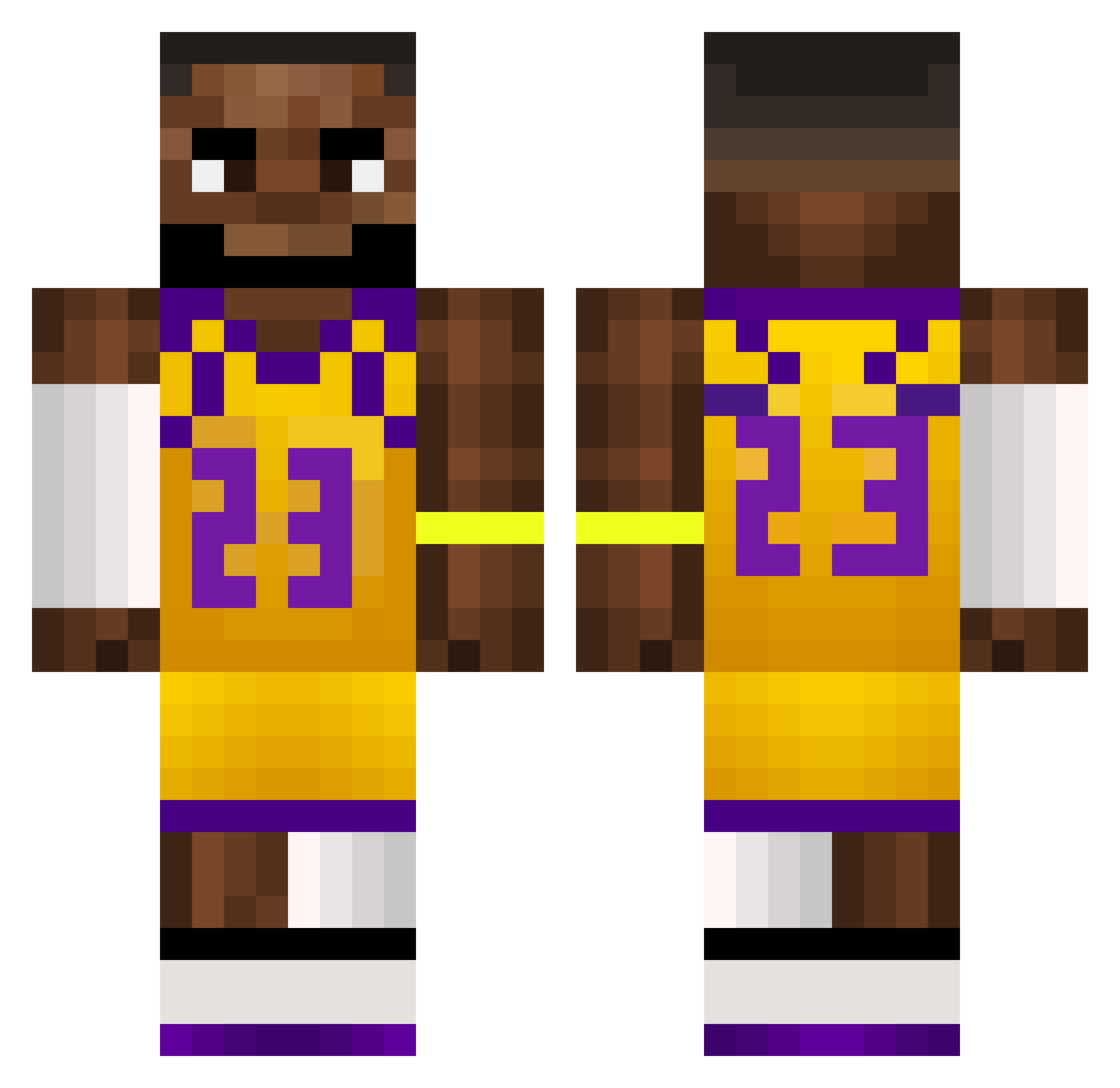
Current Minecraft skin of the player vinny1800, loaded from the official Mojang API. Rotate the 3D model with your mouse or finger, then download the skin as a PNG file and use it in Minecraft: Bedrock Edition or Java Edition for free. When vinny1800 changes their skin, this page updates automatically and the old skin stays in the history below.
Other players with this skin (499)
vinny1800 was the 245th player we have seen with this skin, first spotted on 09.09.2026. The same skin was seen on these players. Open a nickname to see their current skin and skin history.
 Shawarmalover Darius190510 yanga282 robbo642 Rodi12 SmallestGamingYT krysak222 KGLuKy Toshi1011 Skitzornah Maskulinus420 Andersix6 Dante07718 trapability FraVacca14 Staxyer kostas_2010 ciocarlie AlexRamenNoodles Michdem0 M1ssabate rageu_47 jerkmategooner LuidWRLD MicoRod03 SiriusSirius hxnm PabloPeti BingChilling_00 G00ch134 DriftedIce Aggasel k4ppaS Mdot7 l0singmyedge JayRaso SorrySorry1 Truly2941 ZMUGIN123 rwheel TAPS_3 nicoox0 ItsGab3Btw LordPayo BNnxte choddan ChVrruzu lttmc n1jja Douginmotion Dxnkeyy_ GToz_ JaysonTatum30 NicOmegas_ LeeXius19 FunkyMonkey0205 MatTzzy1 ttvshushplayz12 Trawa__ OlekToJa100
More Lakers Minecraft skins
How to install the vinny1800 skin
- Press the Download button above to save the skin as a PNG file.
- Minecraft: Bedrock Edition (PE): open the Dressing Room from the main menu (or tap your character → Edit Character), go to Classic Skins → Owned, press the + (new skin) button, choose the downloaded PNG and pick the Classic (Steve) model. Works on PC and mobile; consoles cannot import custom skins.
- Minecraft: Java Edition: open the Minecraft Launcher, go to the Skins tab, click New Skin, load the PNG, pick the Classic (Steve) model and press Save & Use. You can also upload it at minecraft.net → Profile → Change Skin.
The skin does not show up after import - what should I do?
Restart Minecraft and open the Dressing Room again - imported skins sometimes appear only after a restart. Also make sure you selected the imported skin and picked the Classic (Steve) model.
Which model should I choose, Classic or Slim?
This skin is designed for the Classic (Steve) model. If you pick the wrong model, the arms of the skin will look stretched or squeezed.
Is the skin of vinny1800 free to download?
Yes. Press Download, save the PNG file and use it in Minecraft: Bedrock Edition or Java Edition - no payment or registration needed. The skin also works on multiplayer servers and Realms.
More skins
Looking for more? Go back to all Minecraft skins and check the top skins of the week, month and all time, or find any player's skin by nickname.