
vinilink1 - Minecraft Skins & Skin History
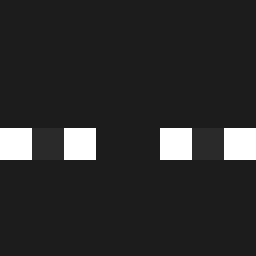
Current Minecraft skin of the player vinilink1, loaded from the official Mojang API. Rotate the 3D model with your mouse or finger, then download the skin as a PNG file and use it in Minecraft: Bedrock Edition or Java Edition for free. When vinilink1 changes their skin, this page updates automatically and the old skin stays in the history below.

Other players with this skin (557)
vinilink1 was the 138th player we have seen with this skin, first spotted on 21.08.2026. The same skin was seen on these players. Open a nickname to see their current skin and skin history.
 Remezy Trusk779 ArmMii itzzz_doboksa iosuma TTigas tobulol Nawafy1255 SlleaZy Razorbtw KyronVoid ibra612 _____YB_____ Dark_Eisbaer Holaa543 oNathan07 ripentry Yimakub DeJesus67 Smoog11 MkWhile Peterking47 naankuu DahaVaktiVar Izannpantinn s4inee IdleScript Haku328 ENYCE2302 railedGlobi Magixcito
 Stiven15ST 4r__ Franek62 whdmsdn77 SilentLunaa
 Mr__bobsen JuanKlasper ItsMatt19 DISPERS0 JWN_Twenty_One TINHOXL bj3a JYyuan JunMing1993 JaredQuintero307 Nomercy0623 melvin_ttp Fraloja zypherq andres322_ garciss sr_zezo 03041021 Squiliam Malacarcu dosung123 Jason960803 Tuvieja2015 Luke66205
How to install the vinilink1 skin
- Press the Download button above to save the skin as a PNG file.
- Minecraft: Bedrock Edition (PE): open the Dressing Room from the main menu (or tap your character → Edit Character), go to Classic Skins → Owned, press the + (new skin) button, choose the downloaded PNG and pick the Classic (Steve) model. Works on PC and mobile; consoles cannot import custom skins.
- Minecraft: Java Edition: open the Minecraft Launcher, go to the Skins tab, click New Skin, load the PNG, pick the Classic (Steve) model and press Save & Use. You can also upload it at minecraft.net → Profile → Change Skin.
The skin does not show up after import - what should I do?
Restart Minecraft and open the Dressing Room again - imported skins sometimes appear only after a restart. Also make sure you selected the imported skin and picked the Classic (Steve) model.
Which model should I choose, Classic or Slim?
This skin is designed for the Classic (Steve) model. If you pick the wrong model, the arms of the skin will look stretched or squeezed.
Is the skin of vinilink1 free to download?
Yes. Press Download, save the PNG file and use it in Minecraft: Bedrock Edition or Java Edition - no payment or registration needed. The skin also works on multiplayer servers and Realms.
More skins
Looking for more? Go back to all Minecraft skins and check the top skins of the week, month and all time, or find any player's skin by nickname.