
vilmer129 - Minecraft Skins & Skin History
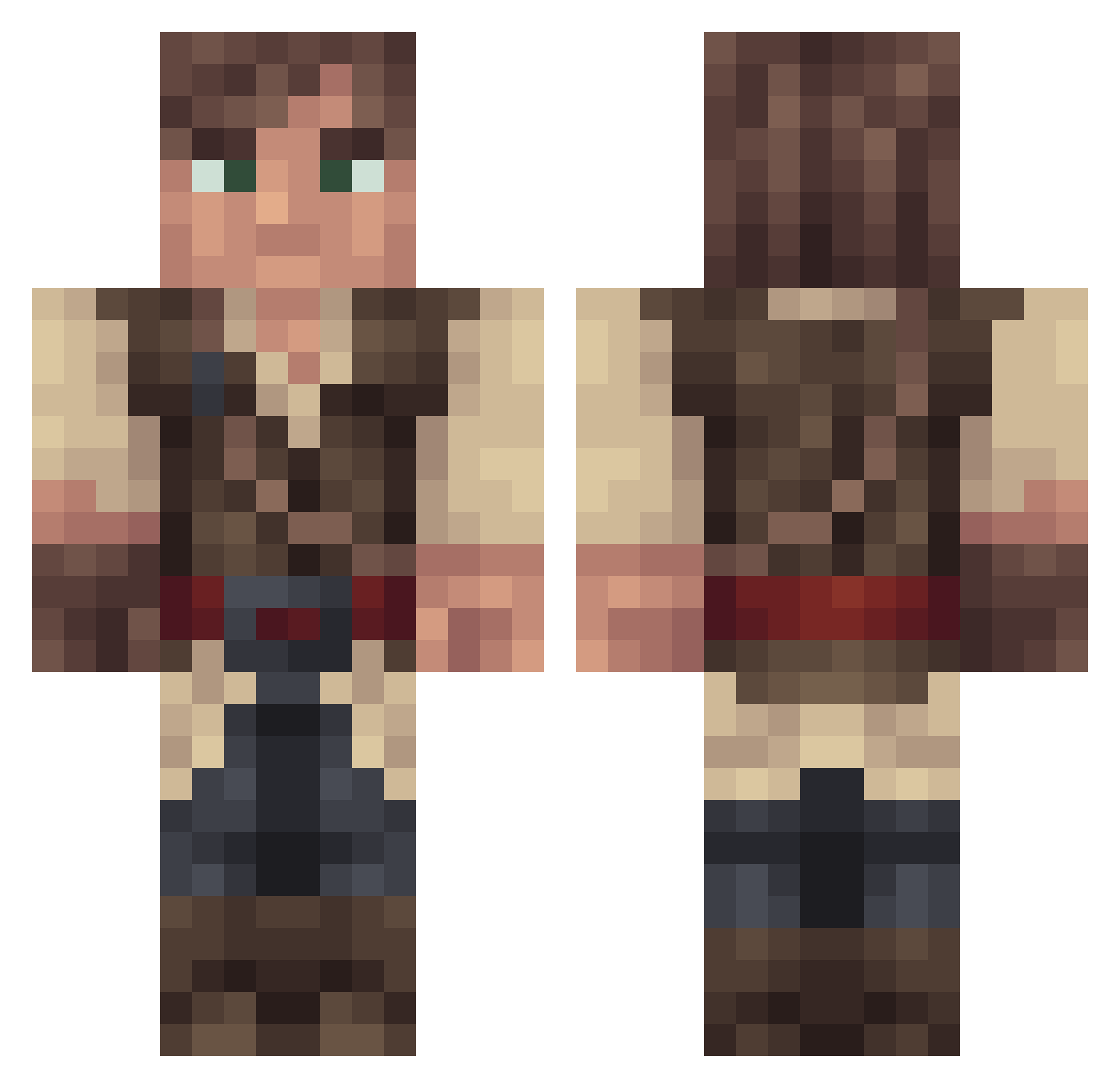
Current Minecraft skin of the player vilmer129, loaded from the official Mojang API. Rotate the 3D model with your mouse or finger, then download the skin as a PNG file and use it in Minecraft: Bedrock Edition or Java Edition for free. When vilmer129 changes their skin, this page updates automatically and the old skin stays in the history below.
Other players with this skin (268)
vilmer129 was the 110th player we have seen with this skin, first spotted on 15.09.2026. The same skin was seen on these players. Open a nickname to see their current skin and skin history.
 Jijosi OfficialHudson Mornon Retard_PapDinges connorb1009 noahisawsome808 PaulyD71 Siesioh Raedwulfe Benotin OldMaccussa SDAH LeeSrednuas Palavens aidangreen2 progamrxx420xx robaatoZ DutchVortex LordZekk YOREBOY Lammiwink rekt_by_bulleV2 cmurnane27 Hamm_ TacitoKid Balzemonn kilbo98 MisterRowan gidthullu yves441 hornsfan01 oldspoon ForgottenOnyx STICK2357 Barcleys can1u1dig1it Huohuohuo THEsilentARROW Ash271 Alex_Koti Sekdez Chuggiedynasty sal_gent DeimosBia Orion_Alnitak soeck666 fubben Blitzerai Stagiwa BukPire Blaksol87 Gruntmachine smithje Aerethal Vekel_Shalan xtrawunsch Mr_Banana_Man0 ThChaosX BuckyBarnes96 pitterskowski
More Bandit Minecraft skins
How to install the vilmer129 skin
- Press the Download button above to save the skin as a PNG file.
- Minecraft: Bedrock Edition (PE): open the Dressing Room from the main menu (or tap your character → Edit Character), go to Classic Skins → Owned, press the + (new skin) button, choose the downloaded PNG and pick the Classic (Steve) model. Works on PC and mobile; consoles cannot import custom skins.
- Minecraft: Java Edition: open the Minecraft Launcher, go to the Skins tab, click New Skin, load the PNG, pick the Classic (Steve) model and press Save & Use. You can also upload it at minecraft.net → Profile → Change Skin.
The skin does not show up after import - what should I do?
Restart Minecraft and open the Dressing Room again - imported skins sometimes appear only after a restart. Also make sure you selected the imported skin and picked the Classic (Steve) model.
Which model should I choose, Classic or Slim?
This skin is designed for the Classic (Steve) model. If you pick the wrong model, the arms of the skin will look stretched or squeezed.
Is the skin of vilmer129 free to download?
Yes. Press Download, save the PNG file and use it in Minecraft: Bedrock Edition or Java Edition - no payment or registration needed. The skin also works on multiplayer servers and Realms.
More skins
Looking for more? Go back to all Minecraft skins and check the top skins of the week, month and all time, or find any player's skin by nickname.