
vested_space87 - Minecraft Skins & Skin History
Current Minecraft skin of the player vested_space87, loaded from the official Mojang API. Rotate the 3D model with your mouse or finger, then download the skin as a PNG file and use it in Minecraft: Bedrock Edition or Java Edition for free. When vested_space87 changes their skin, this page updates automatically and the old skin stays in the history below.
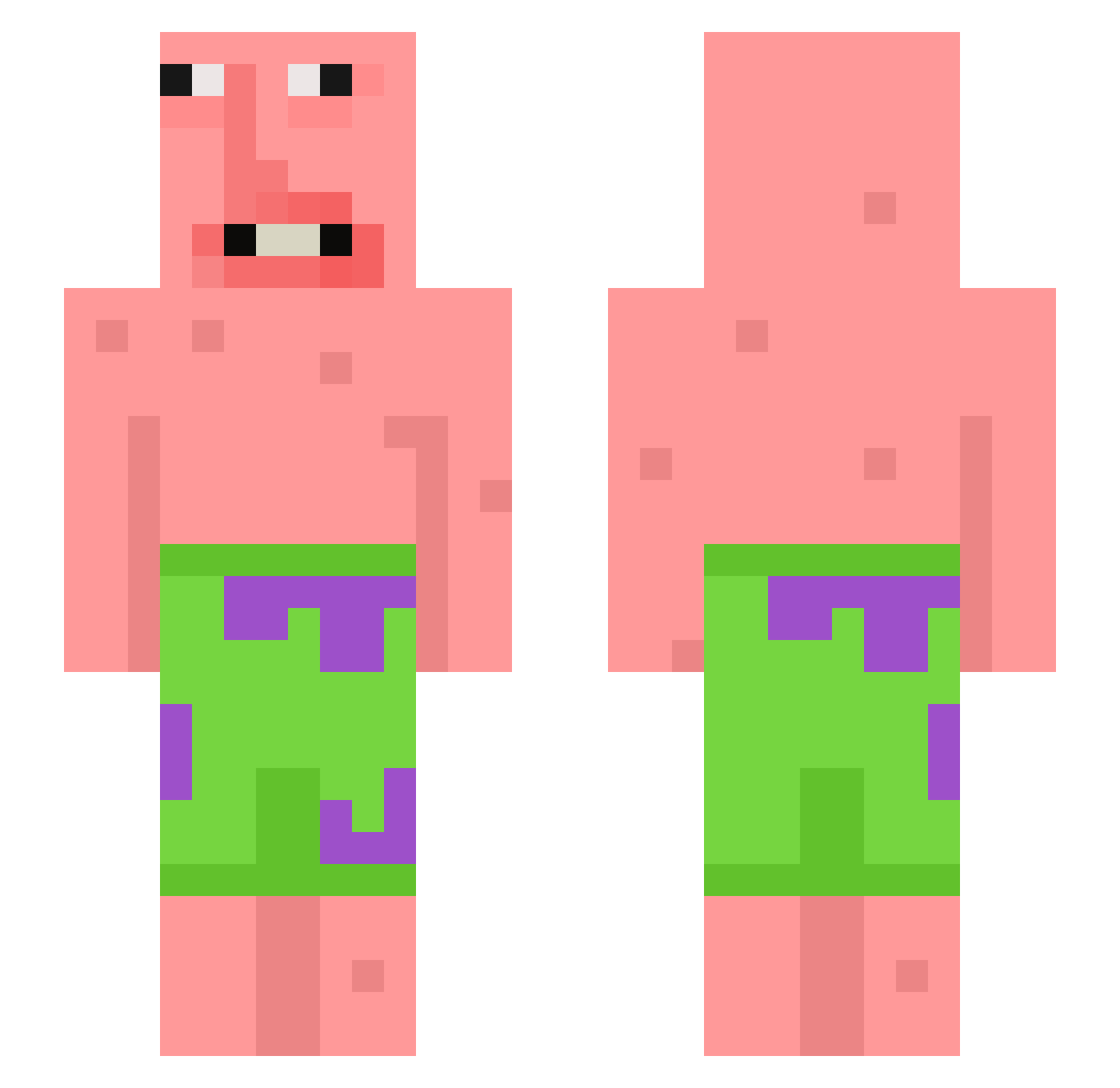
Other players with this skin (398)
vested_space87 was the 31st player we have seen with this skin, first spotted on 03.08.2026. The same skin was seen on these players. Open a nickname to see their current skin and skin history.
 StormingAthen weenybug Hisbar Thypork RUBS_G WinterCat123 MukMan29 Slymply jjanggyun notbunnny Razyeeeeee Darange_ juanmagod AK2072 FancyFish215 LimYohan RiderGoat Chumly558 vondi Adam_shuey02 pearcedigital Morrogetta777 Iceddog2021
 Ruben676767
 Washyy_uncle CottageCheeks Niminimi21 JEROMEHAHAHAGULP Doolong25 SJB326
 BlockBoy33 Siwax_x miropustel Ne0graph ant_is_short Solatvcoiis Thighaholic SWusii _noobslayer_ kwon987 Th3C0MiX Dragonsarenice SupFoo RoseQuarterTC MiniOnion123 CaptEddie42 SenseiRezy9384 asdf_10 Gibletboii BucketDadd Dymethazine
 Pafex blackmoon971229 xszz EspiHD Melusu FishEater25 Godsheeeen anitaaaa02 Catfishgrove_
More Patrick Star Minecraft skins
See all 611 Patrick Star skins
How to install the vested_space87 skin
- Press the Download button above to save the skin as a PNG file.
- Minecraft: Bedrock Edition (PE): open the Dressing Room from the main menu (or tap your character → Edit Character), go to Classic Skins → Owned, press the + (new skin) button, choose the downloaded PNG and pick the Slim (Alex) model. Works on PC and mobile; consoles cannot import custom skins.
- Minecraft: Java Edition: open the Minecraft Launcher, go to the Skins tab, click New Skin, load the PNG, pick the Slim (Alex) model and press Save & Use. You can also upload it at minecraft.net → Profile → Change Skin.
The skin does not show up after import - what should I do?
Restart Minecraft and open the Dressing Room again - imported skins sometimes appear only after a restart. Also make sure you selected the imported skin and picked the Slim (Alex) model.
Which model should I choose, Classic or Slim?
This skin is designed for the Slim (Alex) model. If you pick the wrong model, the arms of the skin will look stretched or squeezed.
Is the skin of vested_space87 free to download?
Yes. Press Download, save the PNG file and use it in Minecraft: Bedrock Edition or Java Edition - no payment or registration needed. The skin also works on multiplayer servers and Realms.
More skins
Looking for more? Go back to all Minecraft skins and check the top skins of the week, month and all time, or find any player's skin by nickname.