
vaechuu - Minecraft Skins & Skin History
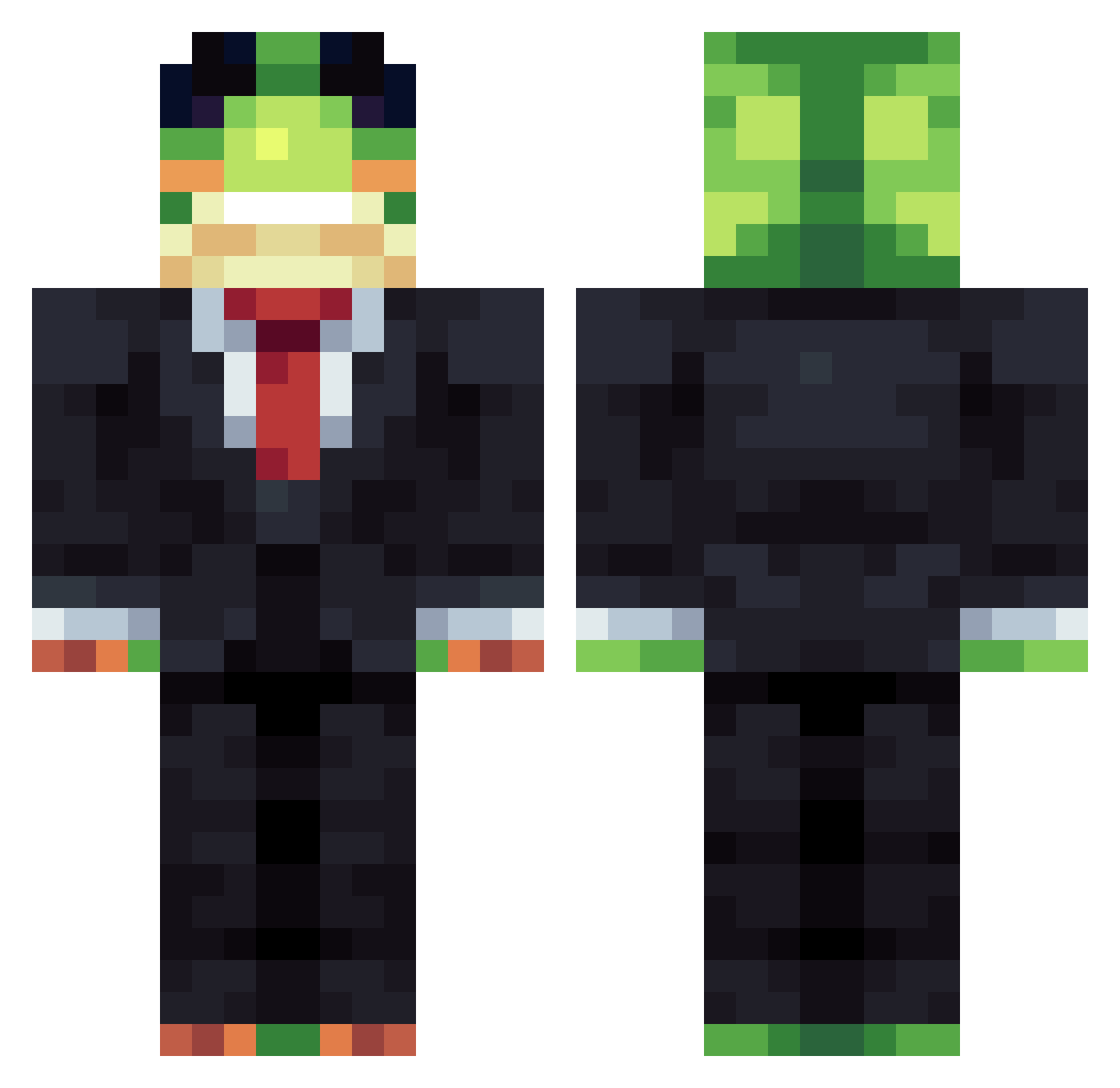
Current Minecraft skin of the player vaechuu, loaded from the official Mojang API. Rotate the 3D model with your mouse or finger, then download the skin as a PNG file and use it in Minecraft: Bedrock Edition or Java Edition for free. When vaechuu changes their skin, this page updates automatically and the old skin stays in the history below.
Other players with this skin (1340)
vaechuu was the 1023rd player we have seen with this skin, first spotted on 12.10.2026. The same skin was seen on these players. Open a nickname to see their current skin and skin history.
 Luka_713 Endfaith KEIYAK8 2Doggo PoisonCellar141 SMX_TTV_cha TheChaosburger Tillo243 Thijmsiroop GodtheGabe pocopo12 Budzins LyNuro Capybara_Gamer12 wicik_to_ja _BasIa377 _S7z Jidjoy SoloCosmo GiebekPL PlasMasterBoi527 Arthur_MJ __Showy__ 60hertz Kyperg MisioMar2012 Austin_07 spacewhi Pableitor01 madvillainkev Nelwier Facuhhh ALITTLECOW208 cobyu15 FROGe1267 Sacred_Orb BeeRaad AnotherWeeb n00b__123 Bleck228 ReyLeonidas02 MagicPIG3000 U_THINK_I_AM_AI Denskot IAMSTEVE89365345 Komodoro10 callofduty_2431 yappymc PokeMasterBray ImpactfulMeaning THECOOL6066 favkyy caidenallison CaressMyCankles PlasmaGolemm Chickennuget527 Kality06 potato_1boi DanOnTren DragonOv6942
Previous skins of vaechuu
Skins that vaechuu wore before, newest first. Click a skin to open its page and download it.
More Frog Minecraft skins
How to install the vaechuu skin
- Press the Download button above to save the skin as a PNG file.
- Minecraft: Bedrock Edition (PE): open the Dressing Room from the main menu (or tap your character → Edit Character), go to Classic Skins → Owned, press the + (new skin) button, choose the downloaded PNG and pick the Classic (Steve) model. Works on PC and mobile; consoles cannot import custom skins.
- Minecraft: Java Edition: open the Minecraft Launcher, go to the Skins tab, click New Skin, load the PNG, pick the Classic (Steve) model and press Save & Use. You can also upload it at minecraft.net → Profile → Change Skin.
The skin does not show up after import - what should I do?
Restart Minecraft and open the Dressing Room again - imported skins sometimes appear only after a restart. Also make sure you selected the imported skin and picked the Classic (Steve) model.
Which model should I choose, Classic or Slim?
This skin is designed for the Classic (Steve) model. If you pick the wrong model, the arms of the skin will look stretched or squeezed.
Is the skin of vaechuu free to download?
Yes. Press Download, save the PNG file and use it in Minecraft: Bedrock Edition or Java Edition - no payment or registration needed. The skin also works on multiplayer servers and Realms.
More skins
Looking for more? Go back to all Minecraft skins and check the top skins of the week, month and all time, or find any player's skin by nickname.