
vZm679 - Minecraft Skins & Skin History
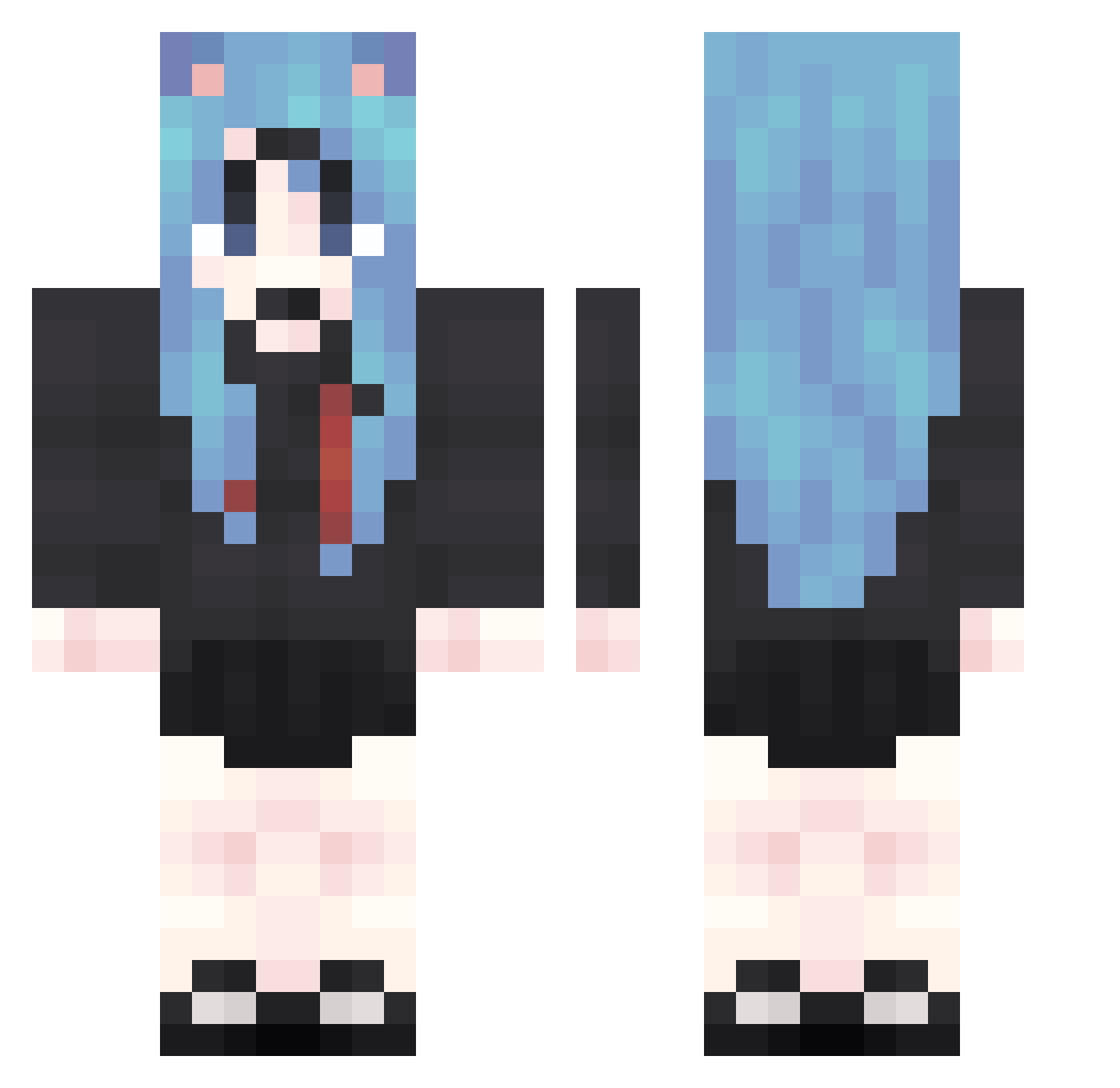
Current Minecraft skin of the player vZm679, loaded from the official Mojang API. Rotate the 3D model with your mouse or finger, then download the skin as a PNG file and use it in Minecraft: Bedrock Edition or Java Edition for free. When vZm679 changes their skin, this page updates automatically and the old skin stays in the history below.
Other players with this skin (2067)
vZm679 was the 1949th player we have seen with this skin, first spotted on 13.11.2026. The same skin was seen on these players. Open a nickname to see their current skin and skin history.
 HWL350 GVX462 mgg599 AOB144 CIO764 yVT714 Qyz258 wZZ833 PIr790 HBk236 IVE380 Nyo837 Bzs380 pgR862 AZp314 EatableRustic508 JVz389 Pwb870 DIQ274 jVH222 YPs189 MJr5 cOr885 kFX936 mNW978 wMr460 zvm642 hnb211 ERB222 WDC122 Duf302 Mzd593 fCh83 uKh740 NSA385 dcl142 ySD343 iCd682 hTl463 wLH895 tkv922 WHN788 NyZ765 USo938 tVK653 Vcw58 hbp849 mcL52 ZAL804 fPk982 Tek916 pSl992 WQp984 wMn565 Vht326 LSJ261 ohA215 ifx425 jQW977 REI495
More School Uniform Minecraft skins
See all 7628 School Uniform skins
How to install the vZm679 skin
- Press the Download button above to save the skin as a PNG file.
- Minecraft: Bedrock Edition (PE): open the Dressing Room from the main menu (or tap your character → Edit Character), go to Classic Skins → Owned, press the + (new skin) button, choose the downloaded PNG and pick the Classic (Steve) model. Works on PC and mobile; consoles cannot import custom skins.
- Minecraft: Java Edition: open the Minecraft Launcher, go to the Skins tab, click New Skin, load the PNG, pick the Classic (Steve) model and press Save & Use. You can also upload it at minecraft.net → Profile → Change Skin.
The skin does not show up after import - what should I do?
Restart Minecraft and open the Dressing Room again - imported skins sometimes appear only after a restart. Also make sure you selected the imported skin and picked the Classic (Steve) model.
Which model should I choose, Classic or Slim?
This skin is designed for the Classic (Steve) model. If you pick the wrong model, the arms of the skin will look stretched or squeezed.
Is the skin of vZm679 free to download?
Yes. Press Download, save the PNG file and use it in Minecraft: Bedrock Edition or Java Edition - no payment or registration needed. The skin also works on multiplayer servers and Realms.
More skins
Looking for more? Go back to all Minecraft skins and check the top skins of the week, month and all time, or find any player's skin by nickname.