
uyyyy - Minecraft Skins & Skin History
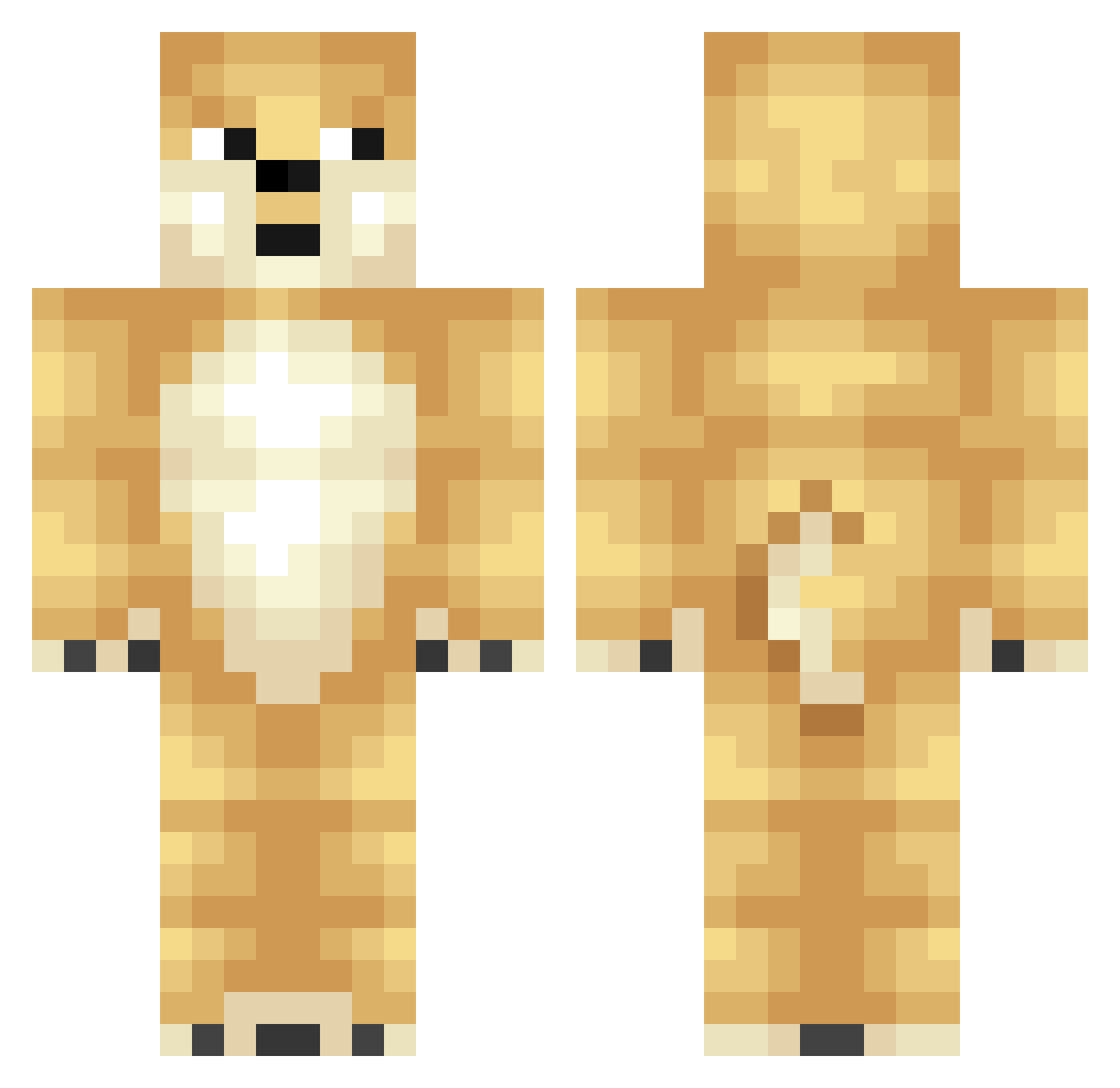
Current Minecraft skin of the player uyyyy, loaded from the official Mojang API. Rotate the 3D model with your mouse or finger, then download the skin as a PNG file and use it in Minecraft: Bedrock Edition or Java Edition for free. When uyyyy changes their skin, this page updates automatically and the old skin stays in the history below.
Other players with this skin (345)
uyyyy was the 308th player we have seen with this skin, first spotted on 18.10.2026. The same skin was seen on these players. Open a nickname to see their current skin and skin history.
 Fine_Tree N1NJAEAGLE monkeymon111 Entrees KMJ5010 Ekman1991 Triplethreat_MGC devEXE Skidders_ Purp648 KaizerBlazer malmaarmals RawrLimit Raun3006 Team_Eclips Jordyshaw11 ManOfMuchSkill Fatotter matlol456 Kingssi Yizro pearjuicebox36 bropro65 ToluPT Gojib TryndamereMAIN feralBestBeast Heelksha AcuarioPiscis_YT labracadabra thebossbudderman AFCsteelers10 Shaom jaisie Hyld razedminer GameGirl200 maikowww xIKierann N0_0bSl8yer Okurii 72mee RazeyYT kak07 _ItsSharpie_ SneakyMuffin7 cooldude305 Xirl yarix cwiiki ledz Valdemar06dk xXbluehoundXx viFaZe limitless_fish RyanandZipper MELONCOOIF MiChIdErBoSs Cookie_Doge123 Game_Runner
More Shiba Inu Minecraft skins
How to install the uyyyy skin
- Press the Download button above to save the skin as a PNG file.
- Minecraft: Bedrock Edition (PE): open the Dressing Room from the main menu (or tap your character → Edit Character), go to Classic Skins → Owned, press the + (new skin) button, choose the downloaded PNG and pick the Classic (Steve) model. Works on PC and mobile; consoles cannot import custom skins.
- Minecraft: Java Edition: open the Minecraft Launcher, go to the Skins tab, click New Skin, load the PNG, pick the Classic (Steve) model and press Save & Use. You can also upload it at minecraft.net → Profile → Change Skin.
The skin does not show up after import - what should I do?
Restart Minecraft and open the Dressing Room again - imported skins sometimes appear only after a restart. Also make sure you selected the imported skin and picked the Classic (Steve) model.
Which model should I choose, Classic or Slim?
This skin is designed for the Classic (Steve) model. If you pick the wrong model, the arms of the skin will look stretched or squeezed.
Is the skin of uyyyy free to download?
Yes. Press Download, save the PNG file and use it in Minecraft: Bedrock Edition or Java Edition - no payment or registration needed. The skin also works on multiplayer servers and Realms.
More skins
Looking for more? Go back to all Minecraft skins and check the top skins of the week, month and all time, or find any player's skin by nickname.