
uuu365 - Minecraft Skins & Skin History
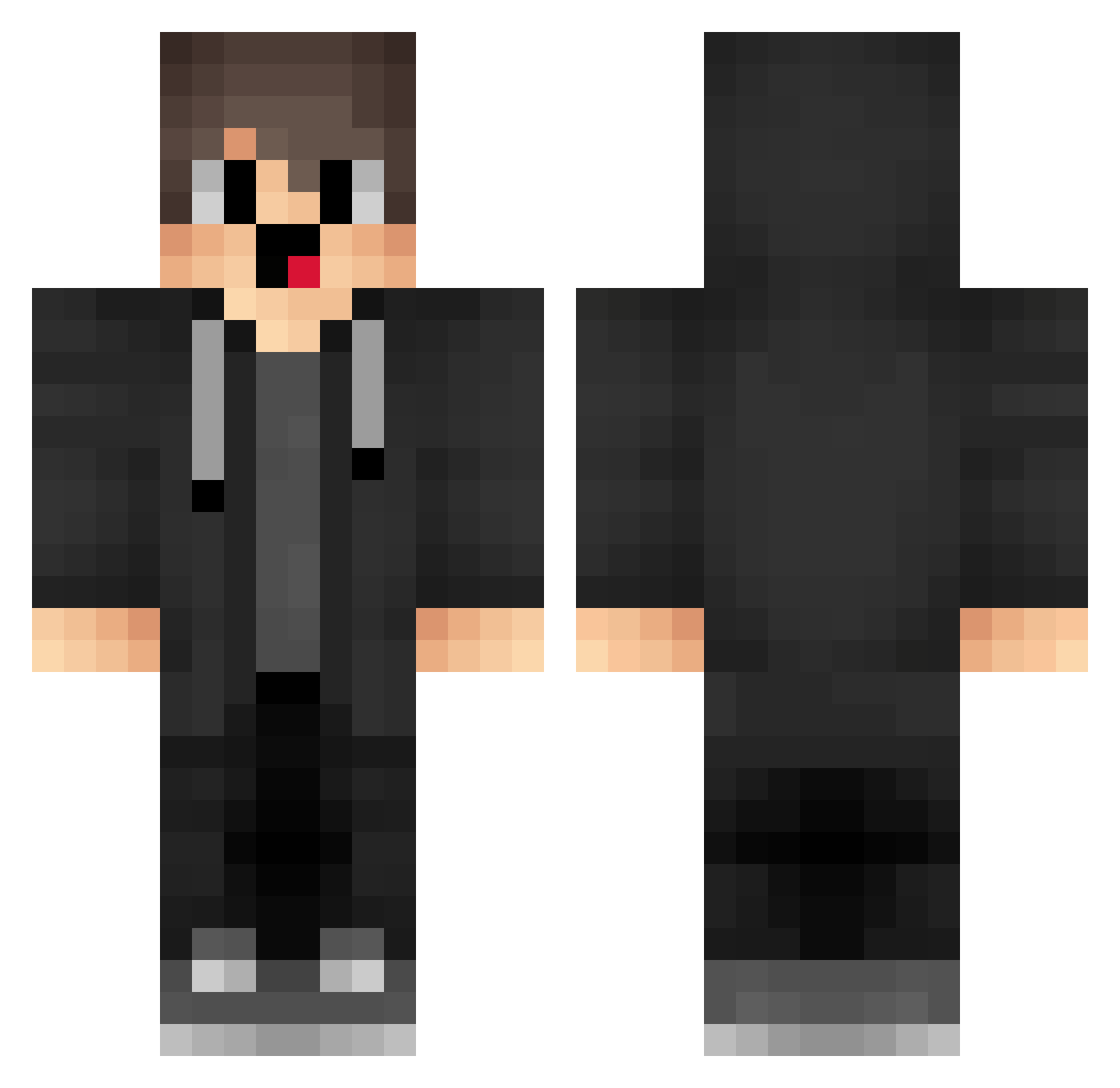
Current Minecraft skin of the player uuu365, loaded from the official Mojang API. Rotate the 3D model with your mouse or finger, then download the skin as a PNG file and use it in Minecraft: Bedrock Edition or Java Edition for free. When uuu365 changes their skin, this page updates automatically and the old skin stays in the history below.
Other players with this skin (1718)
uuu365 was the 1340th player we have seen with this skin, first spotted on 19.10.2026. The same skin was seen on these players. Open a nickname to see their current skin and skin history.
 badlionelomaster Pyhton23701 box_ukauKhtMw878 SJL959 Sa3ura_9 Eva651 ZKk144 Sa3ura_2001 Delayurai AZB280 bWZ561 PeN547 SportMN HuseyinCay ErP684 QxOmLLs Rqb809 YWP152 box_RASxGusKi213 dPc624 VLy821 WOSHINIDADDY__ box_ELOBwsDRQ370 GZl822 vrA140 QXq526 BKm415 ZQV38 ify285 uhE575 iLF252 box_qabLJXgVk340 ZOM297 OGA335 Sko326 dFr860 Risece4s qGs532 FpA718 ATt73 dUJ395 MasterFlingan cVY214 BiliBiliDaHaiTX Ppr783 Zge459 iMN416 _merryzz1337_ APt52 cqc197 SCQ823 OOOOOOOOOOOOFF NPF349 qPl741 jgd483 newbypassvape B_H_O_P_T_X dKs52 OeJ202 rdp728
How to install the uuu365 skin
- Press the Download button above to save the skin as a PNG file.
- Minecraft: Bedrock Edition (PE): open the Dressing Room from the main menu (or tap your character → Edit Character), go to Classic Skins → Owned, press the + (new skin) button, choose the downloaded PNG and pick the Classic (Steve) model. Works on PC and mobile; consoles cannot import custom skins.
- Minecraft: Java Edition: open the Minecraft Launcher, go to the Skins tab, click New Skin, load the PNG, pick the Classic (Steve) model and press Save & Use. You can also upload it at minecraft.net → Profile → Change Skin.
The skin does not show up after import - what should I do?
Restart Minecraft and open the Dressing Room again - imported skins sometimes appear only after a restart. Also make sure you selected the imported skin and picked the Classic (Steve) model.
Which model should I choose, Classic or Slim?
This skin is designed for the Classic (Steve) model. If you pick the wrong model, the arms of the skin will look stretched or squeezed.
Is the skin of uuu365 free to download?
Yes. Press Download, save the PNG file and use it in Minecraft: Bedrock Edition or Java Edition - no payment or registration needed. The skin also works on multiplayer servers and Realms.
More skins
Looking for more? Go back to all Minecraft skins and check the top skins of the week, month and all time, or find any player's skin by nickname.