
urgakina0 - Minecraft Skins & Skin History
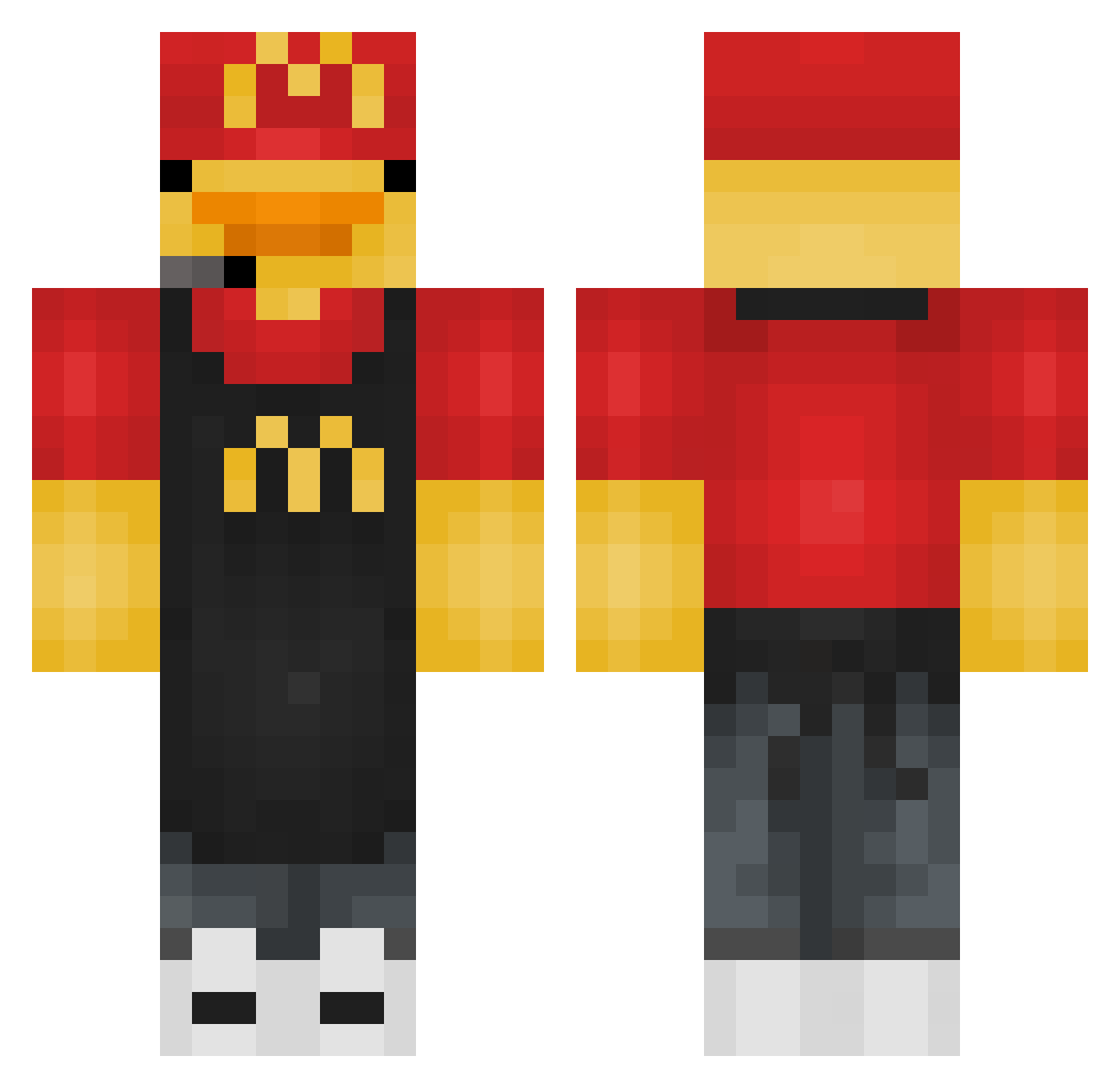
Current Minecraft skin of the player urgakina0, loaded from the official Mojang API. Rotate the 3D model with your mouse or finger, then download the skin as a PNG file and use it in Minecraft: Bedrock Edition or Java Edition for free. When urgakina0 changes their skin, this page updates automatically and the old skin stays in the history below.
Other players with this skin (277)
urgakina0 was the 248th player we have seen with this skin, first spotted on 13.10.2026. The same skin was seen on these players. Open a nickname to see their current skin and skin history.
 Dark_hunter211 ThxrneMusic gaboxxx2006 Zo1132 Cremel gunner77 GeorgeLupus KanPayoongPogPog DanixX09 zzd1 adelie25_ QuitRagequit xMqthias lufei_MPSnjj IOnlyI MediumDoggie FwSkii Wild4Archer88 Nla0111 balloon4r sunlight324 iKvst anheemyeong12 Howoooo Vanguard18MH Solomento DeliciousQuinoa_ qqweqsadq2 Emojiitti BigChedda7 TrueMoney th_overseer_duck NotXamm ddddd1234 Domene_ Mr_cold_ Micsosz Camerta HeroicBro speeder2500 Guillemsito11 KeenManatee9849 Cam_Boom iceslaze Dafwu SapoxBOyz Loganmuzza shadowquellofake snifftoeslikeme 3jmii Melamec ddddddd1234 fiji1213 neddy_teddy TheBakerOfTroy FayeFreed no_novi tateri Fyshoo Scobi_dobi_duu
More Headset Minecraft skins
How to install the urgakina0 skin
- Press the Download button above to save the skin as a PNG file.
- Minecraft: Bedrock Edition (PE): open the Dressing Room from the main menu (or tap your character → Edit Character), go to Classic Skins → Owned, press the + (new skin) button, choose the downloaded PNG and pick the Classic (Steve) model. Works on PC and mobile; consoles cannot import custom skins.
- Minecraft: Java Edition: open the Minecraft Launcher, go to the Skins tab, click New Skin, load the PNG, pick the Classic (Steve) model and press Save & Use. You can also upload it at minecraft.net → Profile → Change Skin.
The skin does not show up after import - what should I do?
Restart Minecraft and open the Dressing Room again - imported skins sometimes appear only after a restart. Also make sure you selected the imported skin and picked the Classic (Steve) model.
Which model should I choose, Classic or Slim?
This skin is designed for the Classic (Steve) model. If you pick the wrong model, the arms of the skin will look stretched or squeezed.
Is the skin of urgakina0 free to download?
Yes. Press Download, save the PNG file and use it in Minecraft: Bedrock Edition or Java Edition - no payment or registration needed. The skin also works on multiplayer servers and Realms.
More skins
Looking for more? Go back to all Minecraft skins and check the top skins of the week, month and all time, or find any player's skin by nickname.