
universe903 - Minecraft Skins & Skin History
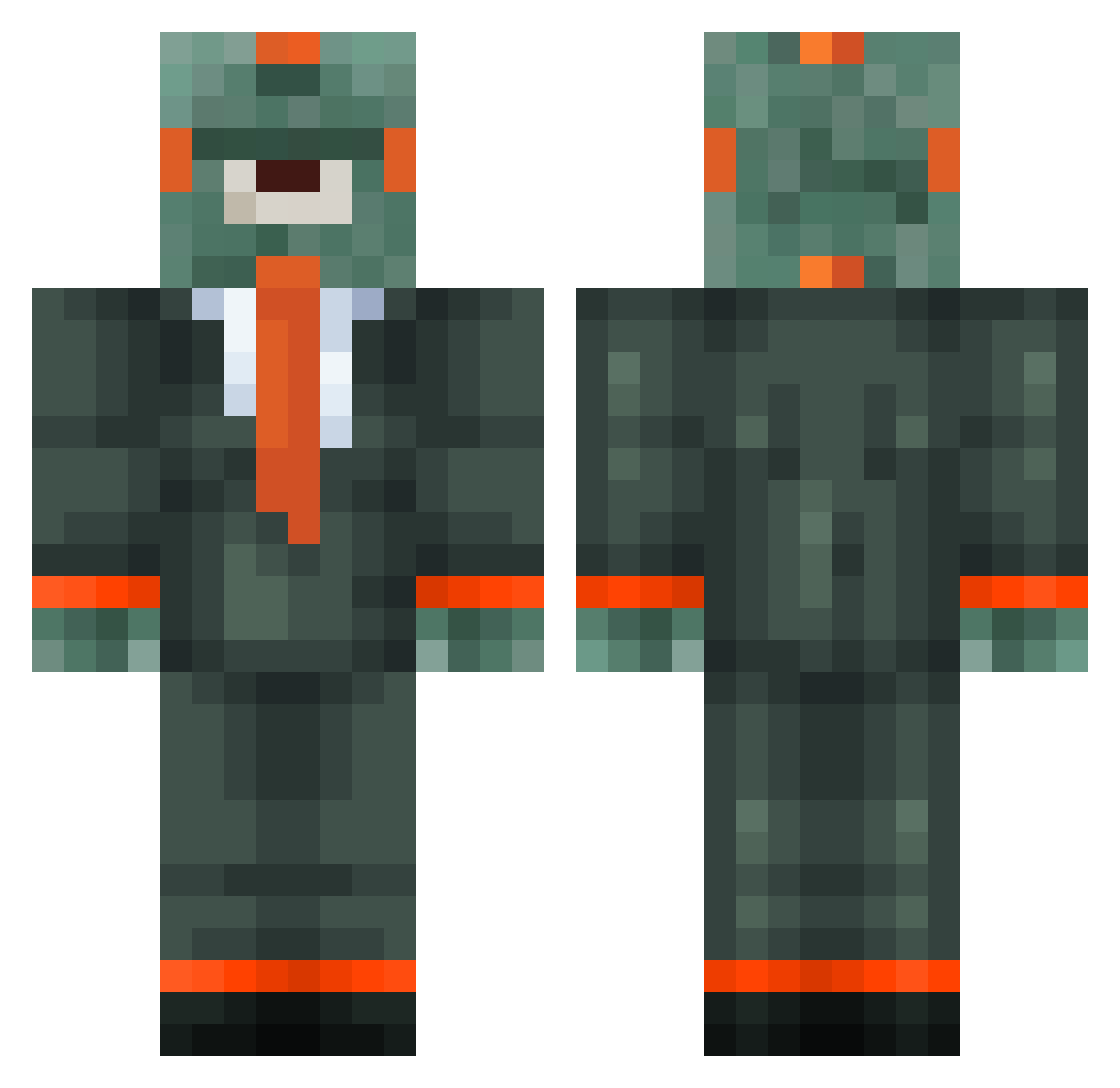
Current Minecraft skin of the player universe903, loaded from the official Mojang API. Rotate the 3D model with your mouse or finger, then download the skin as a PNG file and use it in Minecraft: Bedrock Edition or Java Edition for free. When universe903 changes their skin, this page updates automatically and the old skin stays in the history below.
Other players with this skin (187)
universe903 was the 44th player we have seen with this skin, first spotted on 15.08.2026. The same skin was seen on these players. Open a nickname to see their current skin and skin history.
 JSR2oo3 TheEpicSoldier1 King_Ahi TurboExplore lil_toasty_man hoffyjohnson SSjaceX Rockall55 Mr203 FDWGHM dozie_boi basketball011 Luckyfreaks _blahoofd_ Cameron424 DSAWGaming DMAk41 zimonade BigMacPeeks fudge59 Decepticon BrianvP9 Iekki96 EmeraldMaster32 StijnAmsterdam DpserXPlayer0716 kingmcneal101 ImNotLukas FalseBlue2 benjamindardon McGuirk26 Trotro1 Blue_exorciste xXJellybean360Xx AstralMz RecklessTexas ItsFanis WhippedFish FullTimeSavage Brbro2650 Falconmac R3W1ND Shuriya ZonneMakreel TheCrazyMambaa antoine6969 PIEMAN365 kubasad 1qqa gygax07 alion2709 Eragel Kameol LucaHen xXjawesomekid7Xx Limitless_life artiska9 Hedeyasu MineCrafterrr BartdeGroof
More Cyclops Minecraft skins
How to install the universe903 skin
- Press the Download button above to save the skin as a PNG file.
- Minecraft: Bedrock Edition (PE): open the Dressing Room from the main menu (or tap your character → Edit Character), go to Classic Skins → Owned, press the + (new skin) button, choose the downloaded PNG and pick the Classic (Steve) model. Works on PC and mobile; consoles cannot import custom skins.
- Minecraft: Java Edition: open the Minecraft Launcher, go to the Skins tab, click New Skin, load the PNG, pick the Classic (Steve) model and press Save & Use. You can also upload it at minecraft.net → Profile → Change Skin.
The skin does not show up after import - what should I do?
Restart Minecraft and open the Dressing Room again - imported skins sometimes appear only after a restart. Also make sure you selected the imported skin and picked the Classic (Steve) model.
Which model should I choose, Classic or Slim?
This skin is designed for the Classic (Steve) model. If you pick the wrong model, the arms of the skin will look stretched or squeezed.
Is the skin of universe903 free to download?
Yes. Press Download, save the PNG file and use it in Minecraft: Bedrock Edition or Java Edition - no payment or registration needed. The skin also works on multiplayer servers and Realms.
More skins
Looking for more? Go back to all Minecraft skins and check the top skins of the week, month and all time, or find any player's skin by nickname.