
uSink - Minecraft Skins & Skin History
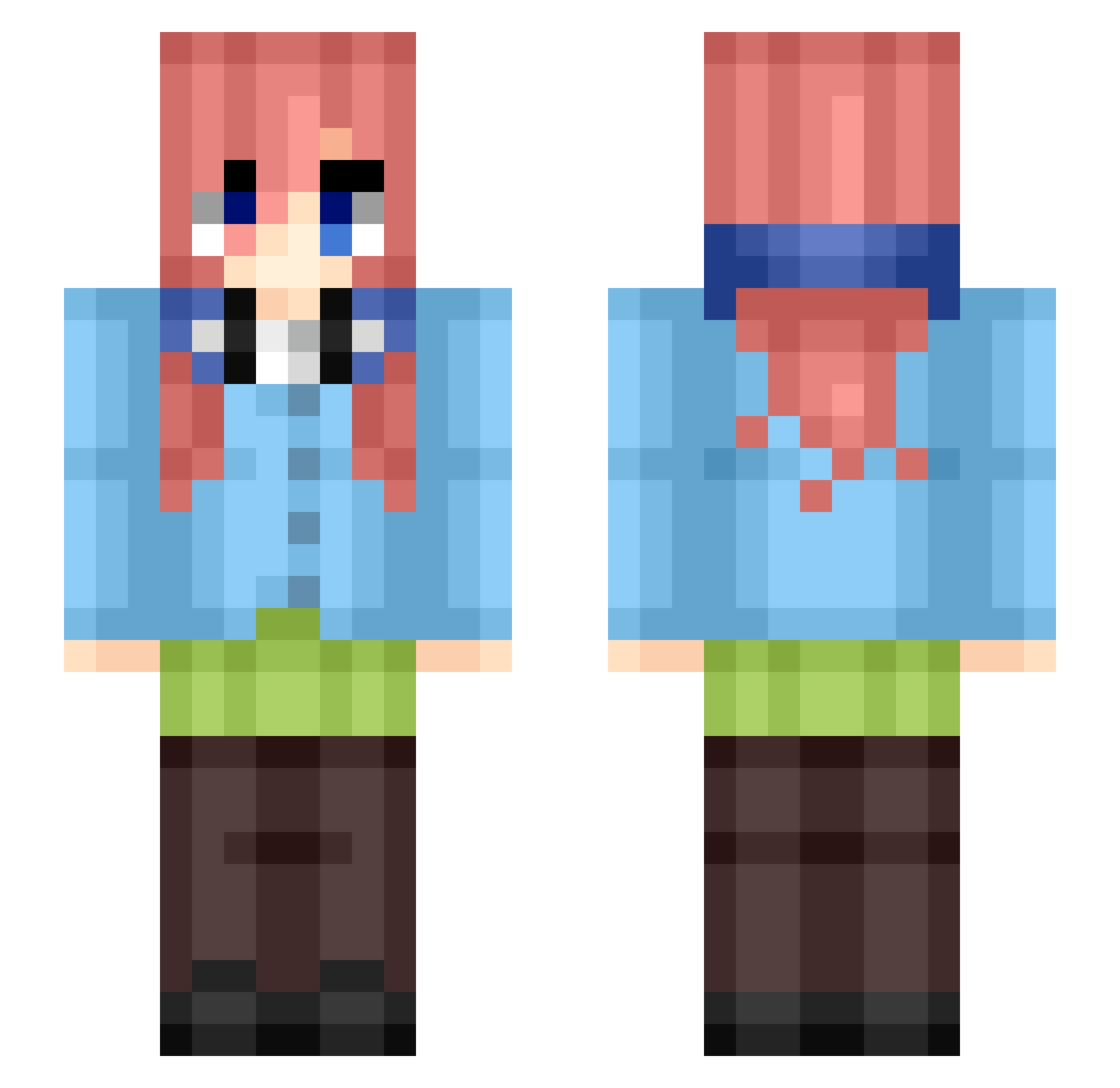
Current Minecraft skin of the player uSink, loaded from the official Mojang API. Rotate the 3D model with your mouse or finger, then download the skin as a PNG file and use it in Minecraft: Bedrock Edition or Java Edition for free. When uSink changes their skin, this page updates automatically and the old skin stays in the history below.
Other players with this skin (458)
uSink was the 333rd player we have seen with this skin, first spotted on 11.10.2026. The same skin was seen on these players. Open a nickname to see their current skin and skin history.
 martin1425 Tsukaumi HCYWarden SHI_oskmtz08 Sr_ViniBr Axie03 AjxSora Captain_Yen brigniwater R4v3nsss Dudzior JNNSin Tadej2010 ASRISK_ CesarQQ Sr_Llama TarryBicycle560 Z113x TawheedM150 xavyg Aqua_AB Coqui_24 Wawazzza miku_nakano_N1 TQQfan Kyr11yx Nosferatwo360 Monster_normal01 LJWsg Carnage74000 a_cOuCHh o2Shadow_ mecagomc larissa_dashab1 FixResin realsmooth59 Procraft06 Nitr0Ninj4 Lucas_guld Daylanx kizaru72 mcze1011 Ly1rc _gambito_ Peluchin202211 ew_perkkk FoxySky_ ZBEmanuel Anchovy211 ZerTw9 fiuffydolphin Stowie73 Ageles11 Kddk852 TEclad0 LaMuerteBlanca30 Shadowkey1_1 MGX5482 MikuMiku_0505 JOVV_
More Miku Nakano Minecraft skins
How to install the uSink skin
- Press the Download button above to save the skin as a PNG file.
- Minecraft: Bedrock Edition (PE): open the Dressing Room from the main menu (or tap your character → Edit Character), go to Classic Skins → Owned, press the + (new skin) button, choose the downloaded PNG and pick the Slim (Alex) model. Works on PC and mobile; consoles cannot import custom skins.
- Minecraft: Java Edition: open the Minecraft Launcher, go to the Skins tab, click New Skin, load the PNG, pick the Slim (Alex) model and press Save & Use. You can also upload it at minecraft.net → Profile → Change Skin.
The skin does not show up after import - what should I do?
Restart Minecraft and open the Dressing Room again - imported skins sometimes appear only after a restart. Also make sure you selected the imported skin and picked the Slim (Alex) model.
Which model should I choose, Classic or Slim?
This skin is designed for the Slim (Alex) model. If you pick the wrong model, the arms of the skin will look stretched or squeezed.
Is the skin of uSink free to download?
Yes. Press Download, save the PNG file and use it in Minecraft: Bedrock Edition or Java Edition - no payment or registration needed. The skin also works on multiplayer servers and Realms.
More skins
Looking for more? Go back to all Minecraft skins and check the top skins of the week, month and all time, or find any player's skin by nickname.