
u235psycho - Minecraft Skins & Skin History
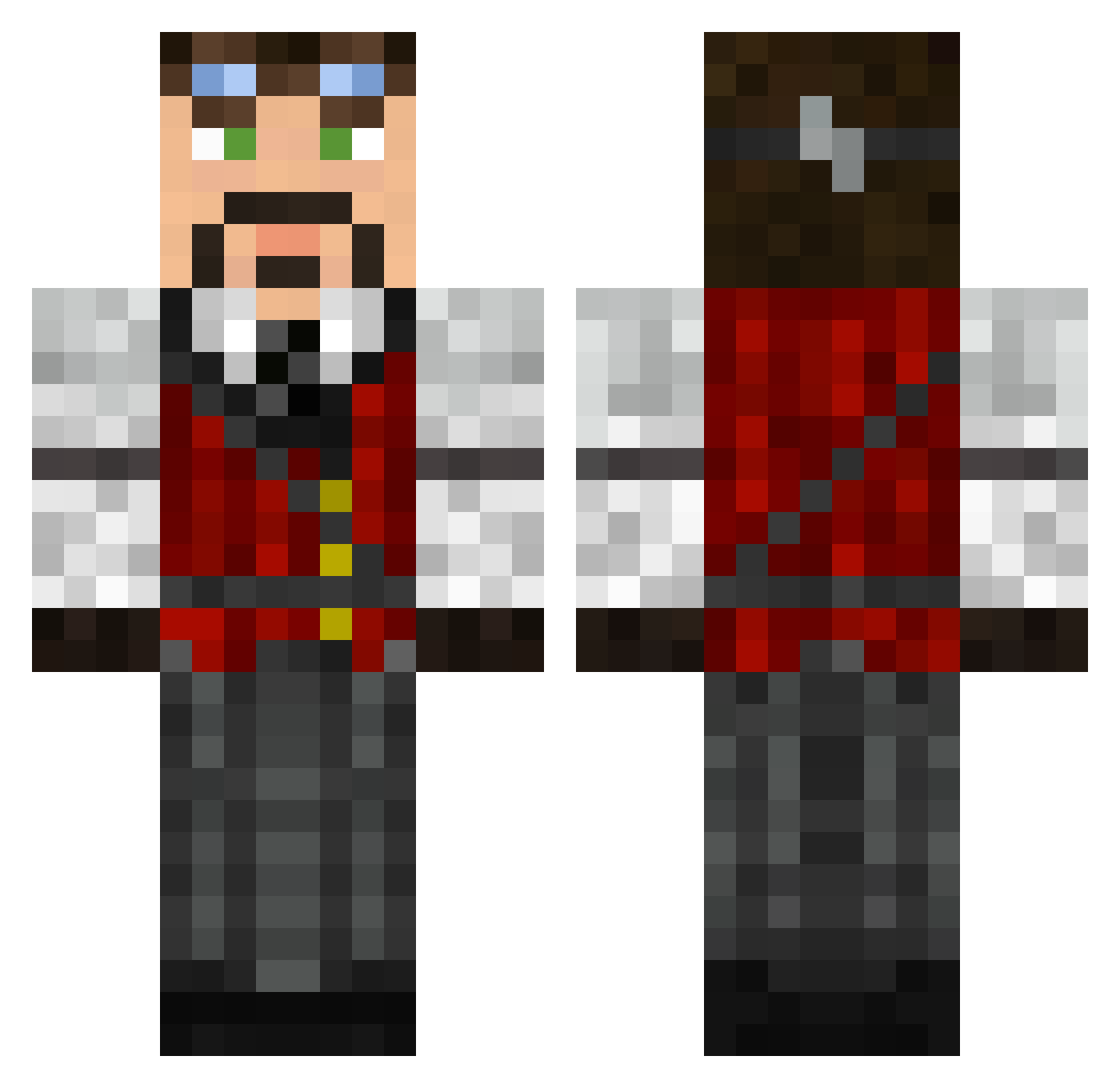
Current Minecraft skin of the player u235psycho, loaded from the official Mojang API. Rotate the 3D model with your mouse or finger, then download the skin as a PNG file and use it in Minecraft: Bedrock Edition or Java Edition for free. When u235psycho changes their skin, this page updates automatically and the old skin stays in the history below.
Other players with this skin (626)
u235psycho was the 173rd player we have seen with this skin, first spotted on 28.08.2026. The same skin was seen on these players. Open a nickname to see their current skin and skin history.
 walker366 Laserninjahaj Groovinguru GoranFalth _DarkRaideR MSD05 Psychotic_Ed Lenny__B UltimateDud TheArchitectGuy Jaquette Powerofmind Ghostwake Davrosis Topmuk SoUtHwEsTsYcO gh1221 OakyGee Tompaman_95 KamiJet Bdragon112 Charlie535 rokit0 GarrettSkye simon_alex espeneik bldrgn77 mtshadow152 Pitris85 SpoonFace234 Shettyhengst GrizGuy yany51 AzureOrca zetarue MrPYF lundfold Alam12 minidevilz Green_Acres_5 SilentJay_ Just_Jonny AaronMills Random_Lurker Wellbing Fiskeeeen Norgy Lanield Mike7335 Zoyway Liongate TakingAWalk AtomicPopc0rn Astaritobril BroPossible MrTheChaos1 RickelPunk ExuSe_ ClonedTheWasp eoawyn
More Steampunk Minecraft skins
How to install the u235psycho skin
- Press the Download button above to save the skin as a PNG file.
- Minecraft: Bedrock Edition (PE): open the Dressing Room from the main menu (or tap your character → Edit Character), go to Classic Skins → Owned, press the + (new skin) button, choose the downloaded PNG and pick the Classic (Steve) model. Works on PC and mobile; consoles cannot import custom skins.
- Minecraft: Java Edition: open the Minecraft Launcher, go to the Skins tab, click New Skin, load the PNG, pick the Classic (Steve) model and press Save & Use. You can also upload it at minecraft.net → Profile → Change Skin.
The skin does not show up after import - what should I do?
Restart Minecraft and open the Dressing Room again - imported skins sometimes appear only after a restart. Also make sure you selected the imported skin and picked the Classic (Steve) model.
Which model should I choose, Classic or Slim?
This skin is designed for the Classic (Steve) model. If you pick the wrong model, the arms of the skin will look stretched or squeezed.
Is the skin of u235psycho free to download?
Yes. Press Download, save the PNG file and use it in Minecraft: Bedrock Edition or Java Edition - no payment or registration needed. The skin also works on multiplayer servers and Realms.
More skins
Looking for more? Go back to all Minecraft skins and check the top skins of the week, month and all time, or find any player's skin by nickname.