
tx12138 - Minecraft Skins & Skin History
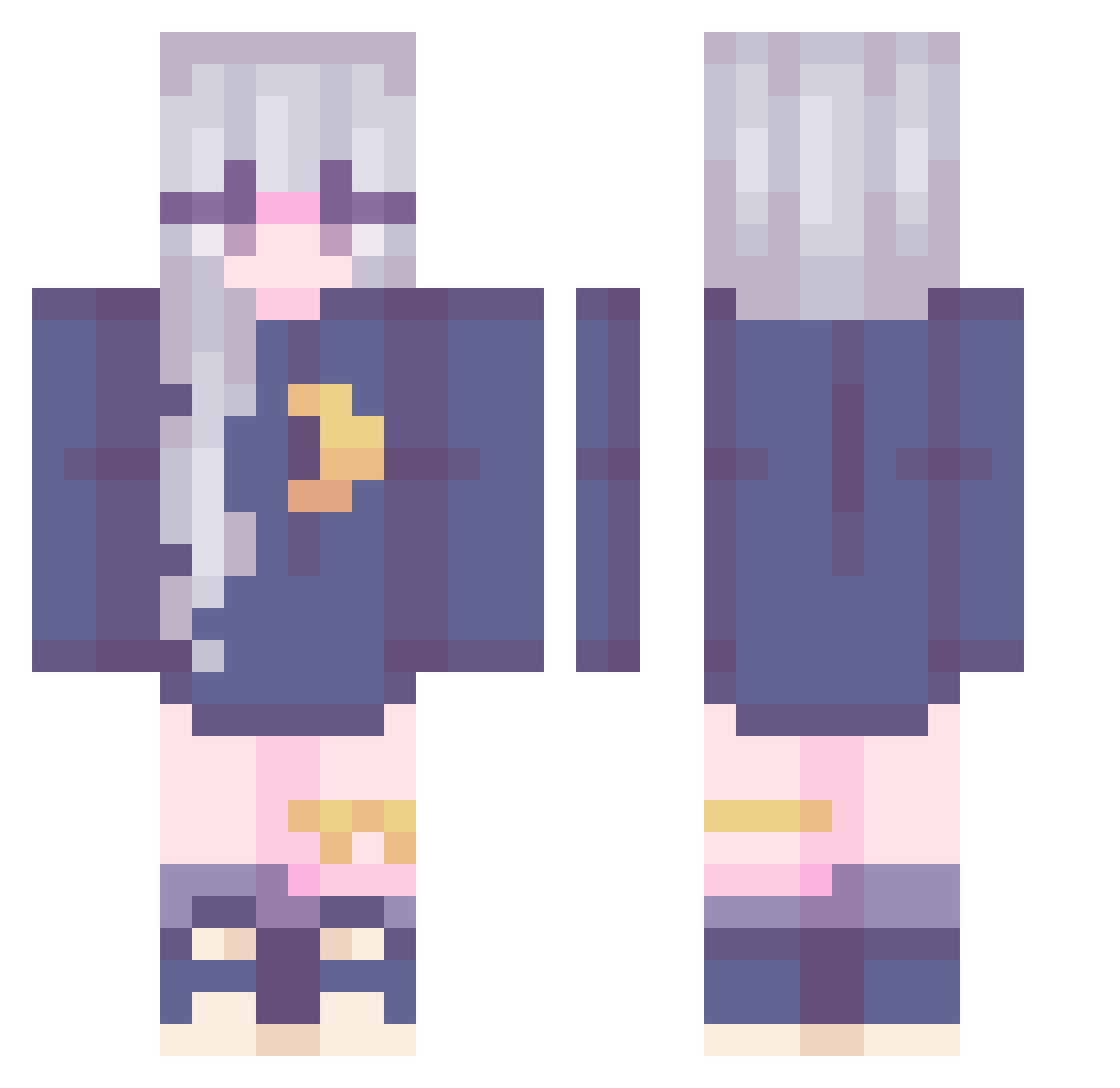
Current Minecraft skin of the player tx12138, loaded from the official Mojang API. Rotate the 3D model with your mouse or finger, then download the skin as a PNG file and use it in Minecraft: Bedrock Edition or Java Edition for free. When tx12138 changes their skin, this page updates automatically and the old skin stays in the history below.
Other players with this skin (240)
tx12138 was the 206th player we have seen with this skin, first spotted on 22.10.2026. The same skin was seen on these players. Open a nickname to see their current skin and skin history.
 CindyLBR Sanche84 N_E_B_B_Y Kenvs98 DORA0827 SonnyaGray RabbitFei ammie__ JibrilChan Emilgtc DepressedApple rerasia xbbster101 taiscenery ScarBri miyamei RosHaven APPLE0416 lizclipse mellkyway carsonxoz Sumeya00 Crxsent umululu Agists Rai_201 Shokied Unlucky_Girl Jajabings_ Mitsunee_ Brenducha PizzaSpaceCat zosia_strefa07 Yellowpandahat MezzaMorta BeeBrainz hsiaojun101 T3mulin shonnin LuzLuna loulouxina Suulo sleepy2bunny sk_Rei guracororo ElodieNo Zoeraemi Erzaavp bellaguge kobenii9085 WinterTheEhhh KissenschlachtJL Luca_dayo tillypop HappyClover123 Kilnnn OSAchan TheBeewitched young9999254 makabakakk
More Moon Minecraft skins
How to install the tx12138 skin
- Press the Download button above to save the skin as a PNG file.
- Minecraft: Bedrock Edition (PE): open the Dressing Room from the main menu (or tap your character → Edit Character), go to Classic Skins → Owned, press the + (new skin) button, choose the downloaded PNG and pick the Classic (Steve) model. Works on PC and mobile; consoles cannot import custom skins.
- Minecraft: Java Edition: open the Minecraft Launcher, go to the Skins tab, click New Skin, load the PNG, pick the Classic (Steve) model and press Save & Use. You can also upload it at minecraft.net → Profile → Change Skin.
The skin does not show up after import - what should I do?
Restart Minecraft and open the Dressing Room again - imported skins sometimes appear only after a restart. Also make sure you selected the imported skin and picked the Classic (Steve) model.
Which model should I choose, Classic or Slim?
This skin is designed for the Classic (Steve) model. If you pick the wrong model, the arms of the skin will look stretched or squeezed.
Is the skin of tx12138 free to download?
Yes. Press Download, save the PNG file and use it in Minecraft: Bedrock Edition or Java Edition - no payment or registration needed. The skin also works on multiplayer servers and Realms.
More skins
Looking for more? Go back to all Minecraft skins and check the top skins of the week, month and all time, or find any player's skin by nickname.