
turbotren - Minecraft Skins & Skin History
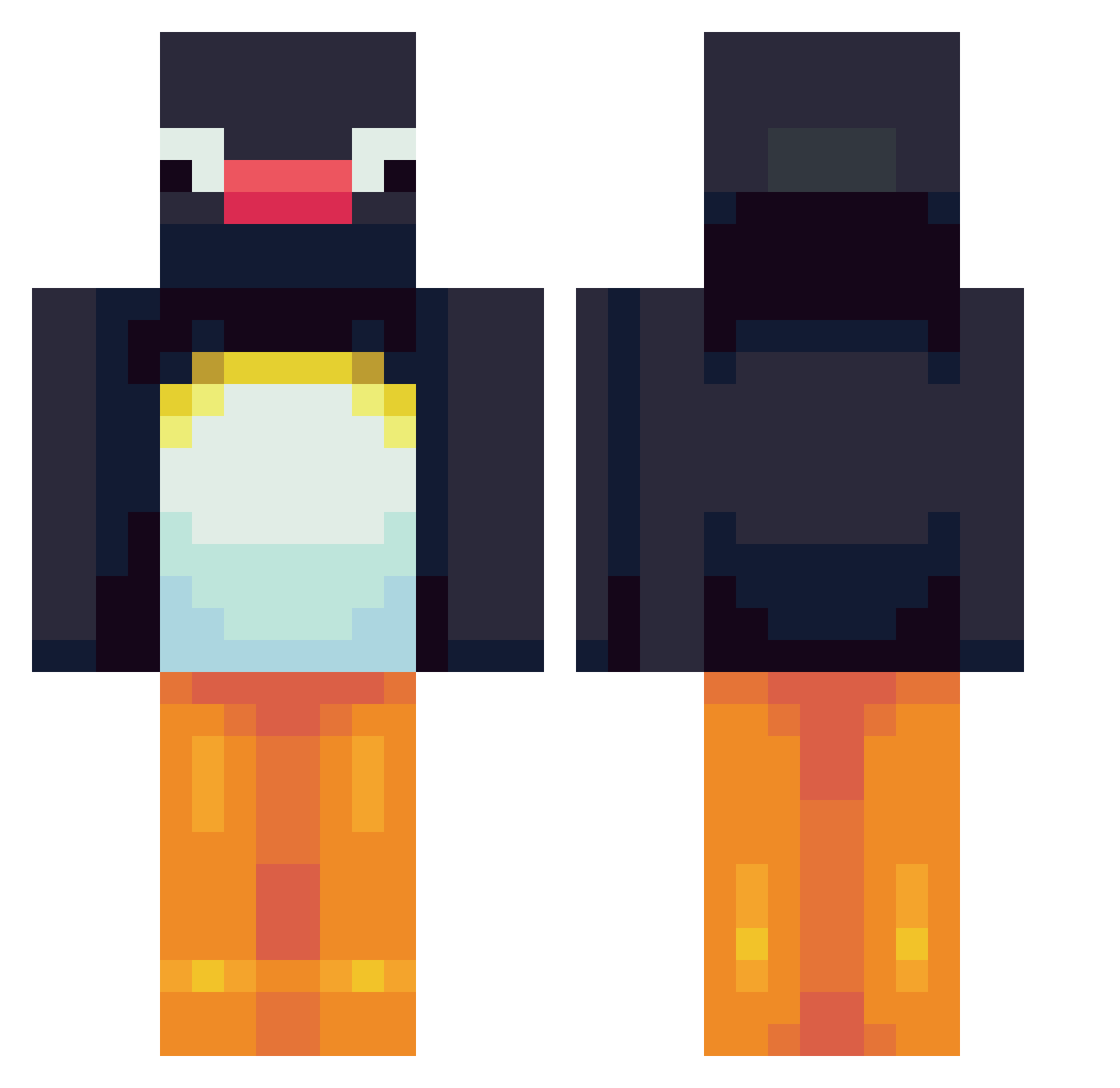
Current Minecraft skin of the player turbotren, loaded from the official Mojang API. Rotate the 3D model with your mouse or finger, then download the skin as a PNG file and use it in Minecraft: Bedrock Edition or Java Edition for free. When turbotren changes their skin, this page updates automatically and the old skin stays in the history below.
Other players with this skin (564)
turbotren was the 199th player we have seen with this skin, first spotted on 27.08.2026. The same skin was seen on these players. Open a nickname to see their current skin and skin history.
 JustMarc SouthToastGuy opggsss Kris2312 Tjumsi Roggelworm Sidaroo PeteysMans PengguinKing Beijing2858 Snowbvn MelloYelloCello hoshjicks A_man_duh3121 InterestinDragon Bayclay2282 Pingcee aizicled chloe310504 geegers717 ZEKILLA777 Juderocks22 EJMORALES o_07 Odrahcir itB_9999 SlaveSlayer6969 B_iggsy peaser Jojoyo96 laenol Amy_wezza LeEoUk cursed_miata Lordlachlan101 Arkuna Ashxri_ Jack_on_Crack911 ILSIGNOREDELSIS maagicmax Aliceliddell123 _Piingu_ Stubblack LeFunSponge ShockingMage Spl0gee Julio30_ Altarrel Wonder_Land1 Headphone_Ninja SkinnerIndy DerStrese sarahMB1604 VasyThePenguin shanghaiVVV PineBanana drecdrec vallar01 kimcheet0s kieboetskie
More Pingu Minecraft skins
How to install the turbotren skin
- Press the Download button above to save the skin as a PNG file.
- Minecraft: Bedrock Edition (PE): open the Dressing Room from the main menu (or tap your character → Edit Character), go to Classic Skins → Owned, press the + (new skin) button, choose the downloaded PNG and pick the Classic (Steve) model. Works on PC and mobile; consoles cannot import custom skins.
- Minecraft: Java Edition: open the Minecraft Launcher, go to the Skins tab, click New Skin, load the PNG, pick the Classic (Steve) model and press Save & Use. You can also upload it at minecraft.net → Profile → Change Skin.
The skin does not show up after import - what should I do?
Restart Minecraft and open the Dressing Room again - imported skins sometimes appear only after a restart. Also make sure you selected the imported skin and picked the Classic (Steve) model.
Which model should I choose, Classic or Slim?
This skin is designed for the Classic (Steve) model. If you pick the wrong model, the arms of the skin will look stretched or squeezed.
Is the skin of turbotren free to download?
Yes. Press Download, save the PNG file and use it in Minecraft: Bedrock Edition or Java Edition - no payment or registration needed. The skin also works on multiplayer servers and Realms.
More skins
Looking for more? Go back to all Minecraft skins and check the top skins of the week, month and all time, or find any player's skin by nickname.