
turbopucelle - Minecraft Skins & Skin History
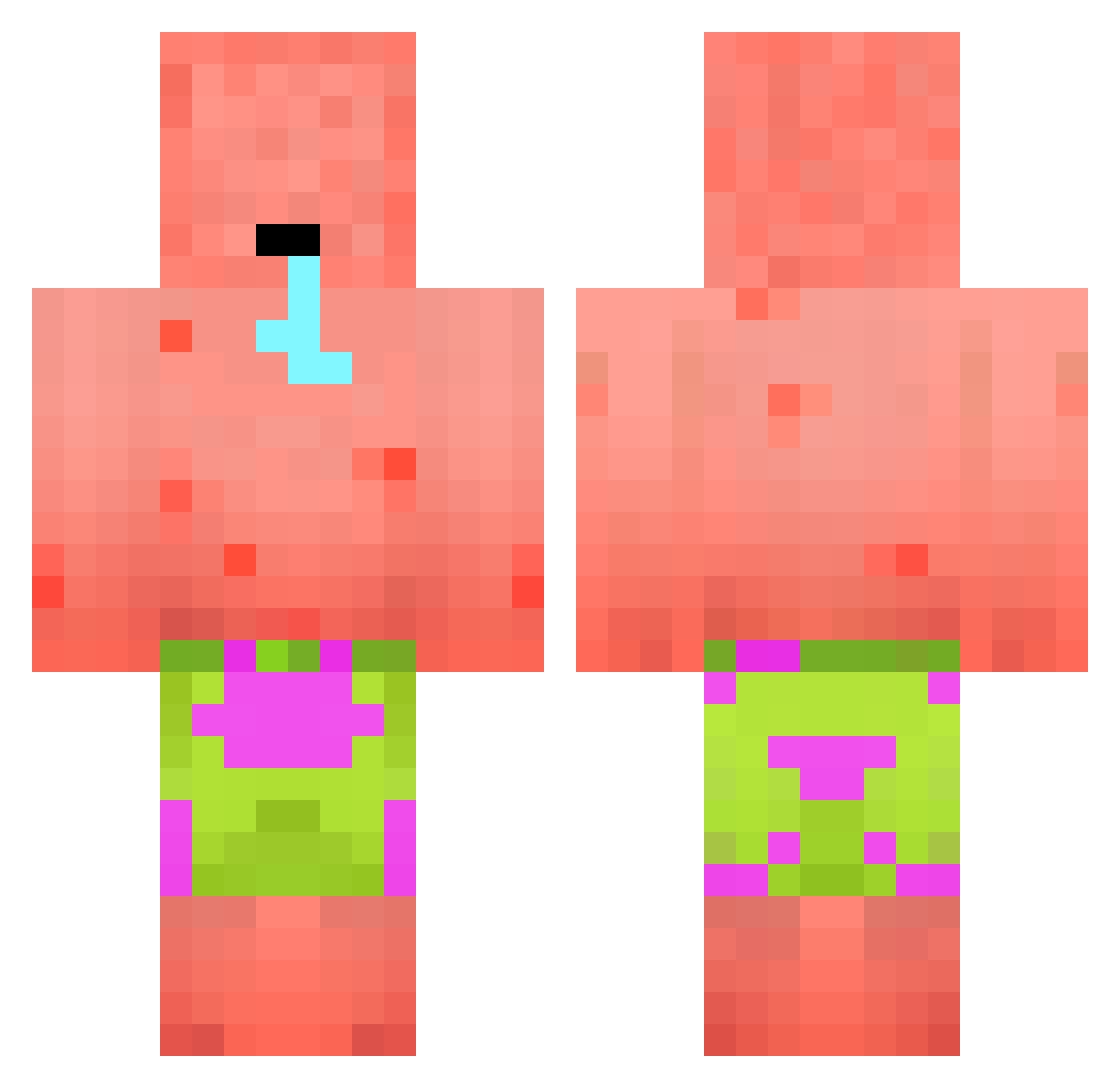
Current Minecraft skin of the player turbopucelle, loaded from the official Mojang API. Rotate the 3D model with your mouse or finger, then download the skin as a PNG file and use it in Minecraft: Bedrock Edition or Java Edition for free. When turbopucelle changes their skin, this page updates automatically and the old skin stays in the history below.
Other players with this skin (394)
turbopucelle was the 243rd player we have seen with this skin, first spotted on 01.10.2026. The same skin was seen on these players. Open a nickname to see their current skin and skin history.
 Shuyu1933 PapierBoot16749 Lilteeeeee fI0ws Skynix2611 SpecialFox8 0_SPACEFUNK_0 Loyji76 luleysl BluZeraa joesmomfat69 p33sh connorhill PatrickSter_ vPatrickIuz Pl0tkin MrCedric2010 Marcus9500 stickbow3456 Lucagil610 ManiKozy Sousalito 69cheater69 Jack0626_Tw Zacsinator m7mdw76 iAmTall save_1 Lollo10_08 ltx_ewen01 MisterKeeper DonLag Buldoh Hanswurst9998 Criquetos miella_con Pretared 123_b0b_123 htishida ToastyBhoy ChuiMathieu AGIitch jamallover3000 Ladiath Italo10 Alienqid96 Flats_ ImxBob Gochix97 Cloud09King _CleanNutte_ BlessedHawk1941 KrabbyPatty89476 FikhriS ExEplosionYt OhMyQQ TrickyTrxster Pepuniaka TurboDoggyYT TjMcQuaid
More Patrick Star Minecraft skins
See all 612 Patrick Star skins
How to install the turbopucelle skin
- Press the Download button above to save the skin as a PNG file.
- Minecraft: Bedrock Edition (PE): open the Dressing Room from the main menu (or tap your character → Edit Character), go to Classic Skins → Owned, press the + (new skin) button, choose the downloaded PNG and pick the Classic (Steve) model. Works on PC and mobile; consoles cannot import custom skins.
- Minecraft: Java Edition: open the Minecraft Launcher, go to the Skins tab, click New Skin, load the PNG, pick the Classic (Steve) model and press Save & Use. You can also upload it at minecraft.net → Profile → Change Skin.
The skin does not show up after import - what should I do?
Restart Minecraft and open the Dressing Room again - imported skins sometimes appear only after a restart. Also make sure you selected the imported skin and picked the Classic (Steve) model.
Which model should I choose, Classic or Slim?
This skin is designed for the Classic (Steve) model. If you pick the wrong model, the arms of the skin will look stretched or squeezed.
Is the skin of turbopucelle free to download?
Yes. Press Download, save the PNG file and use it in Minecraft: Bedrock Edition or Java Edition - no payment or registration needed. The skin also works on multiplayer servers and Realms.
More skins
Looking for more? Go back to all Minecraft skins and check the top skins of the week, month and all time, or find any player's skin by nickname.